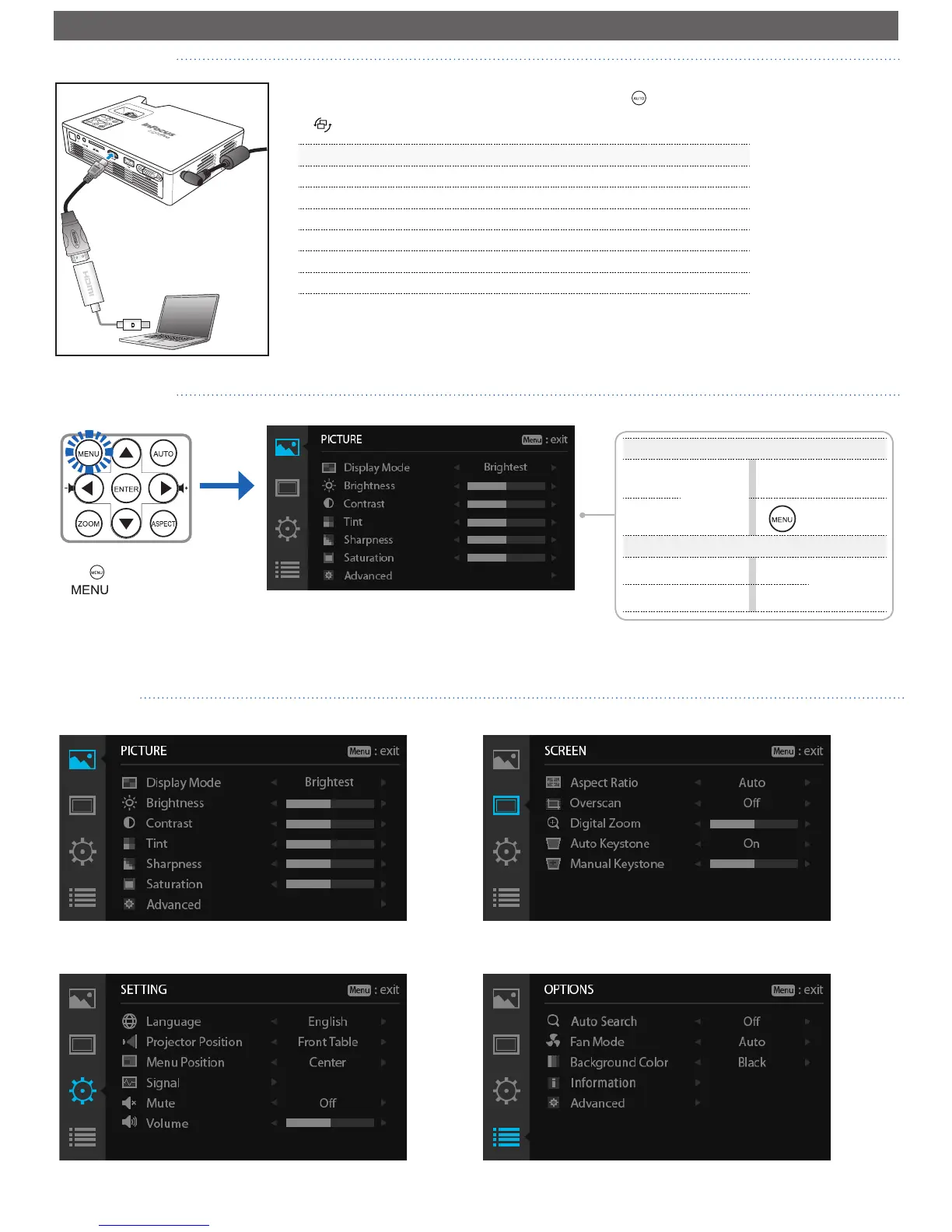
Selecting Input Source
Menu Items
PICTURE menu
Menu Operation
p
Select
main menu
u
Enter current
submenu
q
Hide OSD
menu
Submenu Operation
p
Move up
t
Adjust
setting
q
Move down
u
Entering Menu Mode
Press on the remote control
or on the control panel
to enter the menu mode.
SCREEN menu
SETTING menu OPTIONS menu
Once a video source device is connected and turned on, press on the remote control
or on the control panel to automatically switch the input source.
Available sources are in the following order:
1. VGA
2. HDMI
3. Component
4. Composite
5. Multimedia
Note: The start position in the list is determined by the last connected input source.



 To Next Page