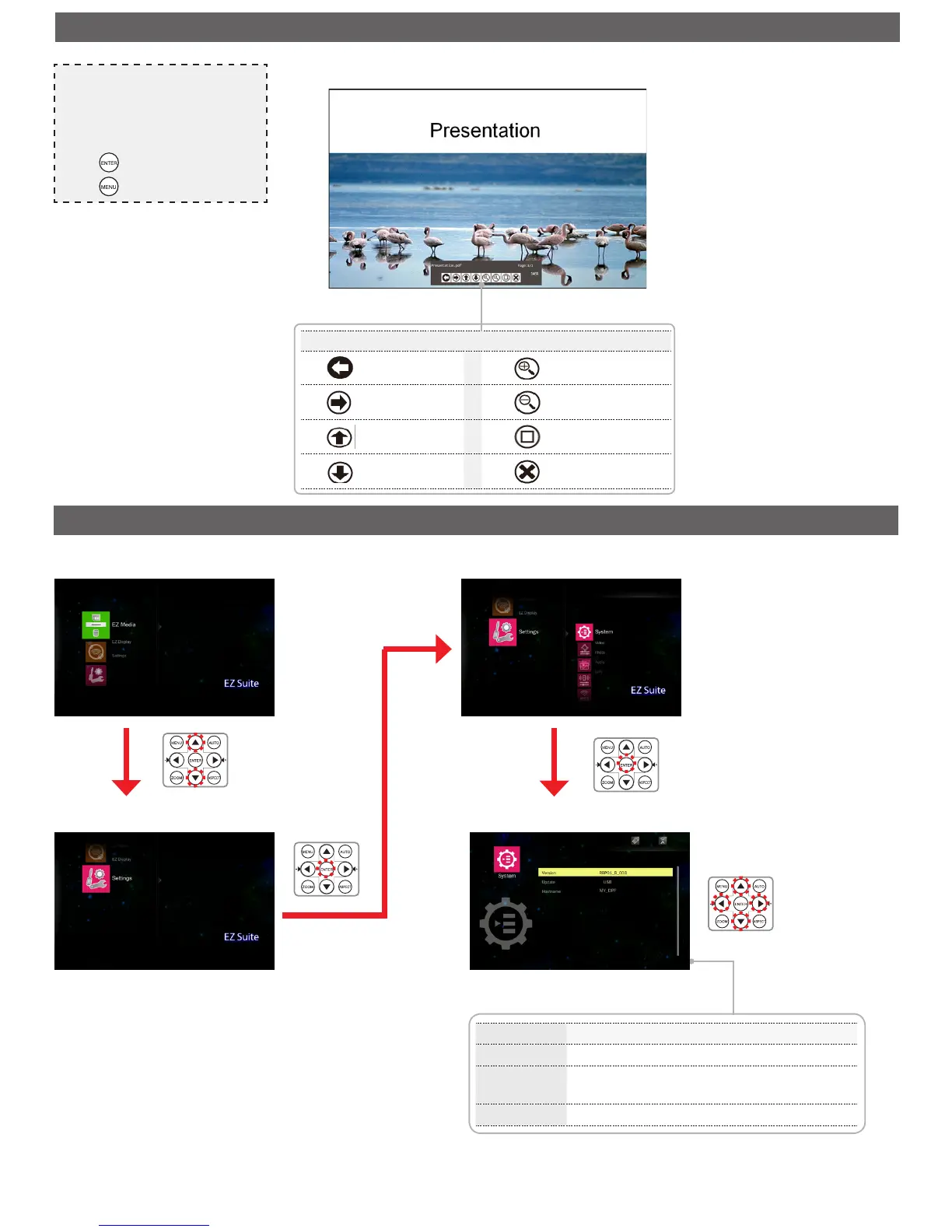
Enter Home Menu
Select [Settings]
Enter Settings Menu/Select [System]
Adjust Settings
p
/
q
: Select item
t
/
u
: Adjust settings
Menu item Description and Available Options
Version Displays the rmware version.
Update
Allows you to update the rmware of the projector
using an SD card or USB thumb drive.
Hostname Allows you to modify the hostname.
Note
• The button guide disappears when the keypad
is not used for 3 seconds. To display the
button guide, press any key.
• Use
t
/
u
to navigate between the menu
items.
• Press to select the menu item.
• Press to return presentation le list.



 To Next Page