English
44
USING THE PROJECTOR
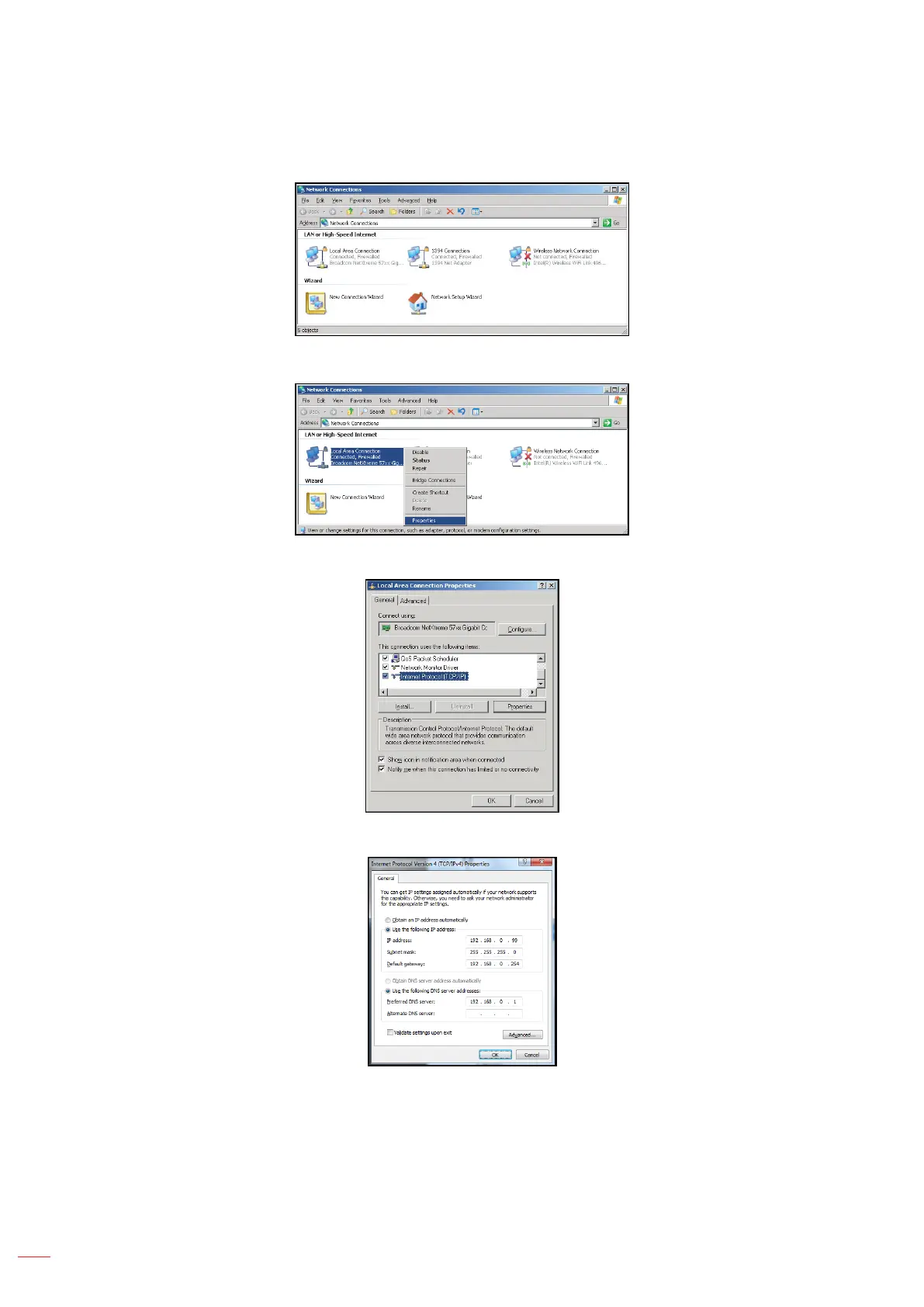
3. Right-click on the Local Area Connection, and select Property.
4. In the Properties window, select the General tab, and select Internet Protocol (TCP / IP).
5. Click “Properties”.
6. Type in the IP address and Subnet mask, then press “OK”.
7. Press the “Menu” button on the projector.
8. Open on projector Network > LAN.
9. Enter the following connection parameters:
– DHCP: O
– IP Address: 192.168.0.100
– Subnet Mask: 255.255.255.0



 To Next Page