English
45
USING THE PROJECTOR
– Gateway: 192.168.0.254
– DNS: 192.168.0.51
10. Press “Enter” to conrm settings.
11. Open a web browser, for example Microsoft Internet Explorer with Adobe Flash Player 9.0 or higher
installed.
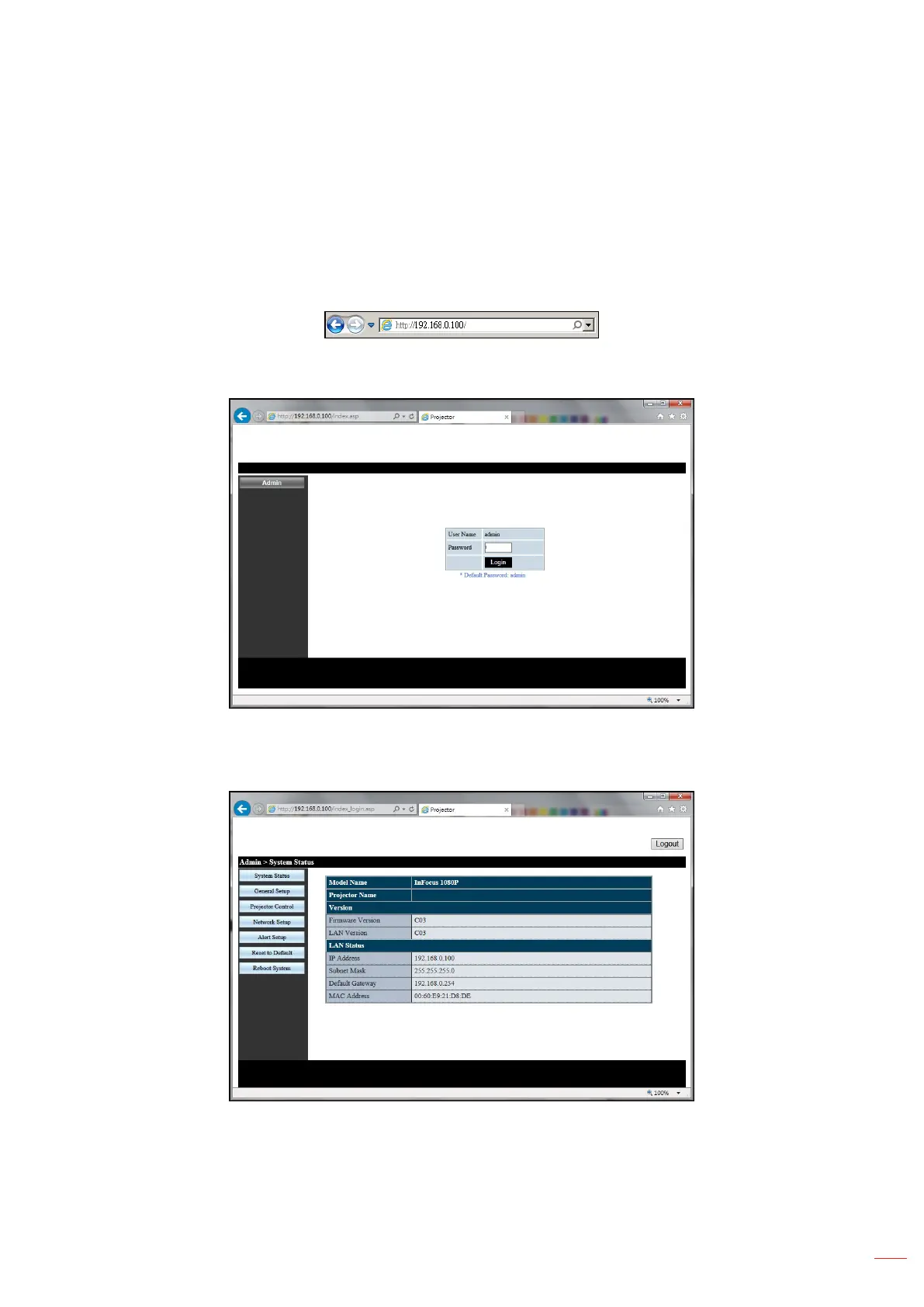
12. In the Address bar, input the projector’s IP address: 192.168.0.100.
13. Press “Enter”.
14. The Login page will be displayed. The default password is admin.
15. The System Status page will be displayed after log in. All network features are accessible from the
buttons on the left. Reset to Default resets all projector settings. Reboot system reboots the network
interface, not the projector.



 To Next Page