IN3144_IN3146_IN3148HD User’s Manual
— 40 —
RS232 by Telnet Function
Besides using Hyper-Terminal for projector control, you can also use RS232 by Telnet with the
LAN/RJ45 interface.
Quick Start-Guide for “RS232 by TELNET”
1. Locate the IP address from the projector's OSD.
2. Make sure that the laptop/PC can access the projector's web page.
3. Make sure that the Windows firewall settings are disabled to prevent the laptop/PC from
ignoring the Telnet commands.
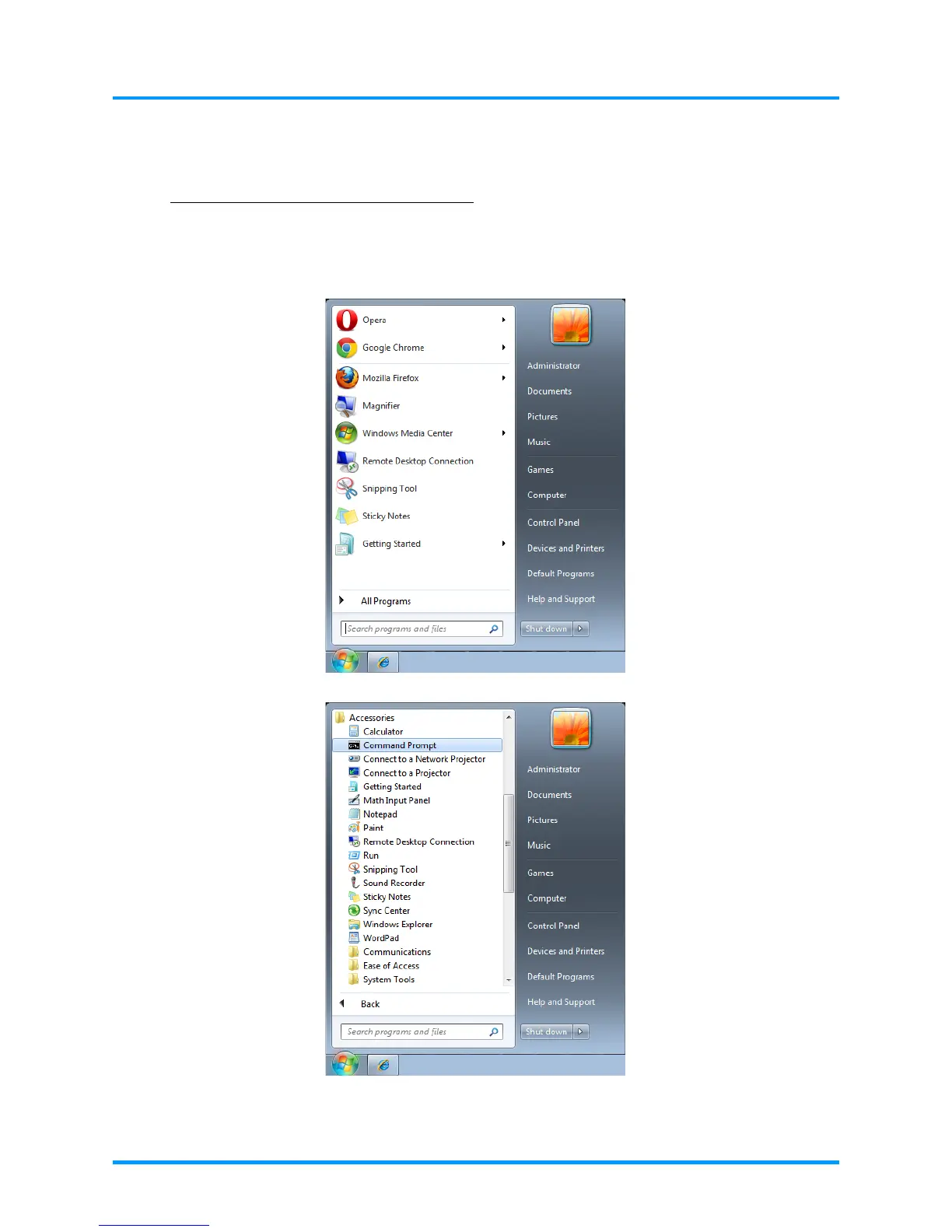
4. Go to Start => All Programs => Accessories => Command Prompt











 To Next Page