33
www.infopia21.com
Cleaning Your Meter and Maintenance
Blood glucose test meter :
Your blood glucose test meter does not require special maintenance or clean-
ing. avoid getting dirt, dust, blood, glucose control solution, or liquids on the
blood glucose test meter, the test port, or data port. Your blood glucose test
meter operation temperature is 10~40℃(50~104℉).
It is recommended that you store the blood glucose test meter in its carrying
case after each use.
A cloth dampened with water and mild detergent can be used to wipe down the
outside of the blood glucose test meter. Your
GLUCOLAB
TM
Auto-coding
blood
glucose test meter is a precision instrument. Please handle it with care.
Lancing Device:
Clean the lancet device and caps with soap and tepid water. To disinfect the
lancet device, prepare a disinfectant solution of one part household bleach to 10
parts water. Dampen a cloth with this solution and wipe the lancet device thor-
oughly. Soak only the cap for at least 30 minutes in the disinfectant solution. Do
not soak the lancet device in liquid. Rinse the lance device and cap with water
and dry thoroughly.
•For detailed instructions concerning
GLUCOLAB
TM
Auto-coding
blood glucose
test strips, refer to the blood glucose test strip package insert found in the
blood glucose test strip box.
•Please store the
GLUCOLAB
TM
Auto-coding
blood glucose measuring system
in a cool, dry area, out of reach of children. Do not freeze. For a more accu-
rate test result avoid testing under direct sunlight.
•Do not soak the blood glucose test meter orblood glucose test strips in water
or liquid.
•Do not subject the meter or blood glucose test strips to excessive heat.
•Use your meter according to the instructions in the manual.
•If you need to purchase the lancing device, lancets or blood glucose test
strips, contact your local representative.
•Discard the used Lancets carefully, to prevent any infection.
32
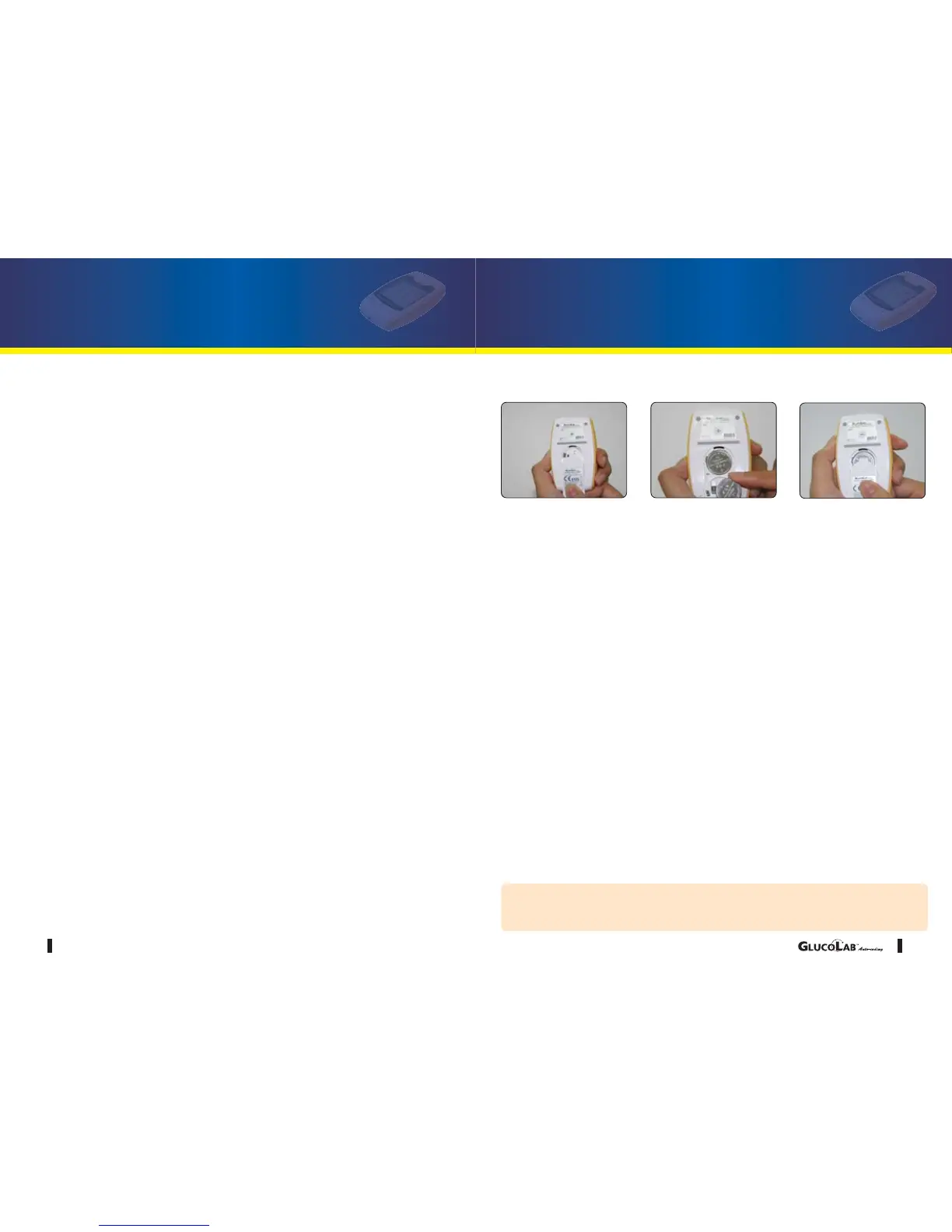
Replacing the Batteries
The low battery icon will appear in the upper left corner of the LCD screen to alert you
when the battery power is running low, indicating a new battery is needed.
Your GLUCOLAB
TM
Auto-coding blood glucose test meter uses only two 3V Lithium
batteries (CR2032), which are included. When replacing the batteries, only CR2032 or
equivalent lithium battery should be used.
After changing the batteries, please be sure to recheck your blood glucose test meter
settings.
Dispose of meter and batteries
Dispose of meter:
The meter must be disposed of according to the local regulations concerning the dis-
posal of electrical and electronic equipment.
The Waste Electrical and Electronic Equipment(WEEE) regulation implement provi-
sions of the European Parliament and Council Directive 2012/19/EU aimed to reducing
the amount of EEE waste going for final disposal.
The manufacturer, has specific instructions for the recovery of the meter.
Please contact your distributor.
Dispose of batteries :
Please recycle or dispose of used batteries using your local battery collection systems
and in compliance with your local environmental laws and regulations.
Batteries contain chemicals that, if released, may affect the environment and human
health. The crossed-out wheeled-bin symbol indicates the need for the separate col-
lection for batteries.
<Follow-up Action>
1. Check your meter with the glucose control solution (p16-17)
2. Perform your test again (p22 - 24)
3. If you are experiencing symptoms that are not consistent with your blood glu-
cose test results, call your healthcare professional.
CAUTION
Remove both batteries from the compartment and dispose of them
according your institution's guidelines.



 To Next Page