35
34
35
34
www.infopia21.com
Troubleshooting
The following chart may help you identify certain problems, but may not solve all
problems that can occur. Please contact your local representative or customer
support if the problem persists.
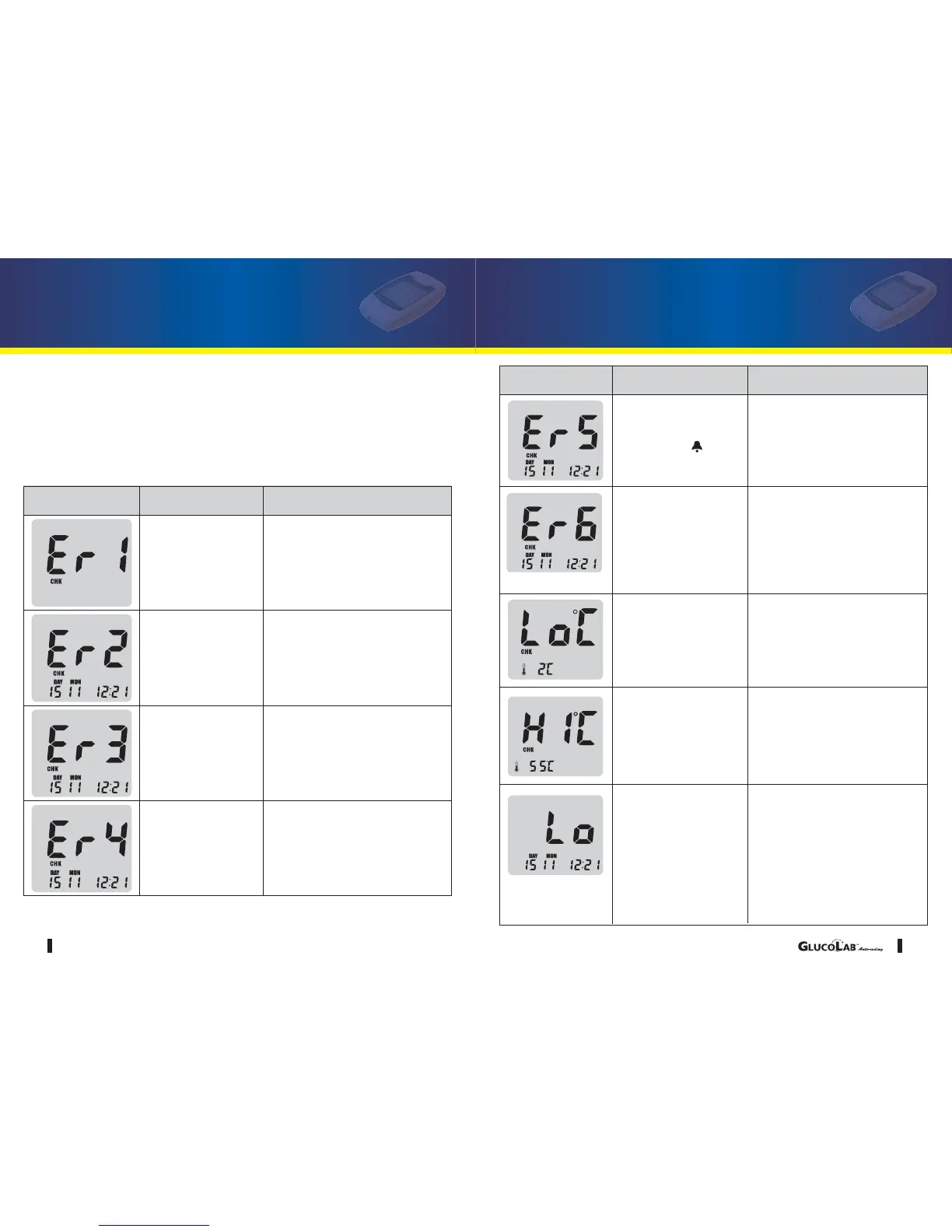
Problem with the
blood glucose test
meter
Place the battery again, and set
the blood glucose test meter. If
the problem persists, please
contact your authorized repre-
sentative or customer support
Caused by either
used or wet blood
glucose test strip
Please insert a new blood glu-
cose test strip and perform
your test again
Problem with the
test strip
Please insert a new test strip
and apply the blood sample
until confirmation window is
completely filled.
Blood glucose test
strip is damaged
Please insert a new blood glu-
cose test strip and perform
your test again
Message
Problem Action Required
Troubleshooting
Problem with the
Auto-coding label
Please insert a new test strip
and perform your test again.
If Er6 message persists,
please contact your local rep-
resentative. If blinks with
"SUN", avoid to the direct
sunlight and retest.
User applied the blood
sample before the
LCD display
was blinking
Please wait for the LCD to
display icon blinking before
applying your blood sample
The ambient tempera-
ture is too low
Place the blood glucose test
meter within the operating
temperature range for 10 min-
utes or more and retest.
The ambient tem-
perature is too high
Place the meter within the
operating temperature
range for 10 minutes or
more and retest.
The test result is lower
than 0.5 mmol/L
Check the accuracy of your
blood glucose test strip by
performing a glucose control
solution test. If the test results
in a normal reading, re-test
your blood sample two or
three times. If "Lo" persists,
consult your doctor immedi-
ately.
Message
Problem Action Required



 To Next Page