27
26
27
Reviewing Your Result
The GLUCOLAB
TM
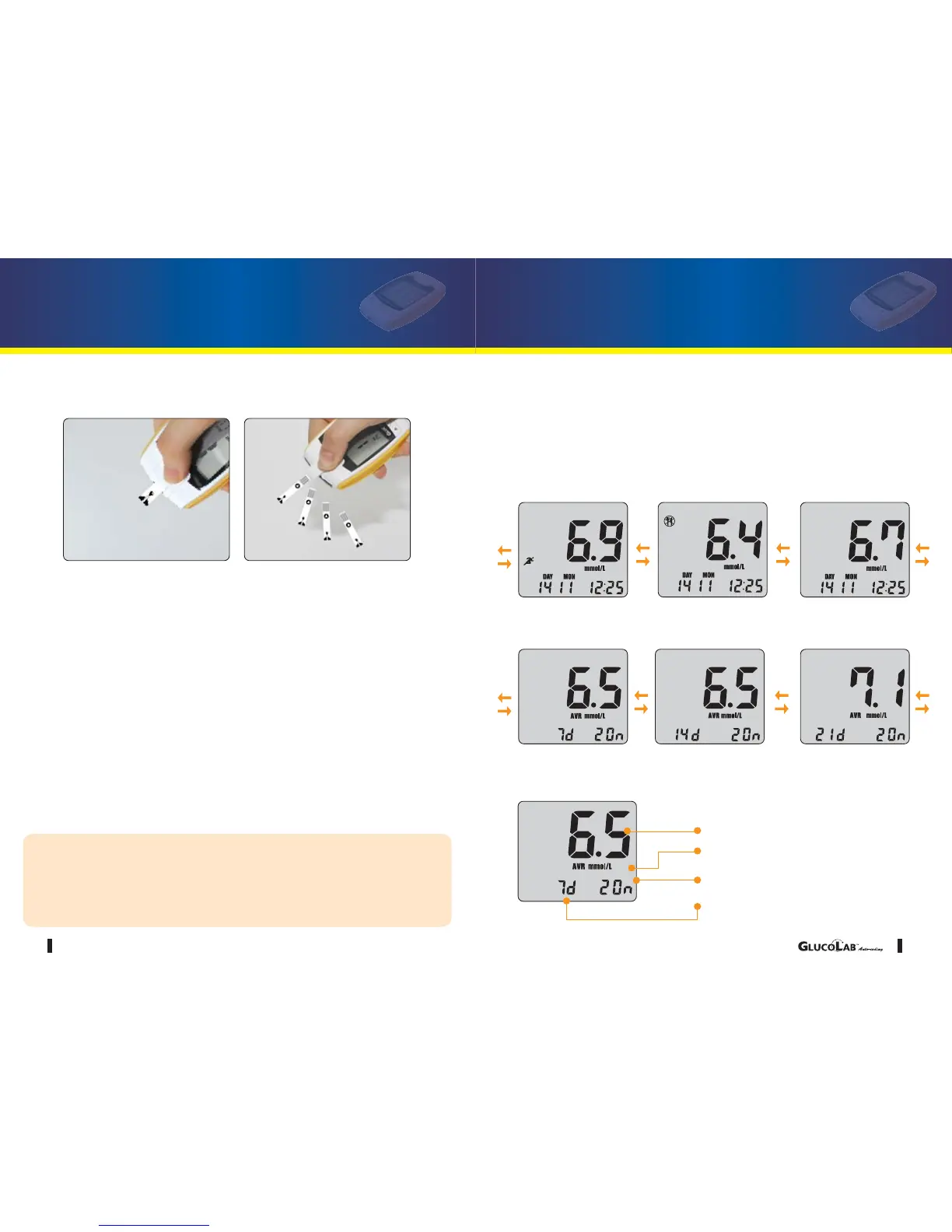
Auto-coding blood glucose test meter stores up to 500 test
results in its built-in memory, along with the average sugar level for the number
of days which you had preset the blood glucose test meter to calculate. These
values can be recalled in the LCD display at any time.
•
Check your previous result by pressing the arrow ▼ button.
•Check your average data by pressing the arrow ▲ button.
The third latest The second latest The latest
7day average
from the test date
14 day average
from the test date
21day average
from the test date
26
www.infopia21.com
Test Strip Ejector Function
1. Once the test is complete, slide the ejector button forward to remove the blood glu-
cose test strip from the blood glucose test meter.
2. Discard the used blood glucose test strip and lancet accordingly.
Press and Push forward
Eject your blood glucose test strip
CAUTION
1. If you push the ejector button too far forward, it may malfunction.
2. Strong impacts may result in a malfunction of the blood glucose
meter.
Average test result
Test Unit
Test result amount
Average test result days



 To Next Page