Table of Contents
1. Introduction
2. Presentation
2.1 Content of the box
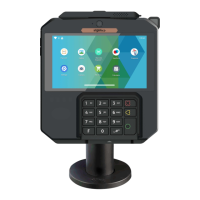
2.2 Overview of AXIUM DX8000
2.3 Keypad Functions
2.4 Touch Panel
3. Use of the terminal
3.1 Power on/Power off the terminal
3.2 Reading cards
3.3 Usage of Front Camera
3.4 USB Type-C
4. Installation
4.1 Recommendations
4.2 Screen Protective film
4.3 Installing modules
4.3.1 SAM1/SAM2/SIM1/SIM2
4.3.2 MicroSD Memory Card
Contents
2
4
5
5
6
8
8
9
9
10
11
12
12
12
13
13
13
14
2
AXIUM DX8000
07/11
Copyright© 2023 Ingenico –
Banks and Acquirers International Holding SAS
All rights reserved



 To Next Page
 Loading...