Installation manual
Installation 25
3.7 Connecting the Hornet+ network
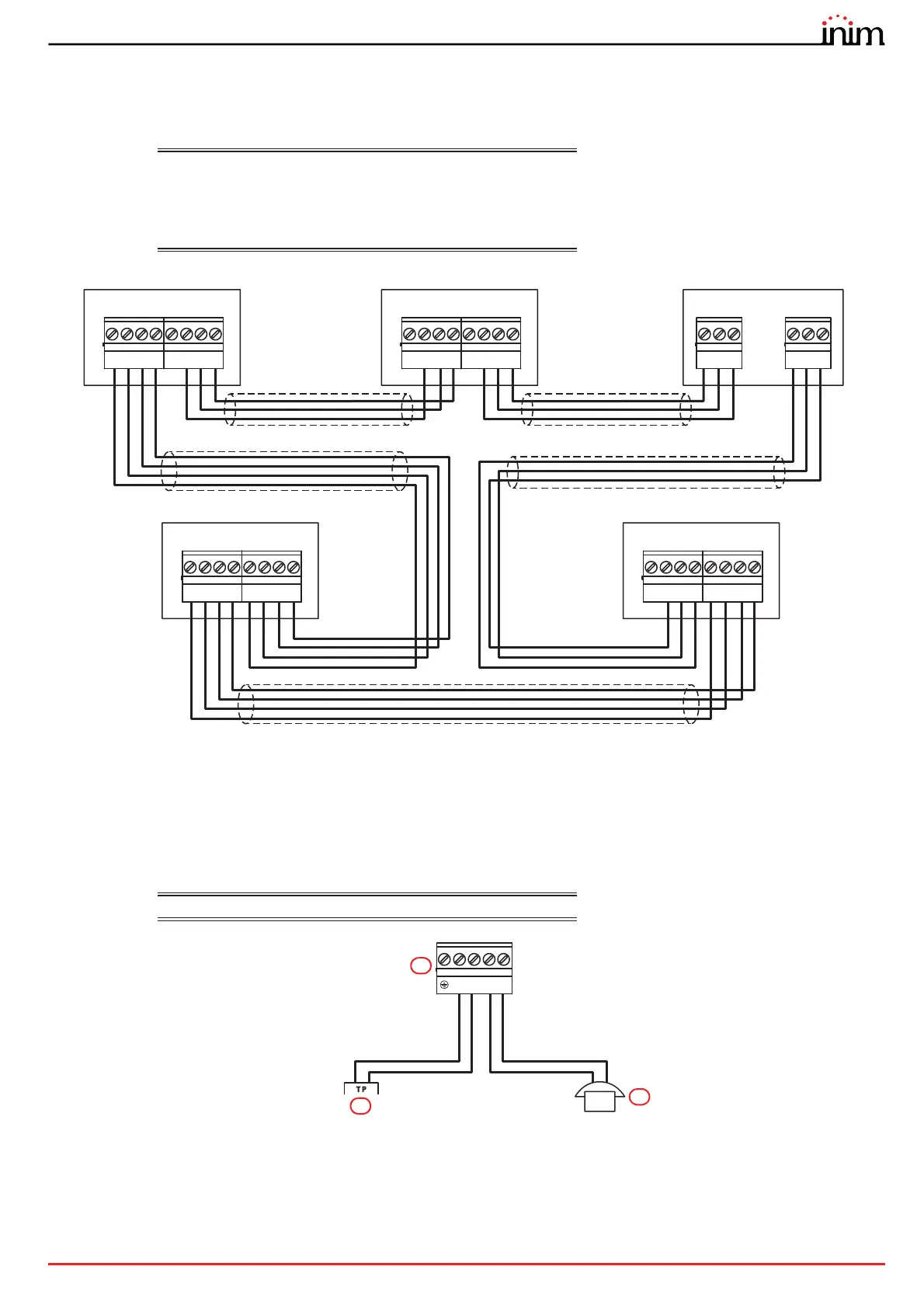
The connection of two or more control panels (Previdia Max, Previdia Compact or repeaters) in a Hornet+ network can
be achieved by using two RS485 communication ports.
Cables:
4 wire shielded cable
Typical impedance 12Ohm
Maximum length 1000m (between two successive control
panels)
Compliant with local laws and regulations in force
3.8 Connecting the land-line (PSTN)
The control panel can only be connected via the optional Previdia-C-DIAL board.
Cables:
Compliant with local regulations in force
Connect the telephone line [A] to the “L.E.” terminals and telephone device or the internal phone line [B] to the
“L.I.”
terminals of the board ([C], paragraph 2.4 - [B]).
21 3
A+
-
A-
4
+24
65 7
B+
-
B-
8
+24
21 3
A+
-
A-
4
+24
65 7
B+
-
B-
8
+24
21
Port-A
3
D-
- D+
21
Port-B
3
D-
- D+
21 3
A+
-
A-
4
+24
65 7
B+
-
B-
8
+24
21 3
A+
-
A-
4
+24
65 7
B+
-
B-
8
+24
Previdia Compact
Previdia Compact
Repeater
Previdia Compact REP
Previdia MaxPrevidia Compact
23 45
L.E. L.I.
1
C
B
A



 To Next Page