Installation manual
Installation 21
3.4 Connecting the “I/O” terminals
Each of the 4 IN/OUT channels of the control panel (terminals 19-20, 21-22, 23-24, 25-26) can be configured as:
•supervised output
•input
Cables:
2 wire shielded cable
Proper section (minimum 0.5mm², maximum 2.5 mm²)
Compliant with local laws and regulations in force
C
A
-
A
B
C
D
+
-
+
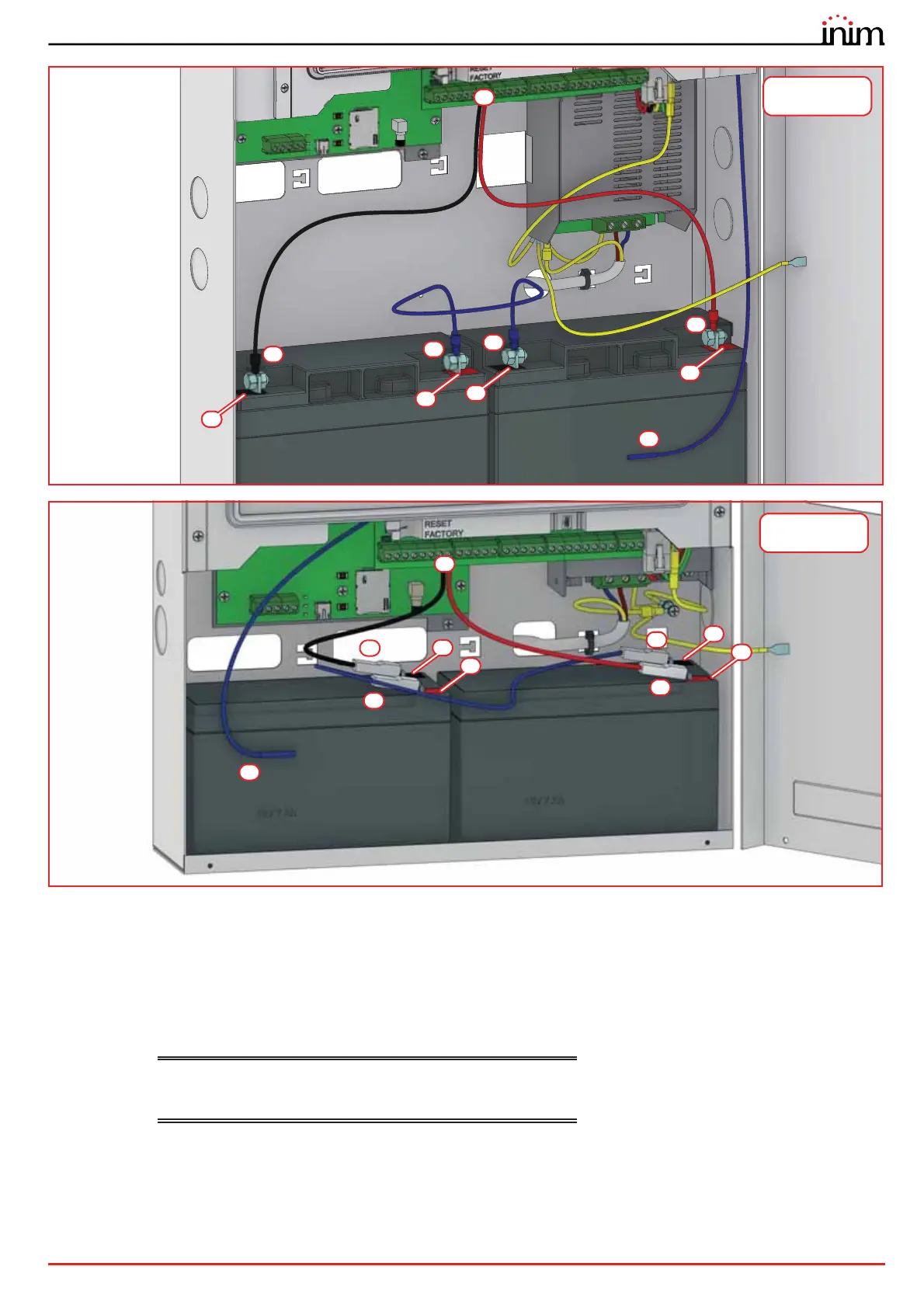
Previdia Compact in
large cabinet
A
A
D
B
C
C
-
+
-
+
Previdia Compact in
small cabinet



 To Next Page