EasyManua.ls Logo

INIM PREVIDIA MICRO - Screen in Standby Status

INIM PREVIDIA MICRO
36 pages
Print Icon
To Next Page IconTo Next Page
To Previous Page IconTo Previous Page
Loading...
Installation manual
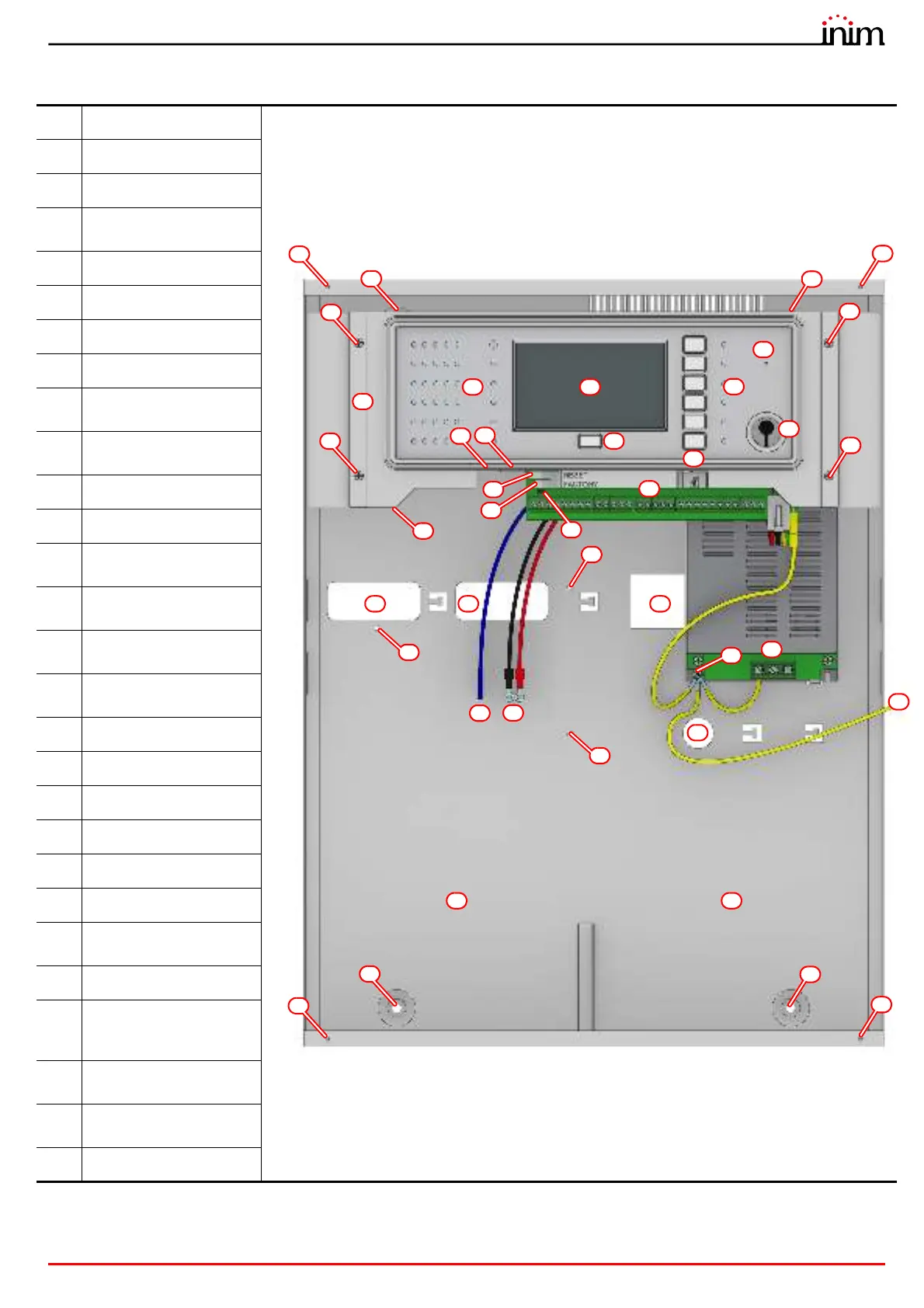
General Description 11
[A]
Touchscreen display
[B]
Status LED
[C]
LED and function button
[D]
LED and multiple-alarm
button
[E]
Access-key slot
[F]
Buzzer
[G]
MicroSD card holder
[H]
Reset button
[I]
Button to reset default
settings (factory settings)
[J]
Programming jumper
connector
[K]
Ethernet port
[L]
Mini USB port
[M]
Connector for PREVIDIA-
C-DIAL board
[N]
Connector for PREVIDIA-
C-COM board
[O]
Connector for PREVIDIA-
M-EXP board
[P]
Support for the
motherboard
[Q]
Support anchor screw
[R]
Terminal board
[S]
Power-supply terminals
[T]
Earthing point
[U]
Front plate earth wire
[V]
Battery wires
[W]
Thermal probe for
batteries
[X]
Cable entry
[Y]
Locations for the
mounting screws of the
optional plates
[Z]
Mounting screw
locations
[A1]
Locations for the front
plate screws
[B1]
Battery housing
AB
E
U
D
G
H
C
F
L
X
K
X X
V
W
B1
Previdia Micro in large cabinet
P
S
R
Q
Q
Q
Q
T
X
Y
Y
Z
Z
Z
Z
B1
A1
I
J
Y
Y
A1
A1
A1

Other manuals for INIM PREVIDIA MICRO

Related product manuals