Installation manual
General Description 17
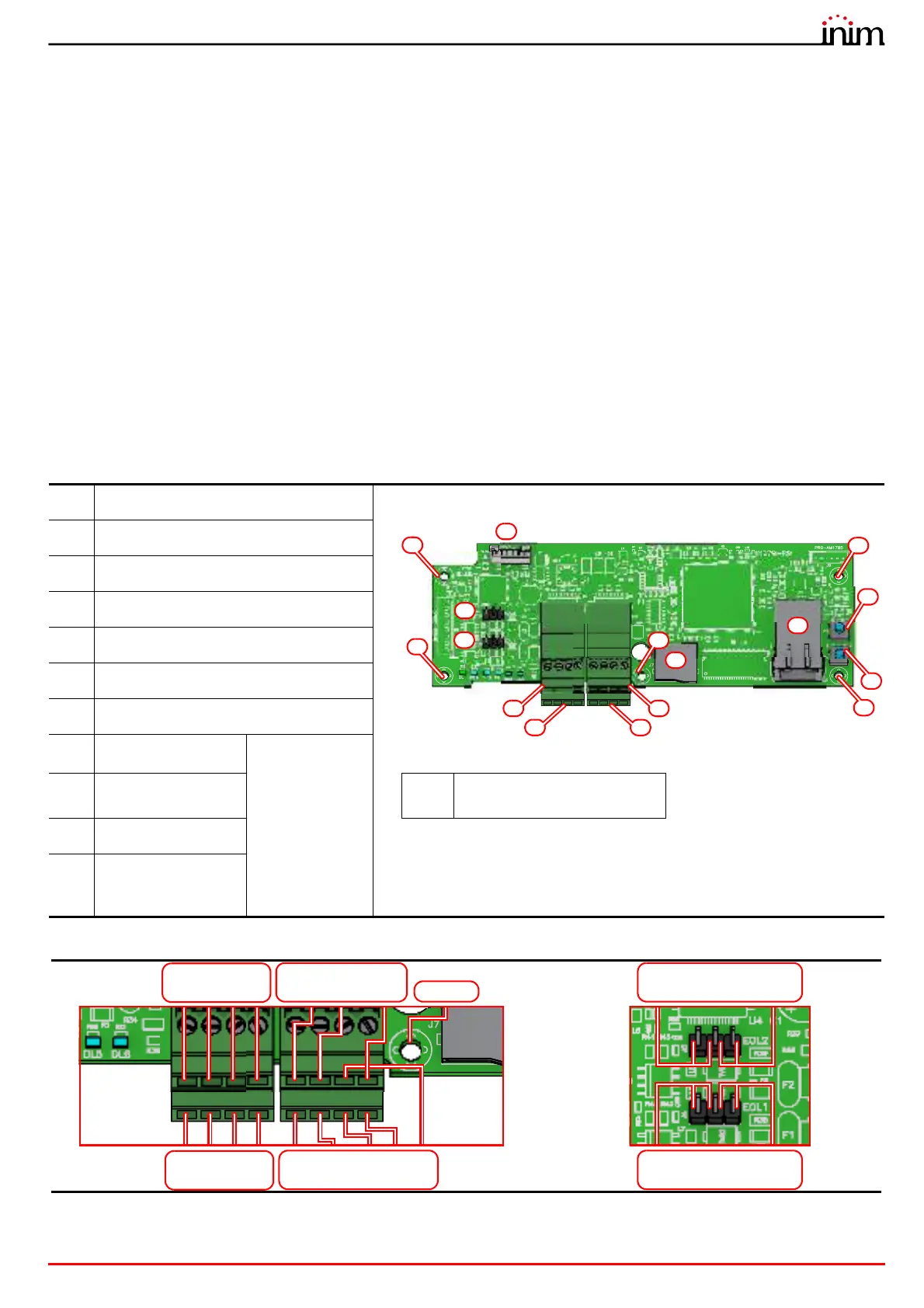
2.5 PREVIDIA-C-COM, serial and IP interface module
The PREVIDIA-C-COM optional board, available in two models, allows the Previdia Micro to interface with third-party
devices external to the control panel.
The communication channels and functions connected to them depend on the model of the board:
• two RS485 channels
• two RS232 channels
• a LAN channel via ethernet port, only for the PREVIDIA-C-COM-LAN model
The PREVIDIA-C-COM-LAN model also provides the control panel with the functions of video verification, e-mail
transmission, web server and use of BACnet protocol.
The board comes with:
• Mounting plate
• 7 mounting screws
• 5 spacers
• cable for the connection to the motherboard
• Instructions manual
SD card not included
[A]
Motherboard connector
[B]
Terminals RS485-1
[C]
Terminals RS485-2
[D]
Terminals RS232-1
[E]
Terminals RS232-2
[F]
Connectors for RS485-1 EOL resistance
[G]
Connectors for RS485-2 EOL resistance
[H]
MicroSD card holder
for PREVIDIA-
C-COM-LAN
only
[I]
Ethernet port
[L]
Hole for screw fixing the board
to the plate
[J]
Reset button
[K]
Button to reset
default settings
(factory settings)
RS485-2
+24V / A2 / B2 / GND
RS232-2
TXD2 / RXD2 / GND
Shield
EOL RS485-2
Open 120Ohm (default)
+24V / A1 / B1 / GND
RS485-1
TXD1 / RXD1 / RTS / GND /CTS
RS232-1
Open 120Ohm (default)
EOL RS485-1



 To Next Page