20 General Description
Fire alarm and extinguishing system
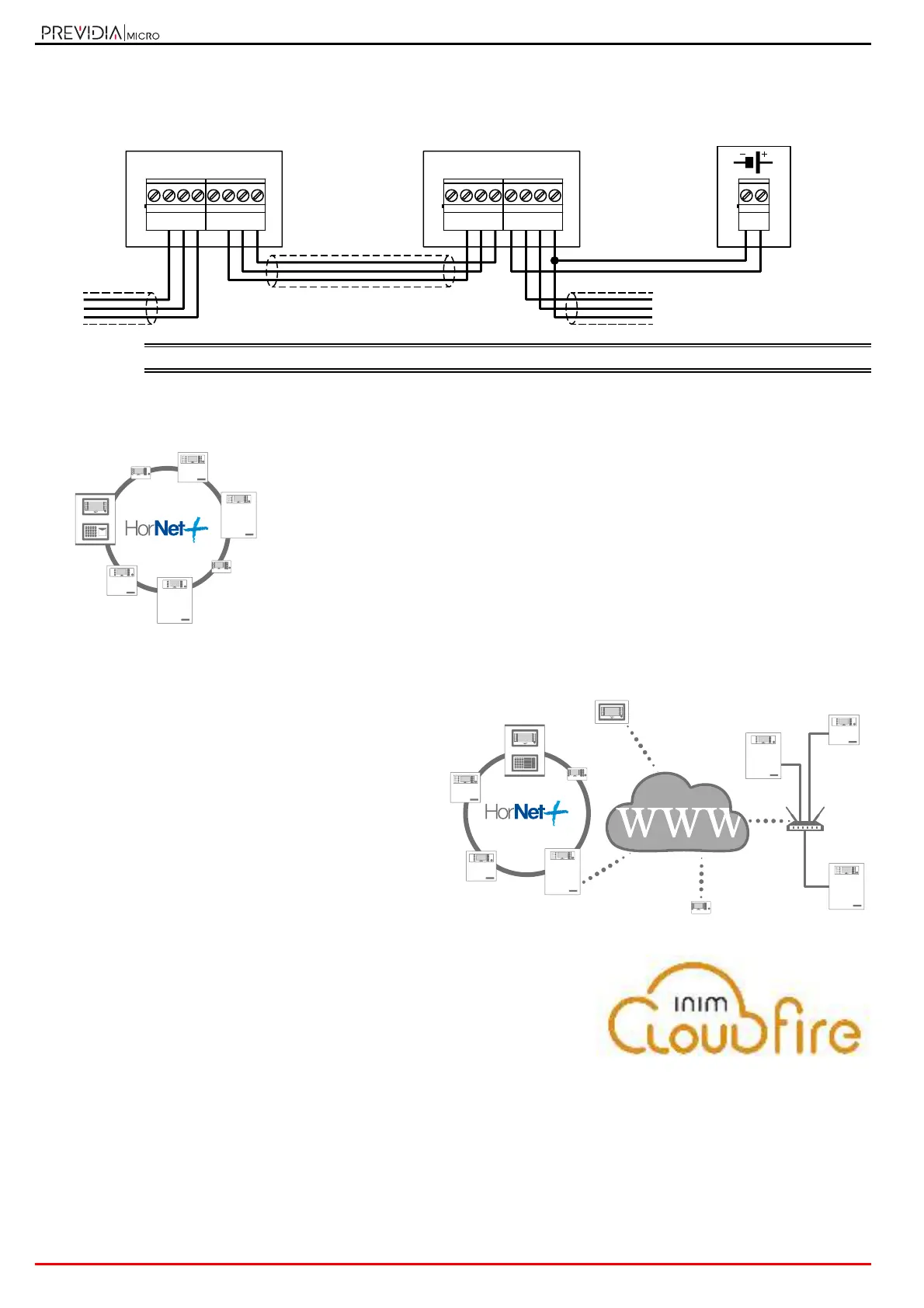
The repeaters can be connected to the system via the Hornet+ network (paragraph 3.7 Connecting the Hornet+
network) or via a TCP-IP connection and can also be associated with Previdia Max control panels.
If necessary, it is possible to power the repeater using an external power supply module.
EN54: The power-supply unit employed must be EN54-4 standard compliant.
2.8 Control panels in a Hornet+ network
In order to enlarge the installation, it is possible to connect several Previdia Max
and Previdia Micro control panels (with a maximum of 48 points including
control panels and repeaters) thus creating an expanded system (Hornet+
network).
Each model of the Previdia Micro control panel provides two RS485 ports for the
ring connection (for details on the wiring refer to paragraph 3.7 Connecting the
Hornet+ network).
For further information regarding the method used for connecting control
panels in a network refer to the Previdia Networking Guide available at
www.inim.it.
2.9 Control Panels in an IP network
Several Previdia Max, Compact or Micro control panels
or more Hornet+ control panel networks can be
connected to each other via a TCP-IP connection.
Each node in a connection of this type is identified as a
“cluster”. Each cluster can consist of a single control
panel, a Hornet+ network of control panels or a repeater.
For further information regarding the method used for
connecting control panels in a network refer to the
Networking Guide available at www.inim.it
2.10 Inim Cloud fire
The INIM Electronics Cloud service provides Previdia system users with a
further method of intrusion panel management via Internet.
The connection of the control panels to the Cloud service is achieved via a
web interface (App or any browser) without need of implementing
configurations on the network in which the control panel is installed. In
particular, it is not necessary to program a router to perform port-forwarding
and the like in order to reach the control panel.
Each cluster can be connected to the Inim loud, allowing you to take advantage of the following features:
• Remote system monitoring (thus overcoming local network configuration difficulties)
• System register management (in accordance with local regulations in force)
• Management of the maintenance register
21 3
A+
-
A-
4
+24
65 7
B+
-
B-
8
+24
21 3
A+
-
A-
4
+24
65 7
B+
-
B-
8
+24
-
+
Previdia Micro
Repeater
Previdia Compact REP
24V



 To Next Page