INMES Industrial ltda – COLADEIRA DE BORDA IC-1000 ELECTRONIC
6.4 – Adhesive temperature adjustment
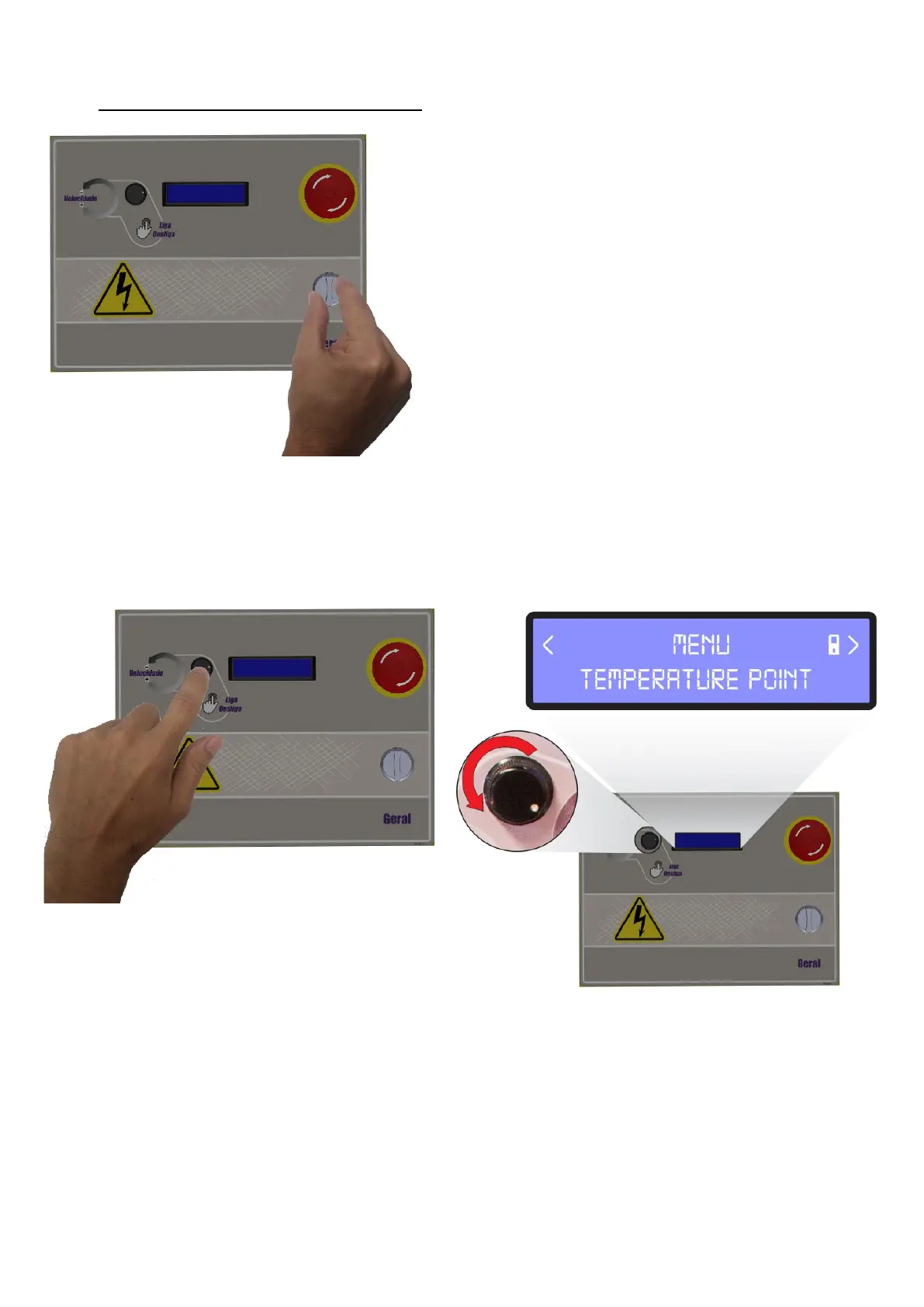
Turn the general switch on fig. 26.
The IC-1000 ELECTRONIC edgebander is
programmed to work with the glue pot or application
temperature between 125°C to 230°C (257 to
446°F), however, this equipment is shipped from the
factory adjusted to work with the glue pot or
application temperature in accordance with the
adhesive which comes in the equipment. For other
temperatures, Always check the technical
information with the adhesive supplier.
If any glue pot temperature adjustment is required, proceed in the following way:
Press the button beside the display for approximately 5 seconds to access the menu, per fig.27.
After accessing it, turn the same button until reaching the “TEMPERATURE POINT” option, then
press the button to access the option, per Fig.28.
On the following screen, you will be able to choose the desired temperature by turning the button, per
Fig.29. The temperature range is from 125ºC to 230 ºC (257 to 446 ºF).
After defining the temperature, press the button to confirm, per Fig.30.


 To Next Page