EasyManua.ls Logo

Inmes IC-1000 ELECTRONIC - User Manual

Inmes IC-1000 ELECTRONIC
40 pages
Print Icon
To Next Page IconTo Next Page
Loading...
Http://www.inmes.com.br
SAP: 421
OPERATIONS MANUAL
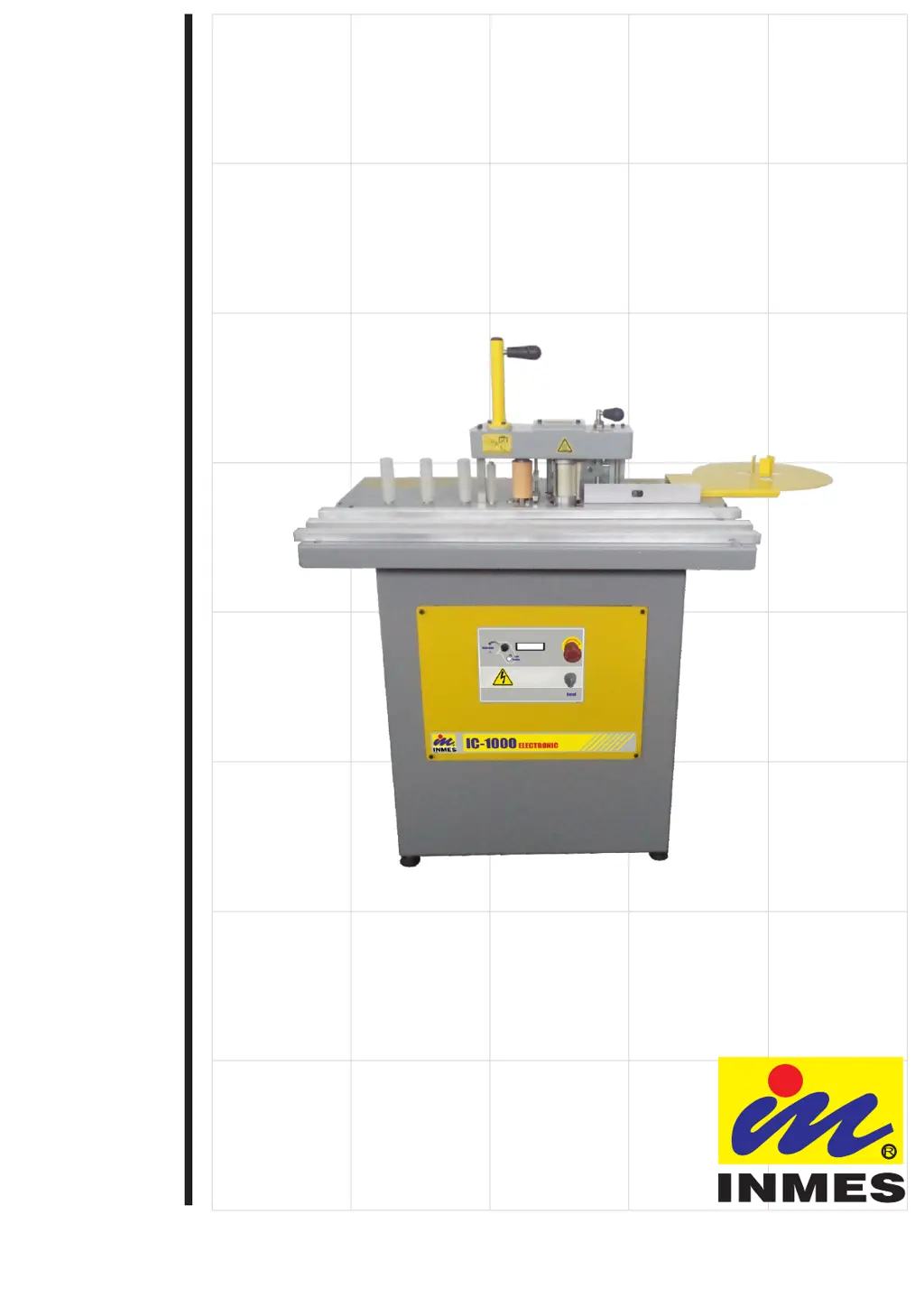
EDGEBANDER
IC-1000 ELECTRONIC
05040739
LANGUAGE - ENGLISH
!!! For your safety !!!
Read the manual instructions.

Questions and Answers

  • R
    rodriguezdanielAug 2, 2025
    What to do if my Inmes Sander machine will not turn on?
    • A
      Alexandra BeasleyAug 2, 2025
      First, ensure the power cable is securely connected. If the cable is connected, check if the emergency button is activated and disactivate it. If the issue persists, the On/Off button may be damaged or the motor burned, in this case it is neccesary to contact INMES customer service.
  • M
    Matthew WellsAug 7, 2025
    Why won't the motor start on my Inmes IC-1000 ELECTRONIC Sander?
    • C
      Cynthia WoodwardAug 7, 2025
      The motor may not start due to several reasons. It could be burned, in which case you should contact INMES customer service. Alternatively, there might be an issue with the frequency inverter, so you should check the table below. Finally, the glue pot may not have reached the ideal temperature, so wait until it does.
  • A
    awalshAug 12, 2025
    How to fix edgeband not bonding to the piece with Inmes IC-1000 ELECTRONIC Sander?
    • F
      frazierjeanAug 12, 2025
      If the edgeband is not bonding to the piece, the possible causes are: not enough adhesive, in this case put more adhesive in the machine; low adhesive temperature, in this case check if the temperature of the controller is correct; piece not squared, check if the base of the piece and the side to be edgebanded are square (90º angle).
  • G
    gmoralesAug 17, 2025
    What to do if the emergency button is activated on the Inmes IC-1000 ELECTRONIC?
    • M
      Mary HaleAug 17, 2025
      Make sure the work procedure is correct, if any damages or risk to the operation is detected, communicate with your management and only release the emergency button if the risk is eliminated.
  • B
    Betty AlvaradoAug 22, 2025
    Why is there not enough adhesive in large pieces with my Inmes IC-1000 ELECTRONIC?
    • C
      cynthiafosterAug 22, 2025
      If there's not enough adhesive in large pieces, it could be because the adhesive thickness adjustment is too open. Try to reduce the amount of adhesive. Check item 6.5. Pg. 15.
  • N
    nicholas31Aug 27, 2025
    How to deactivate stand-by mode on Inmes IC-1000 ELECTRONIC Sander?
    • H
      henrylauraAug 27, 2025
      Press the button beside the display to turn the machine on.

Summary

Safety and Precautions

Safety Signs

Explains danger, warning, and caution symbols.

Before Using Machine

Precautions and checks before machine operation.

Machine Installation

Guidance on moving and placing the edgebander.

Pre-Operation Checks

Pre-operation checks for loose parts or residues.

Accident Risk Reduction

Crucial safety tips to prevent accidents.

Personal Protection

Personal protective equipment and attire recommendations.

Post-Operation Procedures

Steps to follow after completing work.

Edgebander Receiving and Unpacking

Unpacking Procedure

Instructions for safely unpacking the edgebander.

Machine Familiarization and Components

Component Identification

Identification of main parts and controls of the edgebander.

Technical Machine Specifications

Machine Specs & Dimensions

Technical data including dimensions, weight, power, and materials.

Machine Installation Procedures

Electrical Connection

Guidelines for safe and correct electrical connection.

Edgeband Support Setup

Steps to install the edgeband support component.

Cutter Assembly Fitting

Procedure for fitting the edgebander cutting assembly.

Edgebander Operation Guide

Fence Adjustment

How to adjust the fences for workpiece support.

Edgeband Thickness Setup

Adjusting the machine for different edgeband thicknesses.

Adhesive Loading Procedure

Procedure for filling the glue pot with adhesive.

Adhesive Temperature Setting

Setting the optimal temperature for the glue.

Glue Coat Adjustment

Fine-tuning the amount of glue applied.

Feed Rate Adjustment

Adjusting the machine's operating speed.

Edgeband Gluing Process

Step-by-step process for applying edgebands.

Thick Edgeband Adjustments

Specific setup for thicker edgebands.

Edgeband Material Advice

Advice on selecting appropriate edgebands.

Emergency Stop Function

How to use and reset the emergency stop.

Machine Maintenance and Care

Cutting Blade Replacement

Procedure for replacing the cutting blade.

Glue Pot Cleaning

Steps for cleaning the glue pot.

Hot Scraping Cleaning Method

Detailed method for hot scraping the glue pot.

Equipment Care Precautions

General care and operational precautions.

Troubleshooting Common Issues

Common Problems & Solutions

Troubleshooting guide for machine issues.

Warning Messages Guide

Interpretation and resolution of on-screen warnings.

Exploded Views and Parts Breakdown

Assembly Component Diagrams

Visual representation of machine components for assembly.

Electrical System Diagram

Wiring Schematic

Wiring diagram for the edgebander's electrical system.

Inmes IC-1000 ELECTRONIC Specifications

General IconGeneral
BrandInmes
ModelIC-1000 ELECTRONIC
CategorySander
LanguageEnglish