INMES Industrial ltda – COLADEIRA DE BORDA IC-1000 ELECTRONIC
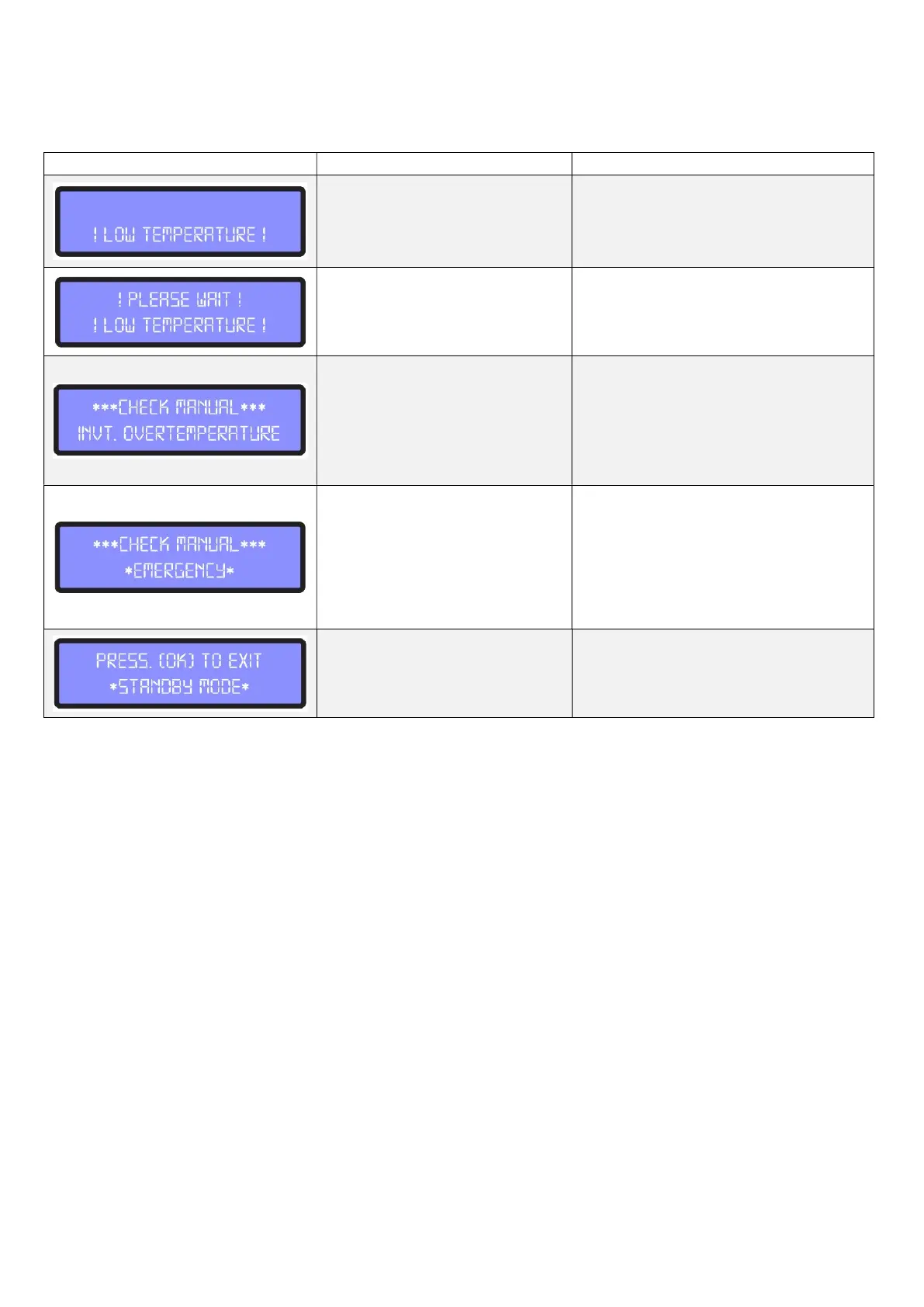
In some situations, the display will show some warning messages. The table below shows the
measures to be taken:
Low adhesive temperature.
Check whether the temperature of the
controller is correct
Low adhesive temperature.
Wait until the adhesive had reached
the programmed temperature.
Overheat in the inverter.
Wait for the warning message to dis-
appear.
Check the electrical panel, to see if
the micro fan is working. If problem
persists, contact INMES customer
Emergency button is activated.
Make sure the work procedure is cor-
rect, if any damages or risk to the op-
eration is detected, communicate your
management and only release the
emergency button if the risk is elimi-
nated.
Stand-by mode activated
Press the button beside the display to
turn the machine on.


 To Next Page