Inner Range Inception Security Controller Installation Manual. Rev. 6.0
© 2016 - 2023. Inner Range Pty Ltd.
21 www.innerrange.com
Reboot/Default the Inception Controller.
An Inception controller can be reset and/or defaulted by
two methods:
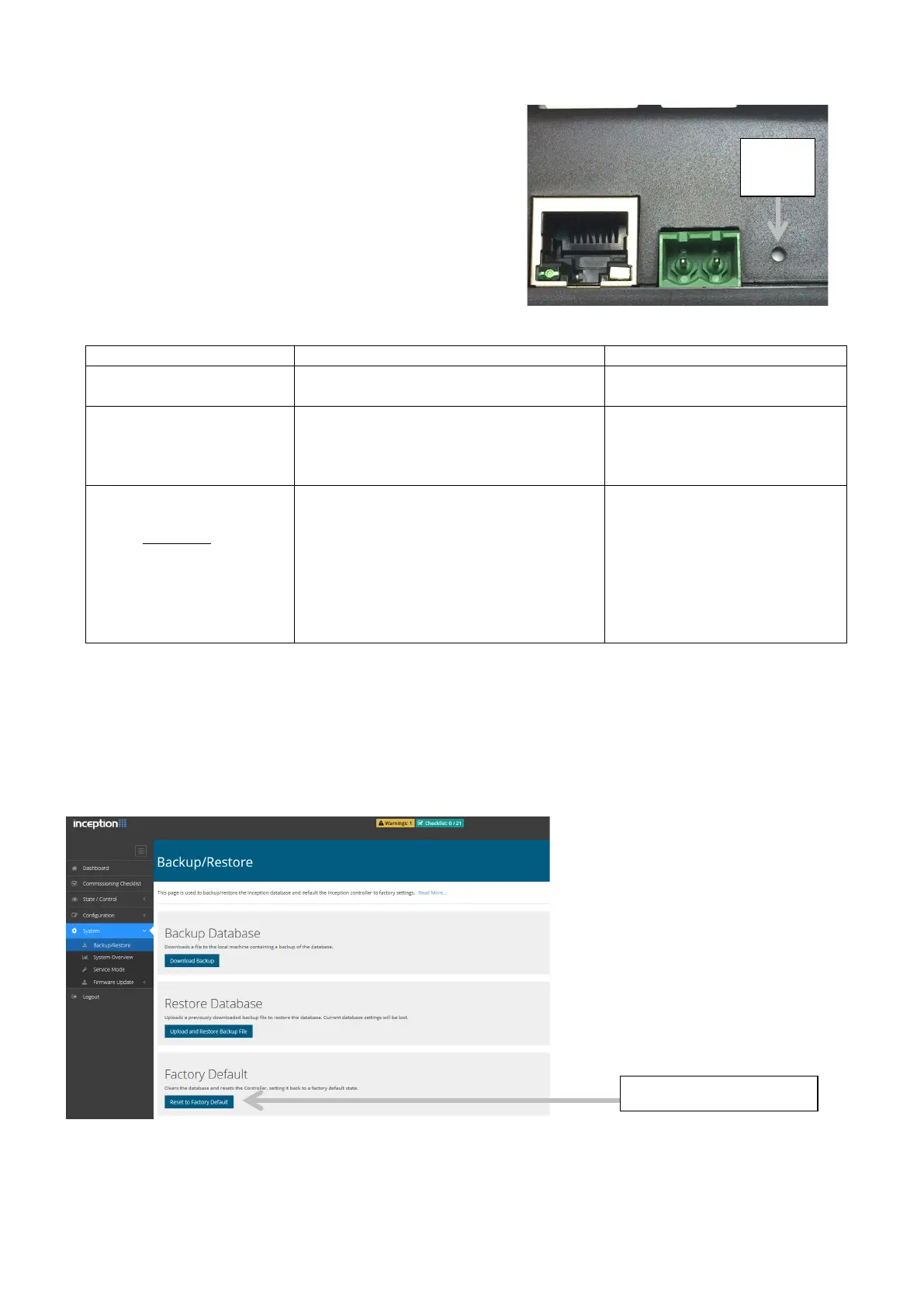
1) By pressing the reset button on the unit with a
paper clip or pin as described below.
Reboot the Controller. No settings or
programming are changed.
seconds.
Factory default. All settings and
programming are restored to the
factory default including installer codes
and logins. Controller is rebooted.
higher pitched beep at end of
5s button press.
succession. (5 presses
within less than 5
seconds)
Installer reset only. The installer code,
web profile and permissions are reset
or re-created. Controller is rebooted.
5 beep sequence with last
beep higher pitch.
If the fifth beep is not a higher
pitch, only a normal reboot
will occur. Wait for reboot to
complete, then repeat the 5
button presses a little faster.
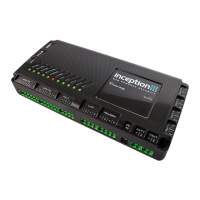
2) The Inception controller can be reset to the Factory Default settings from the browser. Use the
“Reset to Factory Default” button in the Backup/Restore options under “System”.
See screen image below.
Note: If reset using this option, Review and System Log will not be removed. To remove these
items use the Reset button option instead.
button


 To Next Page