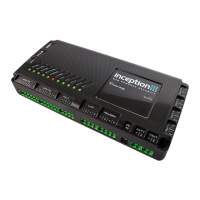
Inner Range Inception Security Controller Installation Manual. Rev. 6.0
© 2016 - 2023. Inner Range Pty Ltd.
3 www.innerrange.com
Important Notes.
1. Earthing.
When using the supplied 24V PSU, Inception “0V” connections are connected to mains earth. To avoid earth loops,
ensure that all “0V” terminals on the controller, all LAN and UniBus Modules and peripherals connected to these
Modules are NOT connected to an earth lug, the metal enclosure or any other earth connection. Connecting 0V to
Earth may create earth loops.
2. Installer Username, Password and PIN Code.
a) On the first access of Inception’s web interface the user is taken to the ‘Installer Default Configuration’ page
where the credentials for the Installer user are configured. Setting up secure Installer credentials is required and
will need to be done before the user is taken to the login page for the first time. This applies for factory
defaulted units, or when the Installer user account has been reset.
b) A timed lockout is applied to the web interface after the number of failed login attempts, defined in the
‘PIN/Password Policy’ settings, is reached. Refer to ‘Reboot/Default the Inception Controller’ in the
‘Programming & Maintenance’ section for Installer credential reset instructions.
NOTE: Prior to firmware V4.2, the default username/password for web access was installer/installer. The default
Installer PIN Code was 01. If still in place, these credentials must be changed to suitably secure strings by the
Installer as soon as possible. i.e. As soon as commissioning commences.
3. Sirens.
The Inception controller does not provide dedicated siren outputs for 8 Ohm horn speakers. If connecting a siren to
the controller, a piezo screamer or a siren device that includes a built-in driver circuit must be connected to one of
the 4 relay outputs. e.g. CSD-1003/CSD-1008 screamers or CSD-1000/CSD-1004 Speaker/Siren combo units. See
“Output Relays (OUT1-4)” in the ‘WIRING DIAGRAMS’ section of this manual. Two dedicated outputs for 8 Ohm horn
type siren speakers are provided on 8 Zone LAN Expander Modules.
4. End-of-line (EOL) Resistors.
The inputs on the Inception controller and expansion modules utilize dual end-of-line resistors. The default EOL
scheme uses 2k2 & 2k2 or 2k2 & 6k8 resistors. 4 alternate EOL schemes are shown under “Zone Inputs” in the
‘WIRING’ section.
If Inception is replacing an existing system and the existing detectors are wired with a single EOL scheme or a dual
EOL scheme that is not supported, the EOL resistors in the detectors will need to be changed. See the schematic
diagram and examples under “Zone Inputs” in the ‘WIRING DIAGRAMS’ section of this manual.
5. Reporting.
Inception does not provide an on-board dialer port for alarm reporting via PSTN.
Depending on your region and available services, alarm reporting is currently provided by one or more of these
methods:
a) SkyTunnel reporting provides built-in reporting via an internet connection.
b) T4000 Multipath-IP communicator provides internet & multiple redundant wireless paths.
c) A 3
rd
party alarm communicator &/or USB Dialer Modem.
See ‘Alarm Reporting’ in this manual & ‘Inception Tech Bulletin – Alarm Reporting’ for details.
6. LAN Expansion.
Expansion modules connected to the Inception controller via the RS485 system LAN, must be connected using
appropriate twisted-pair cable. If Inception is replacing another product, any existing LAN wiring may only be used if
it meets the LAN cabling requirements described in the ‘LAN & Reader Ports’ section of this manual.
7. Release Notes.
Inception Release Notes are published for every firmware release. Always read the latest Release Notes for
information on changes and enhancements.
8. Fire Protection.
This product must be installed into a suitable non-flammable equipment enclosure ensuring that the enclosure has
been installed onto a non-flammable surface and away from all flammable materials. Any Conduit entry points that
have had the knockout removed but are not used, must also be resealed using Conduit Plugs.


 To Next Page
