46
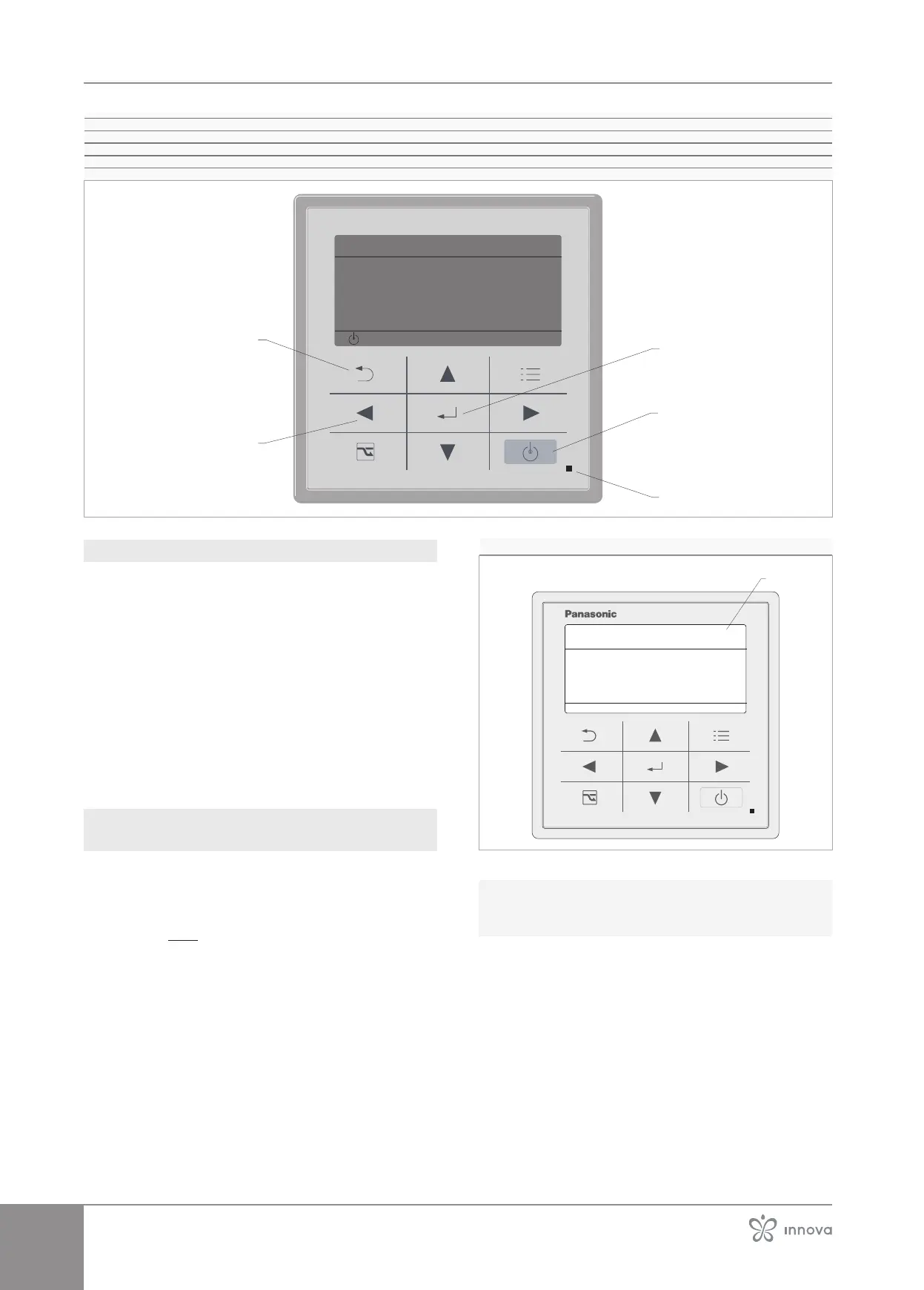
1� Send button
2� Power button
3�
4� Back button
5� Selection button
4�9�2 First start-up
– turn the system master switch to "on"
– turn the master switch Q1 of the device on the elec-
–
– check that oFF ap-pears on the emergency interface,
otherwise press the Standby icon
Within few minutes the prompt ASSIGNING will appear and
This signal will cease within a maximum time of 4-5 min-
utes once the panel has correctly communicated with the
external unit.
power phases if alarm P05 appears on the external unit
control panel.
4�9�3 Automatic address setting
(Assigning)
Before starting the Assigning procedure:
– check that the electrical connections between the
outdoor unit and the indoor unit at terminal block
J6 have been made correctly. See "Connection
boards" p.36.
A Stand-by display
20:30 (THU)
Assigning
To start the Assigning procedure:
– supply the appliance with electricity
On the display appears Assigning
Assigning procedure starts



 To Next Page