47
– wait a few minutes
20:30 (THU)
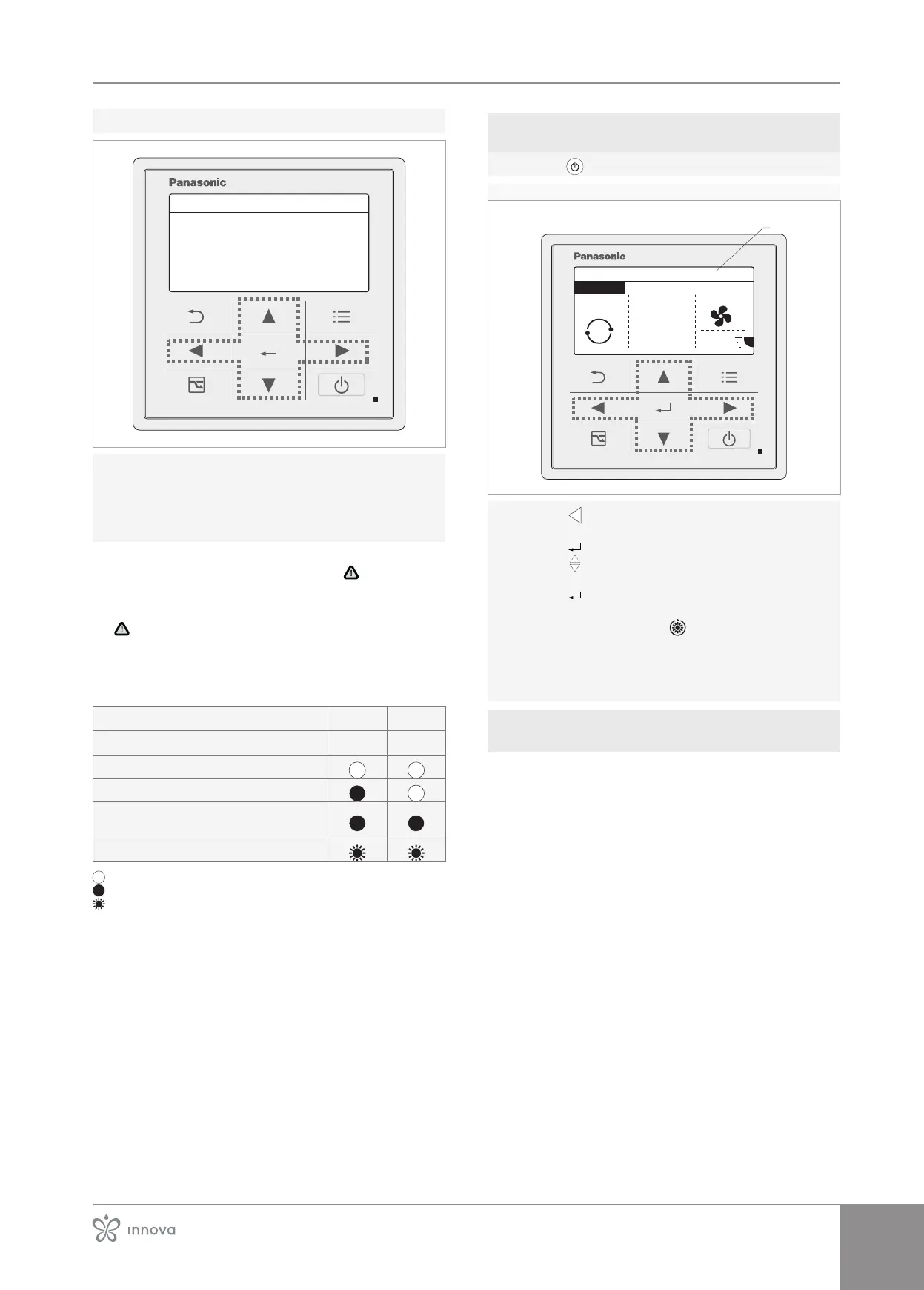
On the display disappears Assigning
The Assigning procedure is complete
– wait a minute
– proceed with switching on the control panel of
the outdoor unit
If the Assigning procedure doesn't restart automatically
or remains in the display the symbol
accompanied
by R.C.1, call the Technical Service Centre.
If during the Assigning procedure appears the symbol
accompanied by R.C.1 disconnect the device from
the power supply.
Meaning of the warning lights on the external
unit electronic board
Meaning LED 1 LED 2
Upon power-up
• no communication with the indoor unit
• established communication with the indoor unit
• normal communication OK (validating power and
quantity)
• automatic address setting in progress
on
o
alternative ashing
4�9�4 Externalunitcontrolpanelrst
switch-on
– press
A Display on
AUTO
MODE
22
20:30 (THU)
A
SET TEMP. FAN SPEED
FLAP
°C
room A
ECONAVI
– press
–
– press
– press
– select the auto mode
– press
– wait a few seconds
On the display appears .
– wait a few seconds
– remove tension
– re-energize the appliance
– check that the settings have been memorised
4�9�5 Checksduringandaftertherst
start-up
After starting up, check that
• the current consumption of the appliance is lower
than the maximum current indicated in the manual
of the indoor unit
During compressor operation, the power supply volt-
age does not fall below the nominal value -10 %.
• the appliance operates within the recommended op-
erating conditions
• the hydraulic circuit is completely deaerated
• the hydrometer pressure is between 1 and 2 bar
• the air-to-water heat pump performs a shutdown and
subsequent restart
• the thermal gradient between the delivery and return
is between 4 ÷7 °C
Set a lower circulator speed if the thermal gradient is
lower than 4 °C.
If the thermal gradient is greater than 7 °C check that
all the valves on the plant are open and if necessary add
• disconnect and reconnect power to the device and
check correct operation



 To Next Page