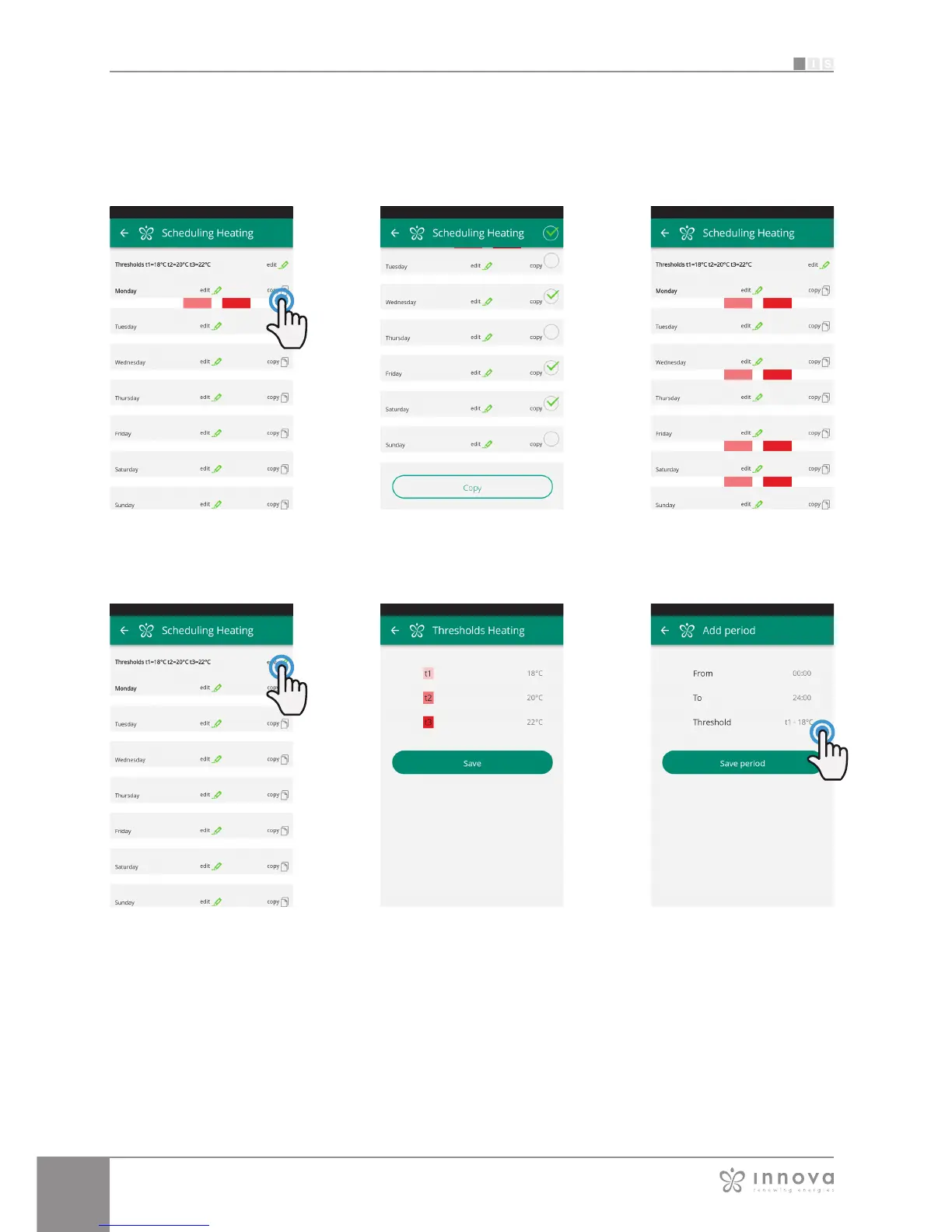
Figure 9-24 Figure 9-25 Figure 9-26
In addition to the weekly programming of the fancoil, in this
section you can also adjust 3 temperature threshold.
By clicking on “edit” in the upper right corner you can set
3 temperatures. (Figures 9-27 e 9-28)
You can chose these temperature thresholds in the
schedule of the week.
Figure 9-27 Figure 9-28 Figure 9-29
Following the same programming mode as a day of the
week, in the time setting screen (Figure 9-29) click on
“threshold” to select the temperature.
Returning to the main screen with the list of days of the
week, the times will have different colours according to the
set temperature. (Figure 9-26)
If you want to apply the same schedule that you have just
confirmed for other days, simply click "copy" and select the
days where you want to apply this schedule (as illustrated
in the sequence of example figures shown below).








 To Next Page