EasyManua.ls Logo

Inseego Wavemaker FG2000 - User Manual

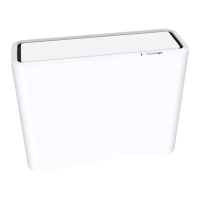
Inseego Wavemaker FG2000
87 pages
Print Icon
To Next Page IconTo Next Page
Loading...
Inseego Wavemaker
TM
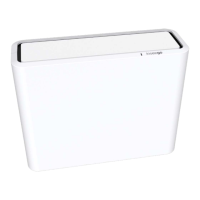
5G Indoor Router FG2000
USER GUIDE

Table of Contents

Question and Answer IconNeed help?

Do you have a question about the Inseego Wavemaker FG2000 and is the answer not in the manual?

Summary

Introduction and Getting Started

Installing a SIM Card

Step-by-step instructions for inserting the SIM card into the router.

Powering On

Steps to power on the 5G Indoor Router using the AC adapter.

Connecting Devices Wirelessly

How to connect Wi-Fi capable devices to the 5G Indoor Router.

Connecting Devices with Ethernet

Instructions for connecting devices via Ethernet cable.

Software Configuration

Admin Password

Managing the router's administrator password for security.

Managing Wi-Fi Settings

Configuring primary and guest Wi-Fi networks and bands.

Primary Network Tab

Settings for the primary Wi-Fi network, including SSID and security.

Managing Connected Devices

Viewing and managing devices connected to the router.

Backup and Restore Tab

Backing up, restoring, or resetting router configuration settings.

Managing VPN

Setting up and managing Virtual Private Network connections.

Managing Parental Control

Controlling internet access for specific devices and viewing history.

Advanced Settings

LAN Tab

Configuration for the Local Area Network, including IP addressing and DHCP.

Cellular Tab

Settings for cellular network connectivity, APN, and roaming.

Firewall Tab

Configuring the router's firewall for security, including rules and DMZ.

MAC Filter Tab

Limiting Wi-Fi access to specific devices using MAC address filtering.

Port Filtering Tab

Controlling application access to the internet based on port numbers.

Port Forwarding Tab

Configuring port forwarding to allow inbound traffic to specific devices.

Troubleshooting and Support

Technical Support

Information on obtaining technical assistance and customer support.

Summary

Introduction and Getting Started

Installing a SIM Card

Step-by-step instructions for inserting the SIM card into the router.

Powering On

Steps to power on the 5G Indoor Router using the AC adapter.

Connecting Devices Wirelessly

How to connect Wi-Fi capable devices to the 5G Indoor Router.

Connecting Devices with Ethernet

Instructions for connecting devices via Ethernet cable.

Software Configuration

Admin Password

Managing the router's administrator password for security.

Managing Wi-Fi Settings

Configuring primary and guest Wi-Fi networks and bands.

Primary Network Tab

Settings for the primary Wi-Fi network, including SSID and security.

Managing Connected Devices

Viewing and managing devices connected to the router.

Backup and Restore Tab

Backing up, restoring, or resetting router configuration settings.

Managing VPN

Setting up and managing Virtual Private Network connections.

Managing Parental Control

Controlling internet access for specific devices and viewing history.

Advanced Settings

LAN Tab

Configuration for the Local Area Network, including IP addressing and DHCP.

Cellular Tab

Settings for cellular network connectivity, APN, and roaming.

Firewall Tab

Configuring the router's firewall for security, including rules and DMZ.

MAC Filter Tab

Limiting Wi-Fi access to specific devices using MAC address filtering.

Port Filtering Tab

Controlling application access to the internet based on port numbers.

Port Forwarding Tab

Configuring port forwarding to allow inbound traffic to specific devices.

Troubleshooting and Support

Technical Support

Information on obtaining technical assistance and customer support.

Inseego Wavemaker FG2000 Specifications

General IconGeneral
BrandInseego
ModelWavemaker FG2000
CategoryWireless Router
LanguageEnglish

Related product manuals