5G INDOOR ROUTER FG2000 USER GUIDE 32
Software Update Tab
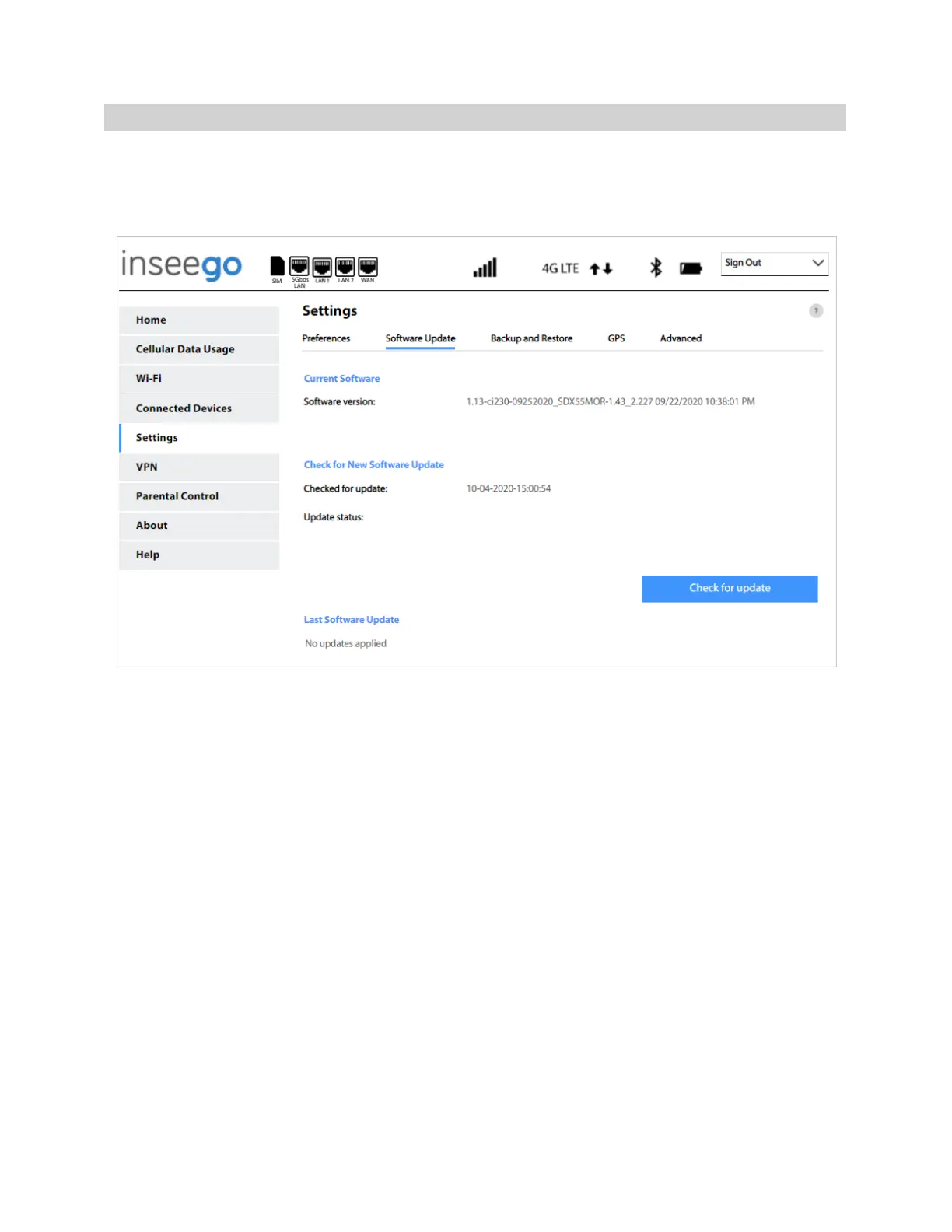
Software updates are delivered to the 5G Indoor Router automatically over the mobile network. This
tab displays your current software version, last system update information, software update history,
and allows you to check for new software updates.
Current Software
Software version: The version of the software currently installed on your 5G Indoor Router.
Check for New Software Update
Checked for update: The date and time the FG2000 last checked to see if an update was available.
Update status: This is area is usually blank. If you check for an update, the result of that check, or the
download progress of an update displays.
Check for Update: Click this button to manually check for available software updates. If a new
software update is available, it is automatically downloaded.
Last Software Update
This section displays details about the last software update.
Software Update History
This section displays details of the last updates that have been downloaded and installed to this
device. If no updates have been installed, this section is not displayed.



 To Next Page