5G INDOOR ROUTER FG2000 USER GUIDE 30
Managing Settings
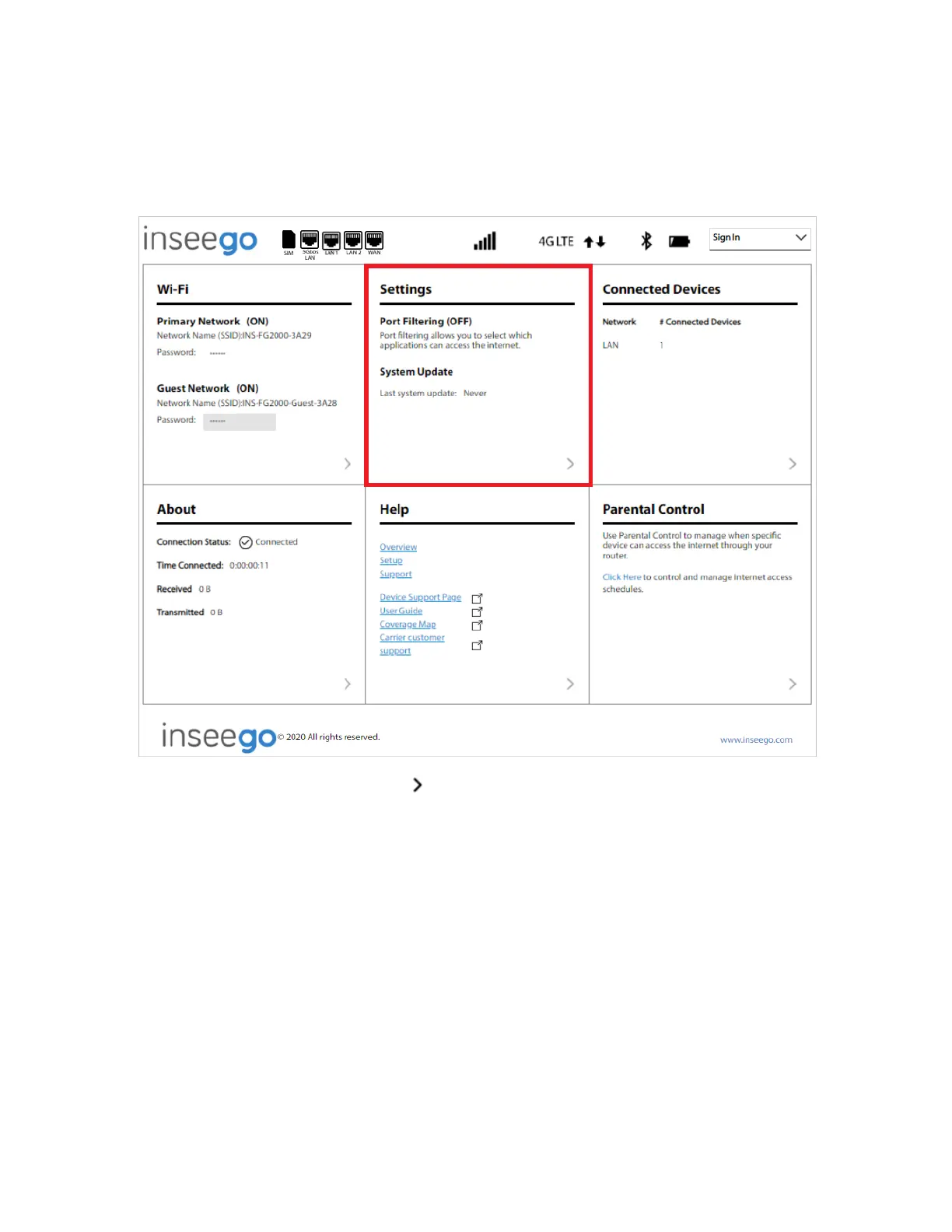
On the Web UI Home page, the Settings panel shows Port Filtering and the date and time of the last
system update.
To configure more system settings, select from the Home page Settings panel (or select Settings
from the Web UI side menu).
The Settings page includes five tabs:
• Preferences
• Software Update
• Backup and Restore
• GPS
• Advanced



 To Next Page