5G INDOOR ROUTER FG2000 USER GUIDE 46
General Status Tab
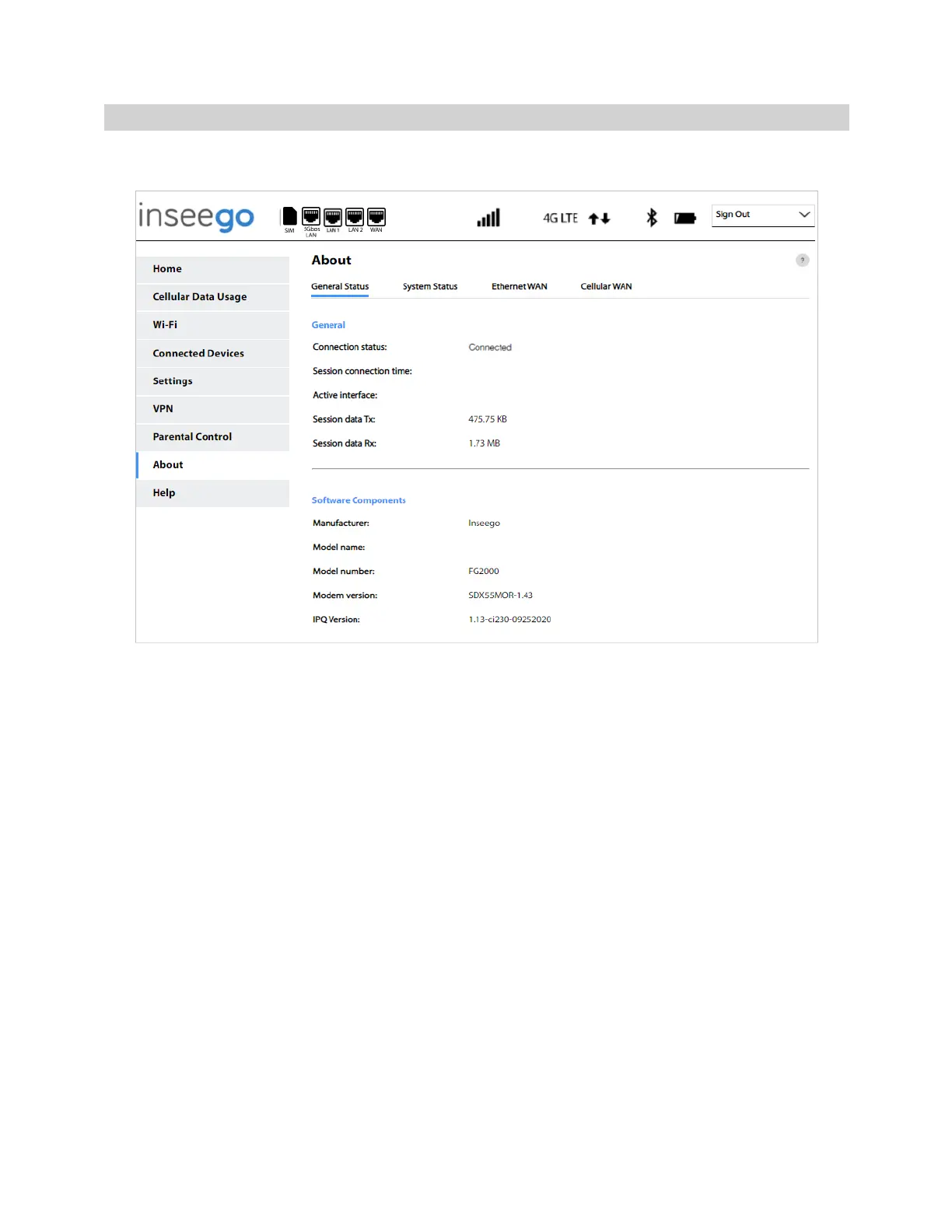
Use the General Status tab to view general Internet connection and system information.
General
Connection status: The current status of the 5G Indoor Router connection.
Session connection time: The amount of time that has elapsed since the connection for the current
session was established.
Active interface: The interface that is active (Ethernet WAN, Cellular WAN, or None).
Session data Tx: The amount of data transmitted for the current session. This counter starts at zero
when the connection is established.
Session data Rx: The amount of data received for the current session. This counter starts at zero when
the connection is established.
Software Components
Manufacturer: The manufacturer of the 5G Indoor Router (Inseego).
Model name: The model name of the 5G Indoor Router.
Model number: The model number of the 5G Indoor Router.
Modem version: The version number of the modem firmware.
IPQ Version: The version of Qualcomm® Internet Processor (IPQ).



 To Next Page