5G INDOOR ROUTER FG2000 USER GUIDE 56
WAN Tab
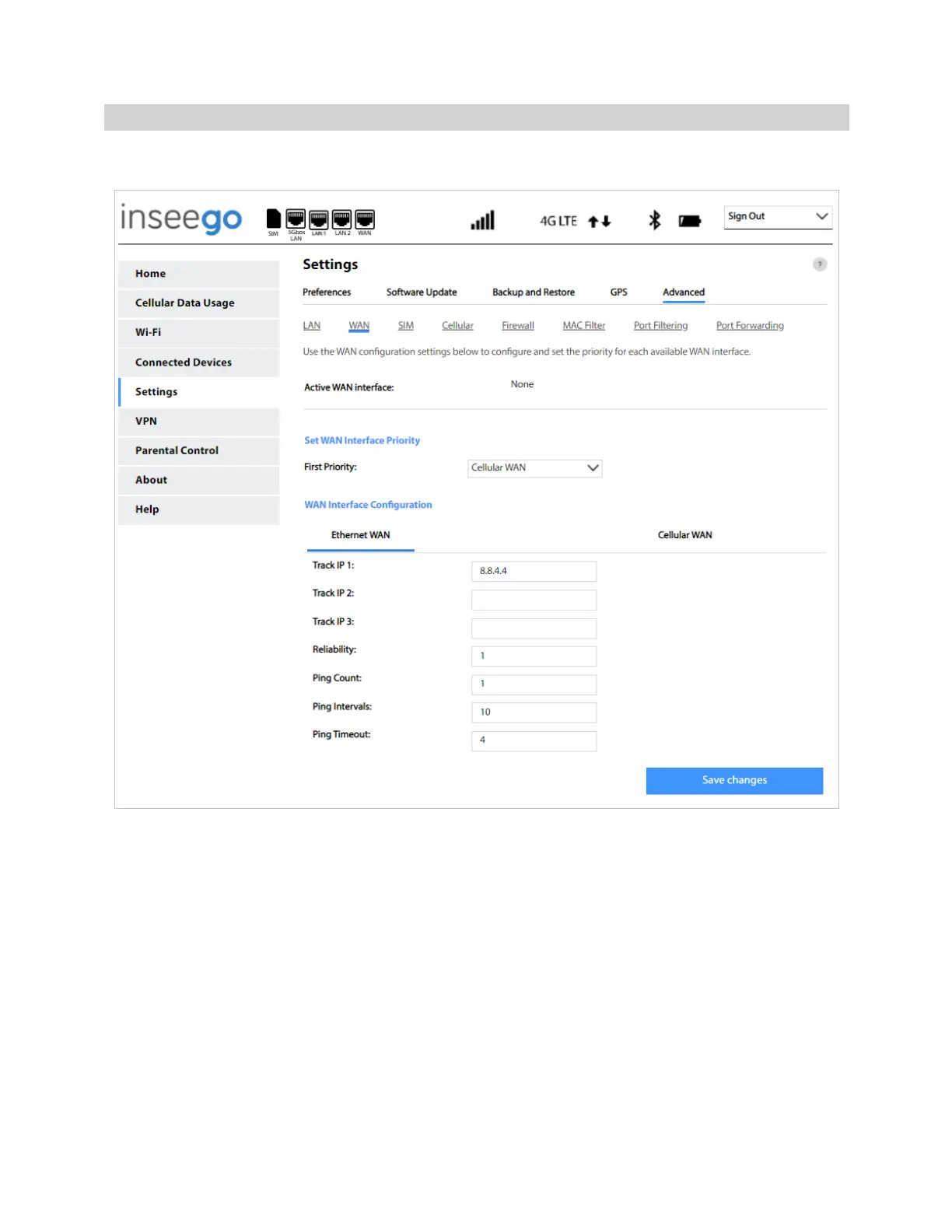
Use this tab to configure and set the priority of each available WAN interface.
Active WAN Interface: The current active WAN interface.
Set WAN Interface Priority
First Priority: Use the drop-down to select the WAN interface to have first priority (Cellular WAN or
Ethernet WAN).
WAN Interface Configuration
You can defined up to three IP address to check if Internet WAN is active.
Track IP 1 — The IP address of the host. This must be a stable Internet address.
Track IP 2 — The IP address of the host. This must be a stable Internet address.
Track IP 3 — The IP address of the host. This must be a stable Internet address.



 To Next Page