5G INDOOR ROUTER FG2000 USER GUIDE 45
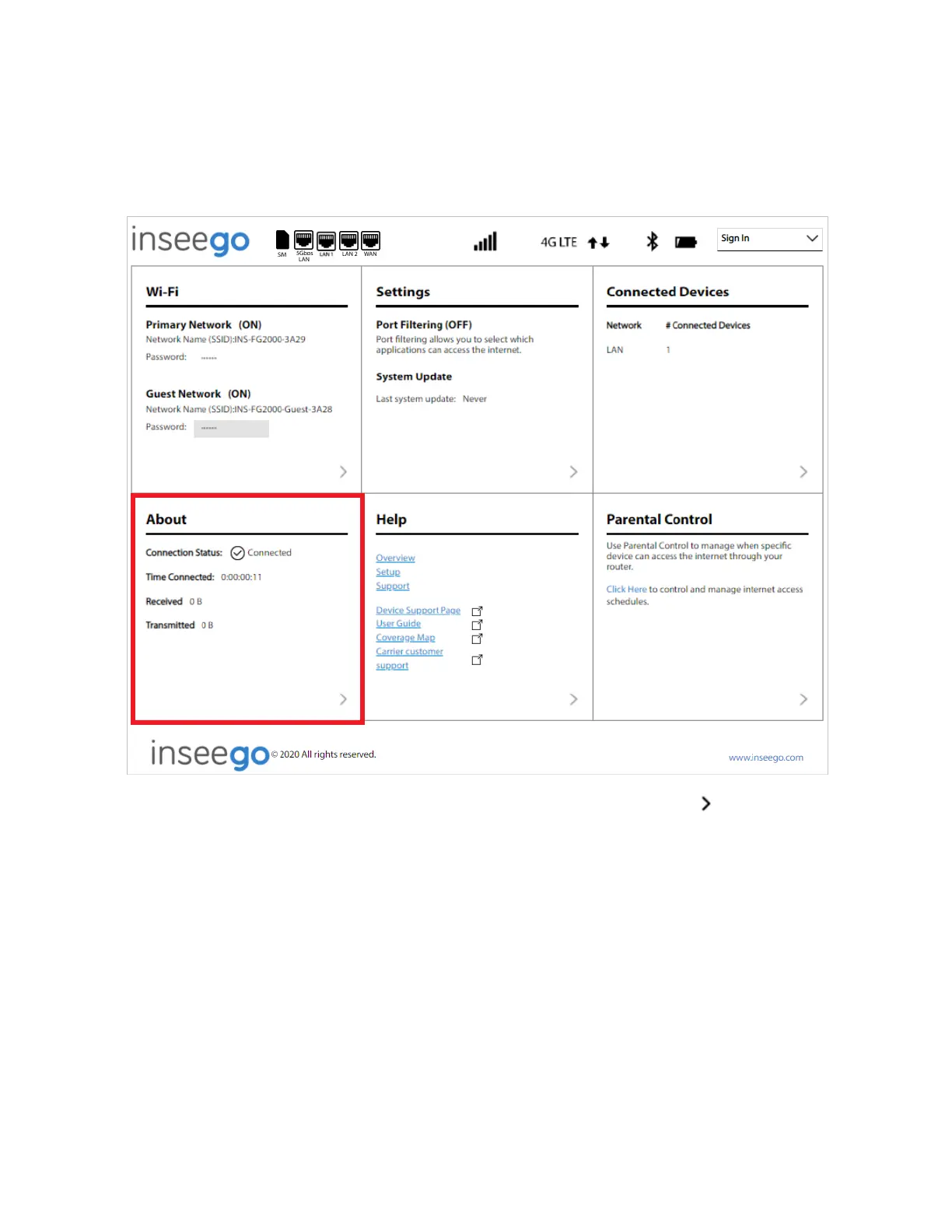
Viewing Info About the Router
On the Web UI Home page, the About panel shows current connection status, the amount of time
connected, and the amount of data transmitted and received.
To view more detailed information about your 5G Indoor Router and its use, select from the Home
page About panel (or select About from the Web UI side menu).
The About page includes four tabs:
• General Status
• System Status
• Ethernet WAN
• Cellular WAN



 To Next Page