5G INDOOR ROUTER FG2000 USER GUIDE 16
Overview
Use the 5G Indoor Router FG2000 Admin Web User Interface to manage your router experience. With
it, you can:
• Change your SSID and/or passwords (both admin and user).
• View connected devices.
• Check router status and data usage.
• Set up a guest network.
• View all currently connected devices.
• Control access by device.
On a computer or device connected to your FG2000, open any Web browser and go to
http://192.168.1.1
.
Home Page
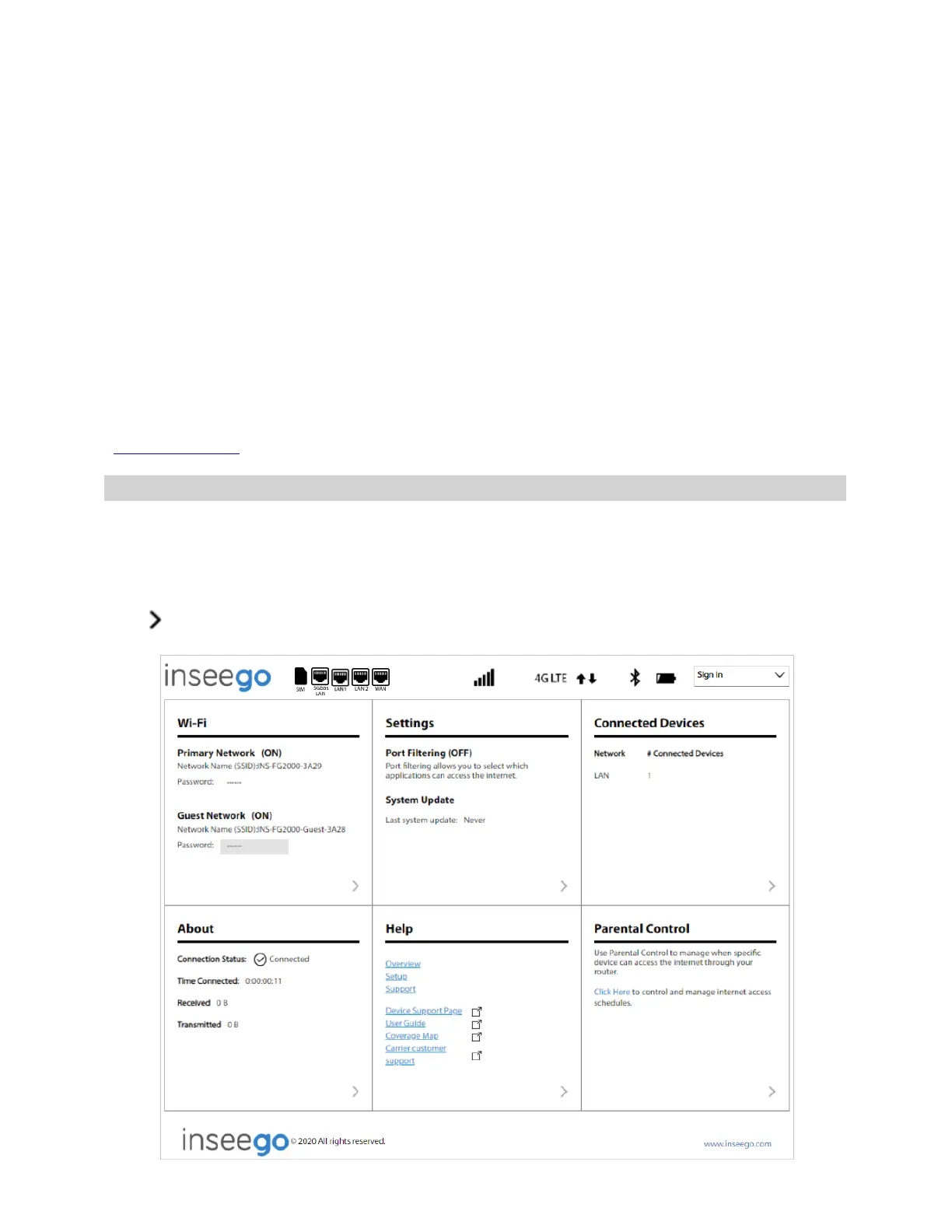
The Home page is the local gateway to configuring and managing your FG2000. It displays the current
Wi-Fi networks and passwords and lists all currently connected devices. It also shows Internet status,
setting information, and provides access to help topics.
Click in the bottom-right corner of a panel to access screens with further information and options.



 To Next Page