5G INDOOR ROUTER FG2000 USER GUIDE 41
Profile Tab
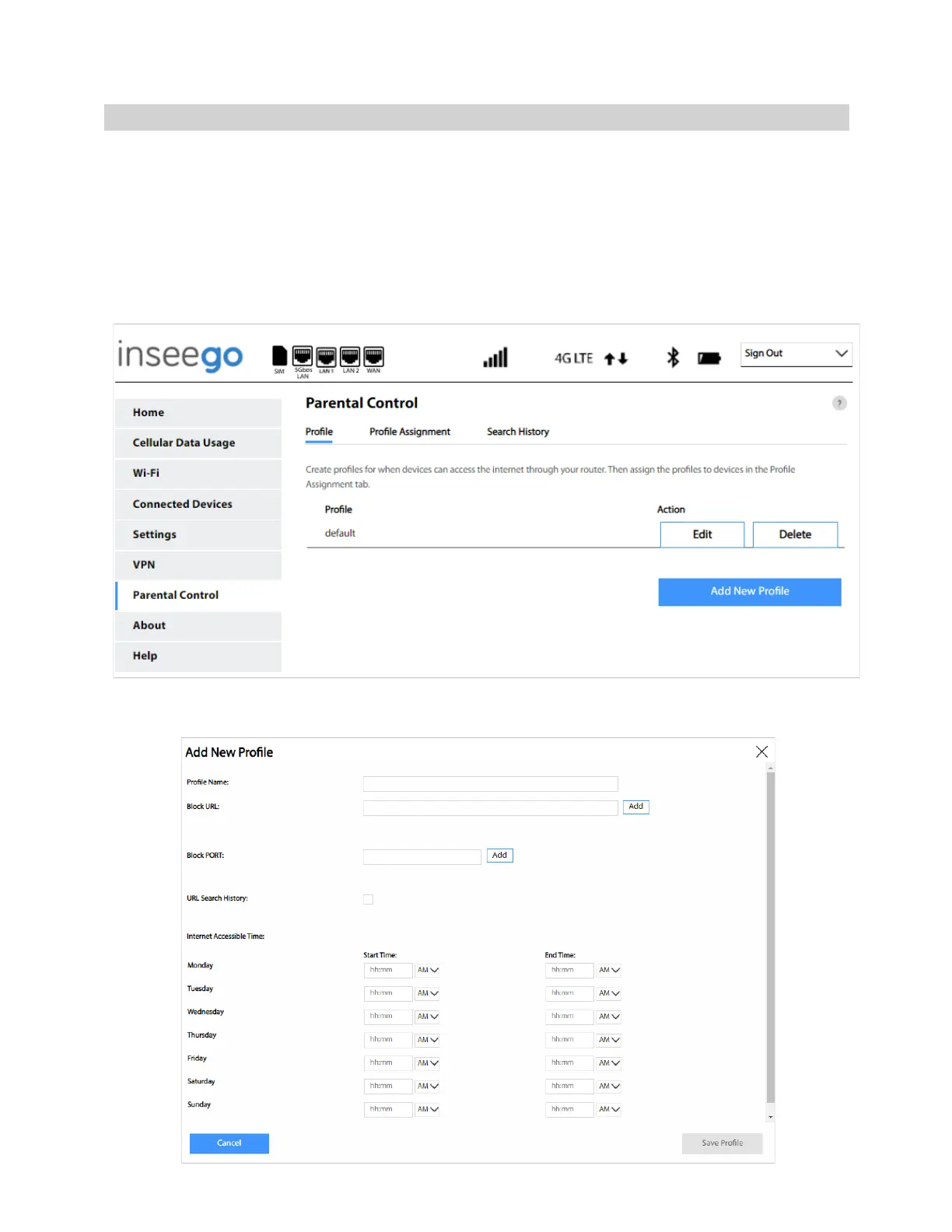
Parental controls in the FG2000 Web UI allow you to control Internet access to specific devices. You
can set up multiple profiles for Internet access on the Profile tab and assign them to individual
connected devices on the Profile Assignment tab. You can view search history on the Search History
tab.
Use the Profile tab to create and manage profiles that determine when devices can access the Internet
through your 5G Indoor Router.
Add New Profile: Select this button to create a new profile. The Add New Profile dialog box appears.



 To Next Page