5G INDOOR ROUTER FX3100 USER GUIDE 47
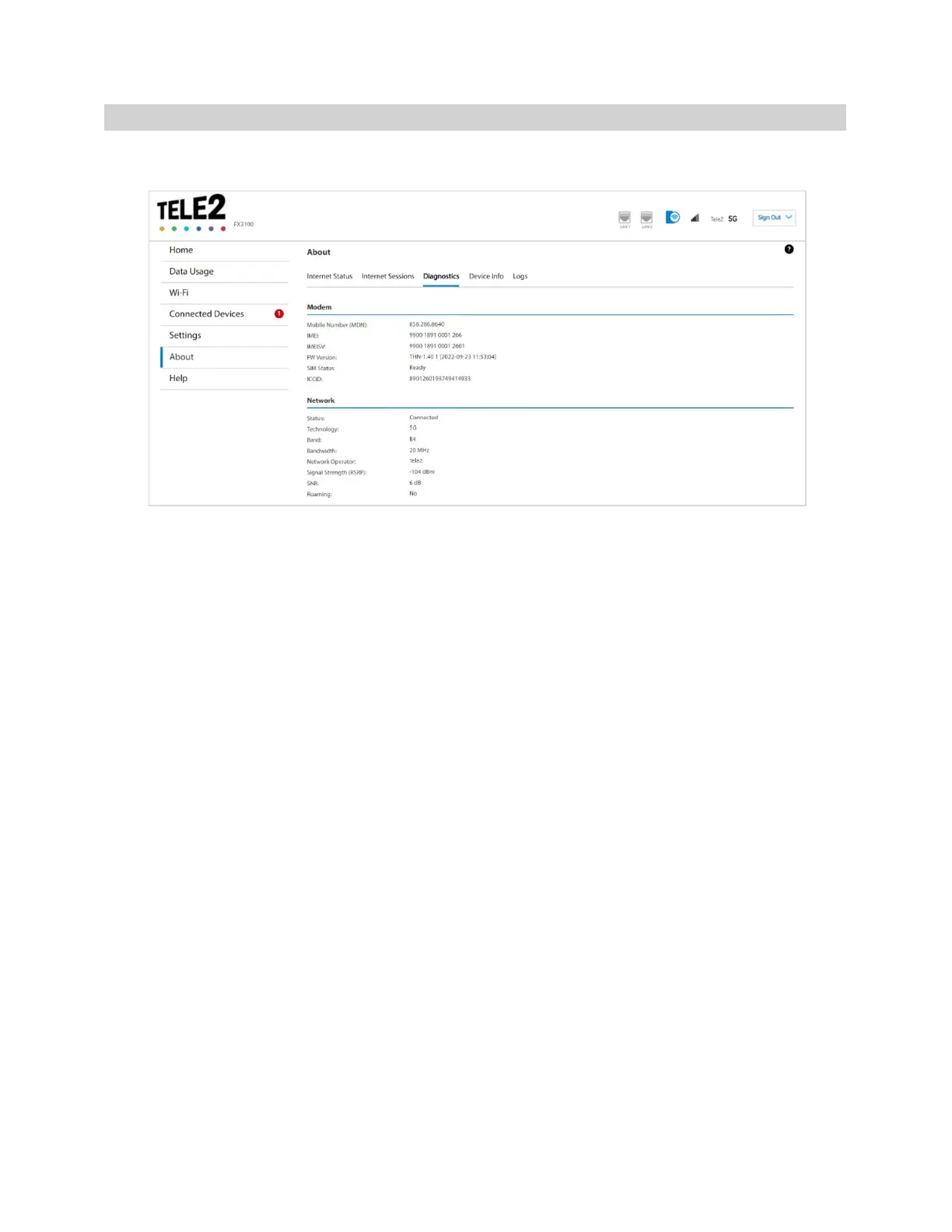
Diagnostics tab
This tab displays detailed information used solely for troubleshooting or technical support.
Modem
Mobile Number (MDN): The phone number of your FX3100.
IMEI: The International Mobile Equipment Identity (IMEI) for your FX3100. This is a 15-digit code used
to uniquely identify an individual mobile station. The IMEI does not change when the SIM is changed.
IMEISI: A combination of the IMEI and an approval number for this type of device.
FW Version: The version of the firmware (software) currently installed on your FX3100.
SIM Status: The status of the SIM card. If the SIM card is missing, or there is some form of SIM error,
connection to the mobile network is not possible.
ICCID: The unique ID number assigned to the SIM card. This field is blank if there is no SIM card
installed, or a SIM error condition exists.
Network
Status: The status of the network.
Technology: Indicates the current cellular data connection, for example, 5G.
Band: The band in use for the current connection.
Bandwidth: The bandwidth in use for the current connection.
Network Operator: The name of the Mobile Network Operator (MNO).
Signal Strength (RSRP): The strength of the cellular signal, measured in dBm. Higher absolute values
indicate a stronger signal, for example: -80 dBm is a stronger signal than -90 dBm.



 To Next Page