CHAPTER 1 OPERATION GUIDE
22
(41) Adapter Jack
(42) Data Link Jack
(43) Microphone
(44) Record Hotkey
Special Function Keys:
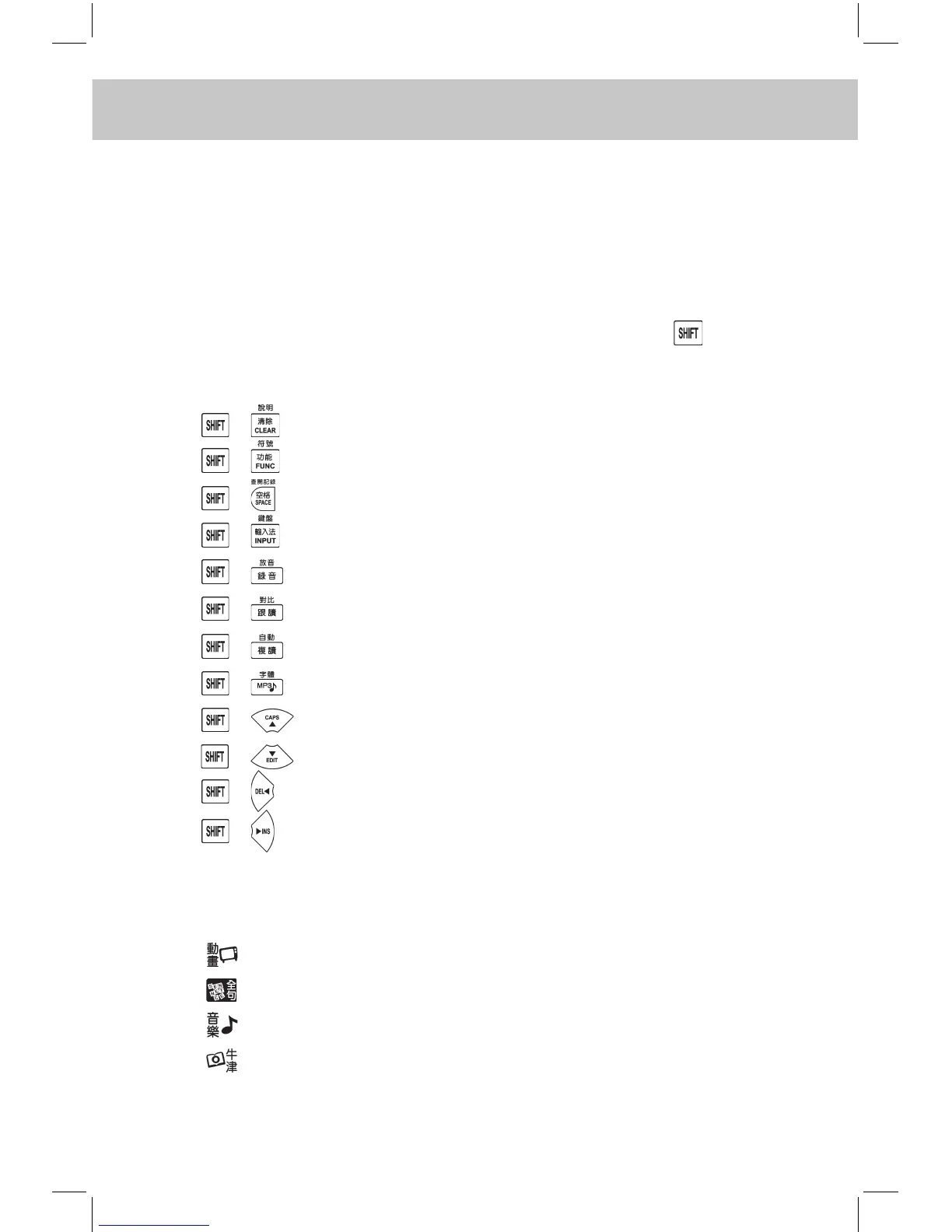
The followings are special function keys. You should press rst and
then press special function key to perform corresponding function instead
of pressing them simultaneously.
1. + View Online Help
2. + Insert Symbol
3. + Dictionary History List
4. + Display the Keyboard
5. + Play
6. + Pronunciation Comparison
7. + Auto Pronunciation
8. + Zoom In / Out the Font
9. + Switch between Upper and Lower Case
10. + Edit the Record
11. + Delete the Character in front of the Cursor
12. + Switch between Inserting and Overwriting Characters
1.2.4 Touch Icons
The function of on-screen touch icons are as follows:
1. Enter Animation Learn
2. Enter Sentence Translation
3. Enter MP3 Music
4. Enter Oxford Dictionary



 To Next Page