CHAPTER 2 DICTIONARY
62
2.7.4 Saving Record
-- Please refer to the relevant part of “Eng-Chi Dict.” for details.
2.7.5 Dictionary History List
-- Please refer to the relevant part of “Eng-Chi Dict.” for details.
2.7.6 Function Key
-- Please refer to the relevant part of “Eng-Chi Dict.” for details.
2.7.7 Repeat and Follow
-- Please refer to the relevant part of “Eng-Chi Dict.” for details.
2.7.8 Font Zoom-in
-- Please refer to the relevant part of “Eng-Chi Dict.” for details.
2.8 Chinese-Chinese Dictionary
This dictionary offers specic explanations. Ten Chinese input methods
are available, they are Taiwan, Mandarin, Cantonese, Total Strokes, 5-
Strokes, CangJie, Simple, Radical, Symbols and DaYi.
Note: For how to input Chinese characters, please refer to the relevant
part of “Chinese Input Method” for details.
2.8.1 General Search
Input a Chinese character with one of Chinese input methods mentioned
above for its Chinese explanations. (Key-entry, Handwriting Recogni-
tion and Touch-and-go operations are supported.)
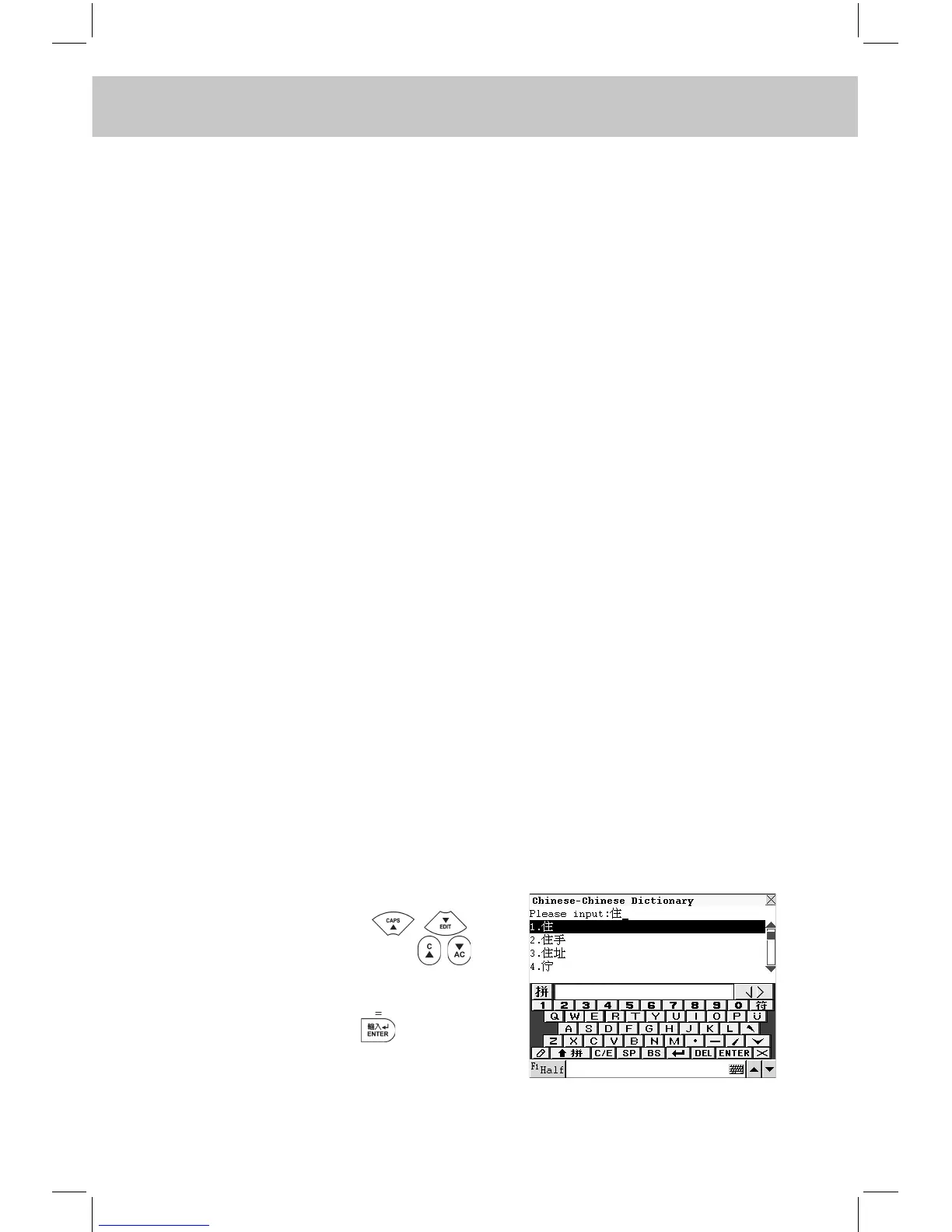
Input the desired Chinese character.
e.g. Input “住”, press to
search sequentially or press to
turn page or continue to input the Chi-
nese character to nd out the desired
character and press to conrm
(or touch the desired word from the
browse list directly).



 To Next Page