CHAPTER 2 DICTIONARY
56
2.4.4 User’s Dictionary
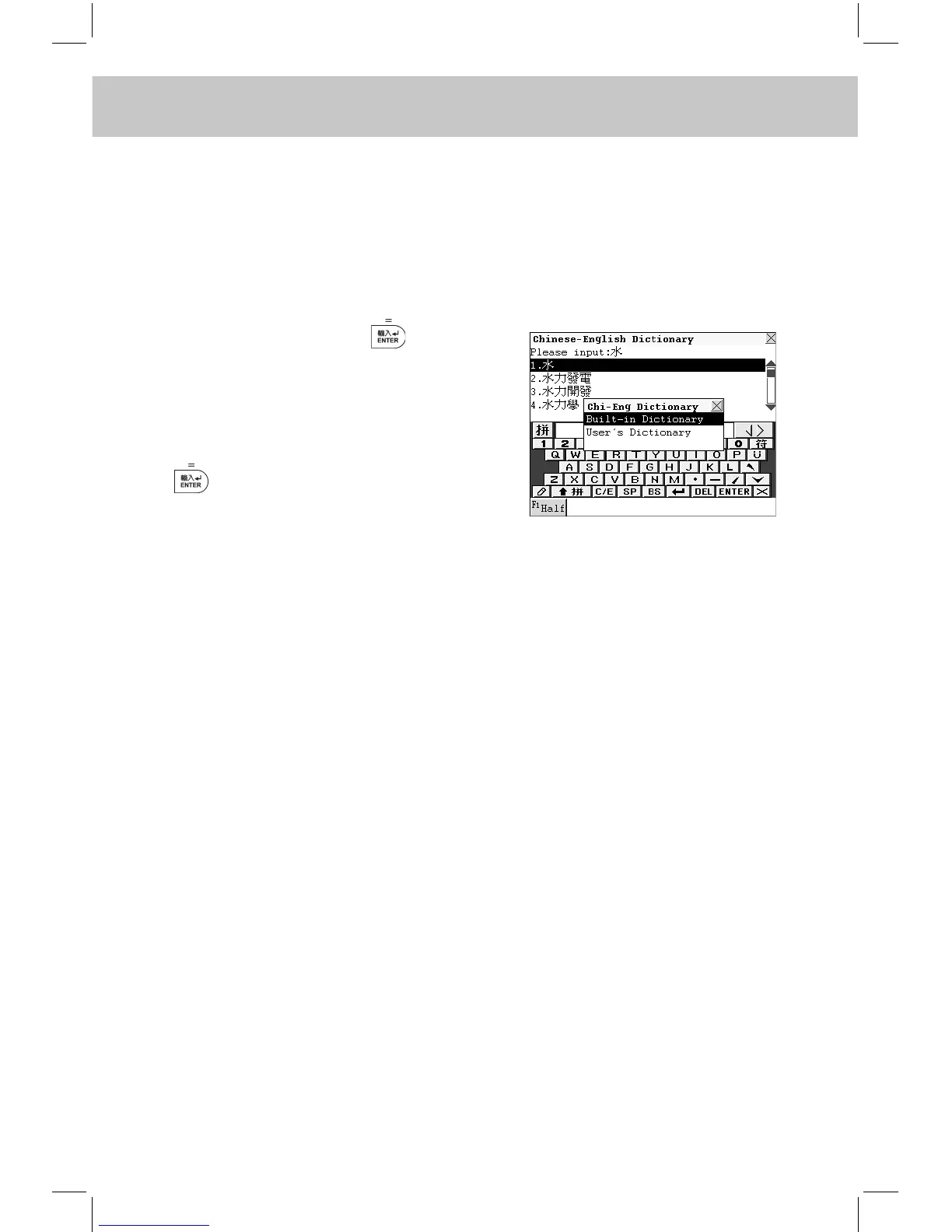
If the inputted Chinese character exists both in Chi-Eng Dictionary and
User’s Dictionary, you can select either of them to view its explanations.
(If the inputted character exists only in Chi-Eng Dictionary or User’s Dic-
tionary, it will enter Chi-Eng Dictionary or User’s Dictionary directly.)
e.g. Input “水”, then press to conrm.
( “水” has been created in User’s Dic-
tionary and exists in Chi-Eng Diction-
ary simultaneously.)
Choose “User’s Dictionary” and press
to conrm. (Please refer to the
relevant part of “User’s Dictionary”
for details.)
2.4.5 Cross-search
-- Please refer to the relevant part of “Eng-Chi Dict.” for details.
2.4.6 Saving Record
-- Please refer to the relevant part of “Eng-Chi Dict.” for details.
2.4.7 Dictionary History List
-- Please refer to the relevant part of “Eng-Chi Dict.” for details.
2.4.8 Function Key
-- Please refer to the relevant part of “Eng-Chi Dict.” for details.
2.4.9 Repeat and Follow
-- Please refer to the relevant part of “Eng-Chi Dict.” for details.
2.4.10 Font Zoom-in
-- Please refer to the relevant part of “Eng-Chi Dict.” for details.



 To Next Page