CHAPTER 2 DICTIONARY
50
2.3.1 General Search
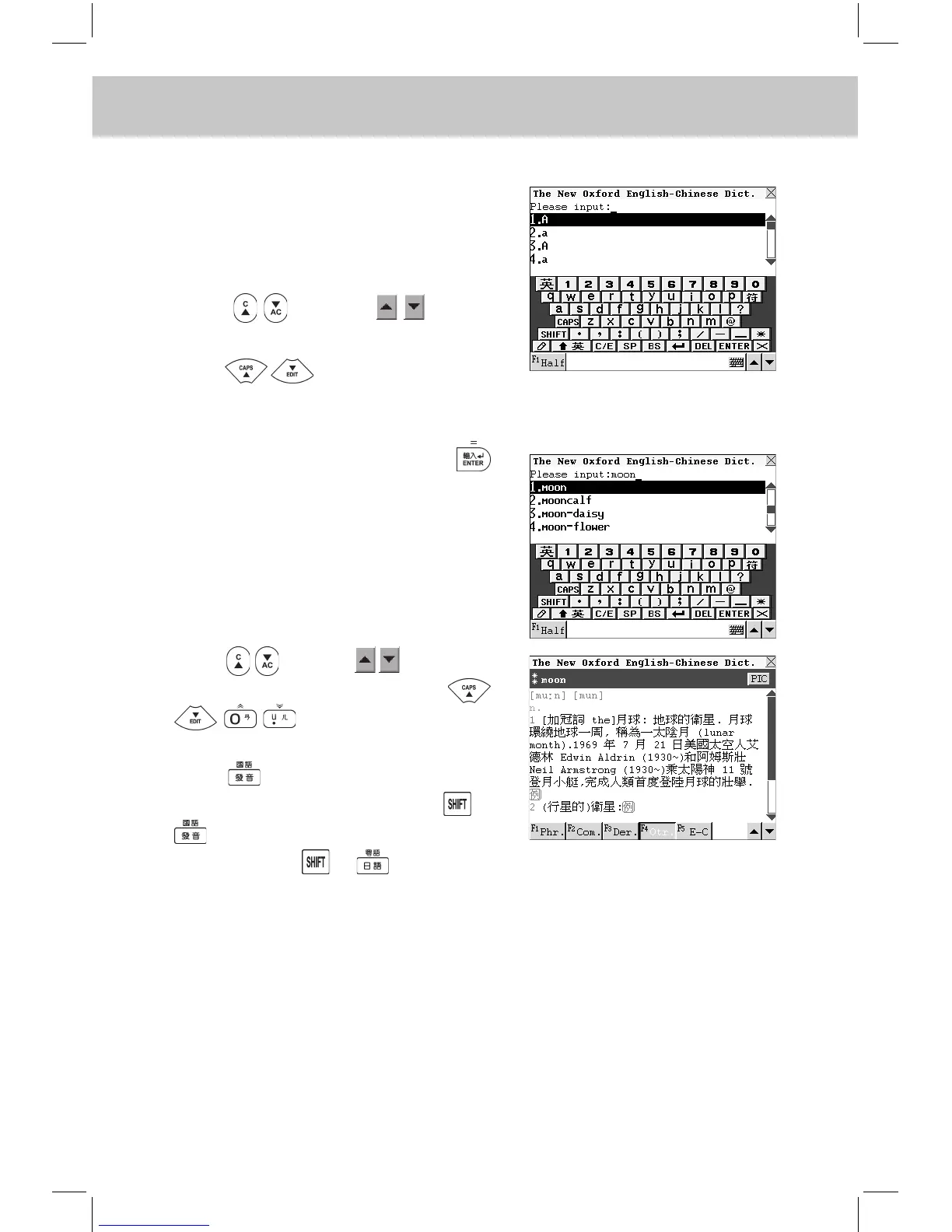
Input the rst letter of the desired
word, a list of nearest words will
be automatically displayed on the
screen.
Press or touch to turn
pages to search.
Press to search sequentially
or continue to input the desired word.
e.g. Input “moon” and press
to view its phonetic notation and
Chinese explanations (or touch the
desired E nglish w ord from the
browse list directly).
Press or touch to view the
previous or next record, press
to view the content of
the record.
Press to listen to the English pro-
nunciation of the word. Press +
to listen to the Mandarin pronun-
ciation. Press + to listen to
the Cantonese pronunciation. Touch
[F5E-C] to view explanations of the
word in Eng-Chi Dictionary.



 To Next Page