CHAPTER 2 DICTIONARY
70
2.16.2 Cross-search
-- Please refer to the relevant part of “Eng-Chi Dict.” for details.
2.16.3 Saving Record
-- Please refer to the relevant part of “Eng-Chi Dict.” for details.
2.16.4 Repeat and Follow
-- Please refer to the relevant part of “Eng-Chi Dict.” for details.
2.16.5 Font Zoom-in
-- Please refer to the relevant part of “Eng-Chi Dict.” for details.
2.17 Illustrated Dictionary
A great variety of vivid pictures are provided in this section for recognition
purpose. When enabled, it allows you to better understand the structure
of various matters as well as learn English much easier so that you can
achieve impressive and satisfactory results.
In Dictionary menu screen, choose and enter “Illustrated Dictionary”.
Press to select an item, i.e. “Structure Picture” or “Scene
Picture”, choose to enter “Structure Picture” and then press to con-
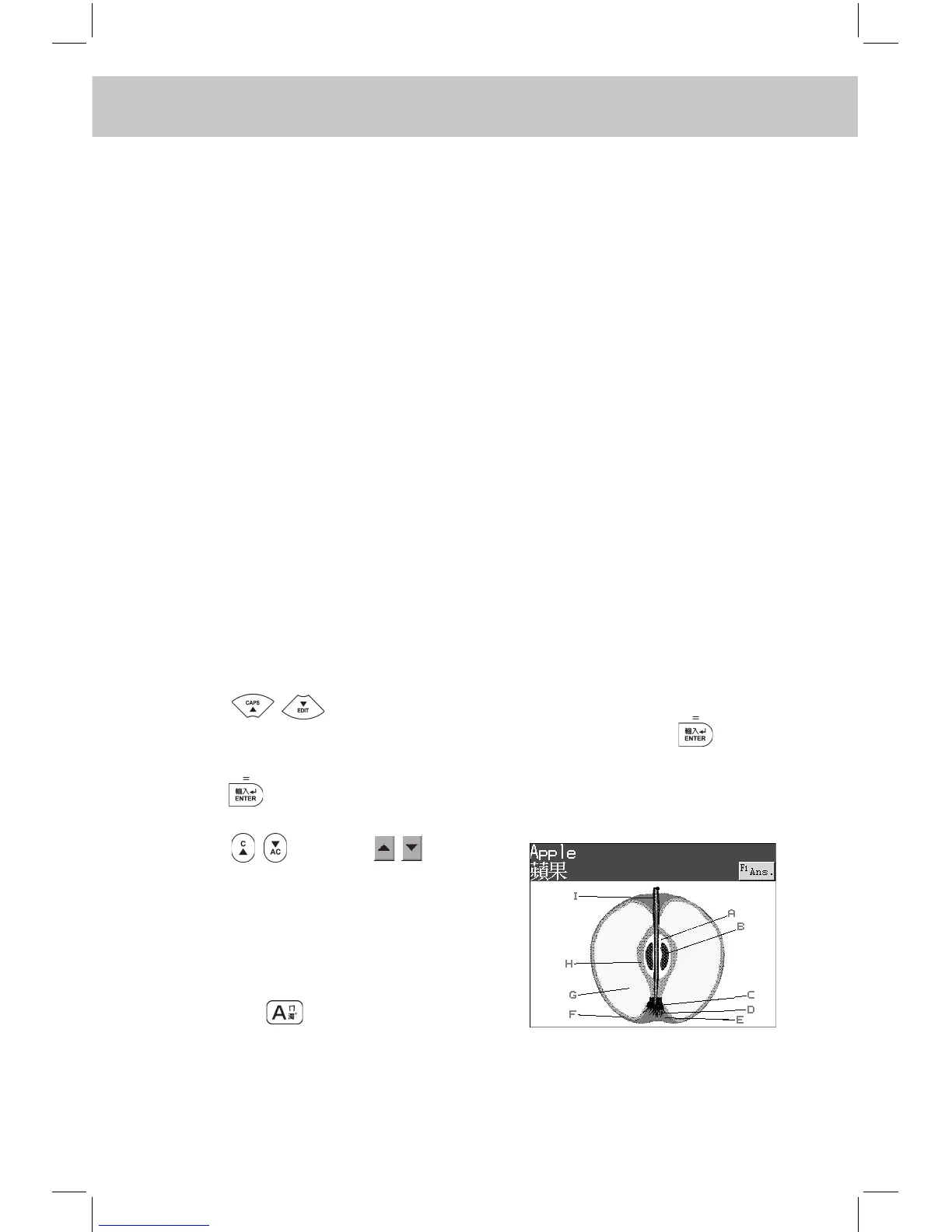
rm. e.g. Choose “Food & Beverage”, and then choose to enter “Apple”.
Press to conrm.
Press or touch to view
the previous or next record.
Touch the letter directly or press the
alphabetic key on the keypad to view
the corresponding Chinese and Eng-
lish names.
e.g. Press or touch [A].



 To Next Page