CHAPTER 2 DICTIONARY
69
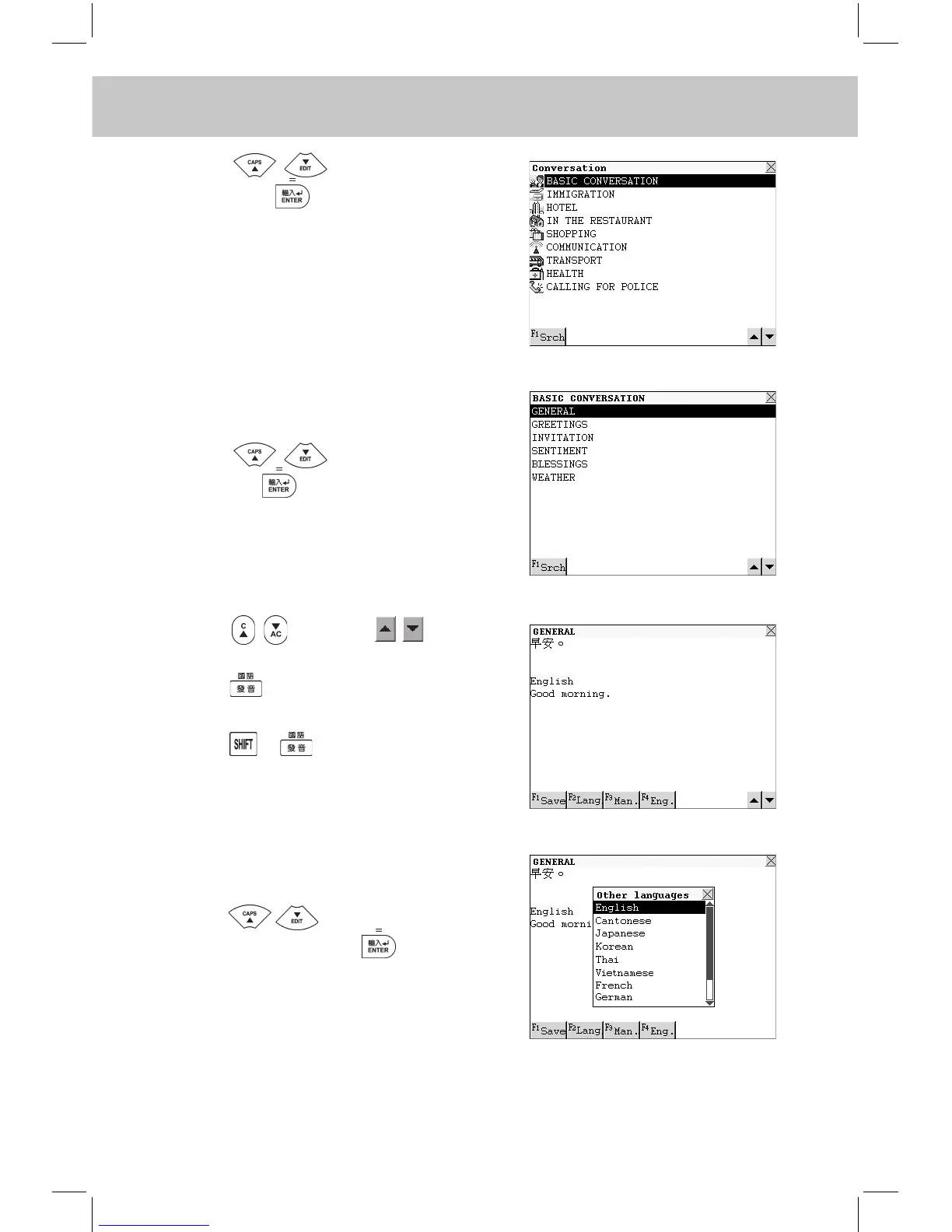
Press to select an item,
then press to conrm (or touch
the desired item directly).
e.g. “BASIC CONVERSATION”.
Touch [F1Srch] to perform English /
Chinese Search.
Press to select an item,
then press to view the conversation
(or touch the desired item directly).
e.g. Choose “GENERAL”.
Press or touch to view
the previous or next record.
Press or touch [F4Eng.] to listen
to the English pronunciation.
Press + or touch [F3Man.] to
listen to the Mandarin pronunciation.
Touch [F2Lang] to choose other lan-
guages.
Press to select the desired
language, then press to conrm,
or touch it directly.
Touch a language button to listen to its
corresponding pronunciation.



 To Next Page