CHAPTER 1 OPERATION GUIDE
29
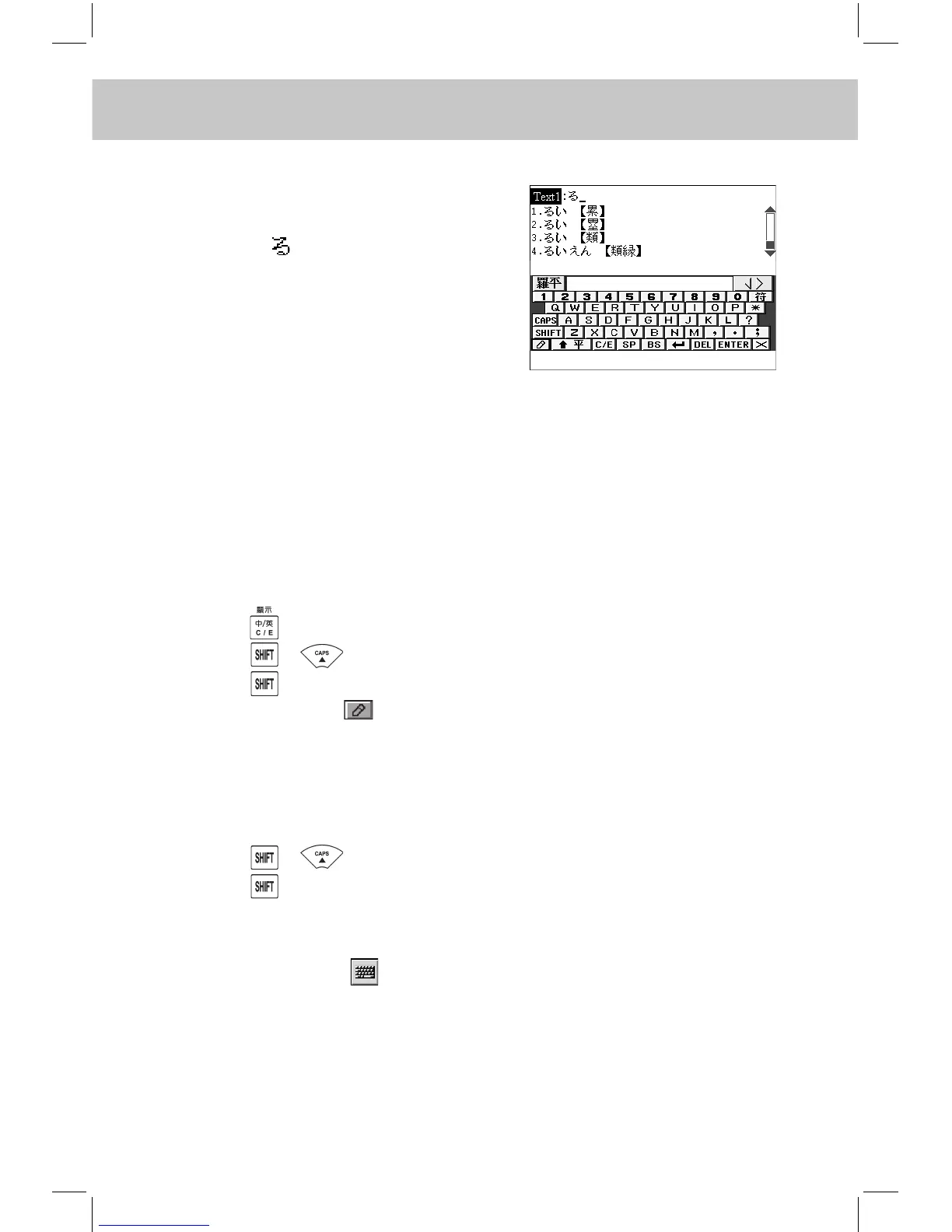
Hiragana Roomaji Input Method
Input characters by Hiragana Room-
aji phonetic alphabets.
e.g. Input “ ”, touch the screen or
press keyboard to input “RU”, input
the remaining characters until the
desired character appears.
Note: 1. Katakana and Katakana Roomaji input methods are the same
as Hiragana and Hiragana Roomaji input methods; 2. Jap-Chi
ZhuYin, Jap-Chi Simple, Jap-Chi CangJie, Jap-Chi Total Strokes
and Jap-Chi Radical ve input methods are similar to the relevant
ones in Chinese input method, please refer to the relevant Chinese
input method for detailed operations.
English Input Method
-- Press to switch to English input mode, input English or numbers.
-- Press + to switch between uppercase and lowercase.
-- Press to switch to capitalization temporarily.
-- You can also tap to switch to Handwriting Recognition and write
on the square, and then choose the letter with stylus at selection
eld.
French Input Method
-- Press + to switch between uppercase and lowercase.
-- Press to switch to capitalization temporarily.
-- If you need to input the special words, press the relevant English key,
then press the relevant numeric key of the symbol.
-- You can also tap to switch to on-screen keyboard to input the
relevant words.



 To Next Page