CHAPTER 2 DICTIONARY
80
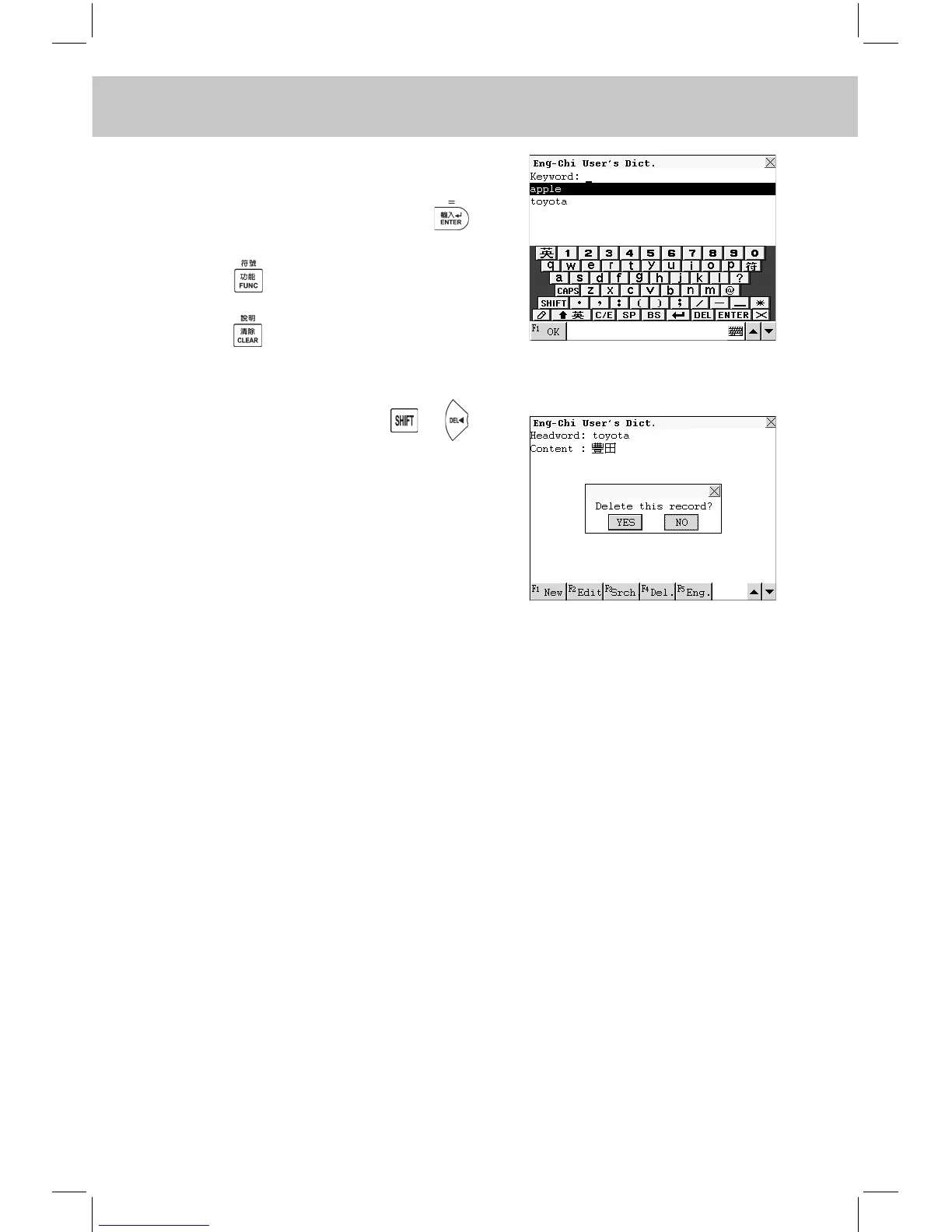
Touch [F3Srch] to perform keyword
search.
Input the desired word, press or
touch [F1OK] to conrm.
Press and choose one item to
perform its relevant function.
Press to return to the previous
screen.
Touch [F4Del.] or press + to
delete the record.
Touch [F5Eng.] to listen to the English
pronunciation.
Note: The operations of Chi-Eng User’s Dict., Jap-Chi User’s Dict.
and Chi-Jap User’s Dict. are the same as those of Eng-Chi User’s
Dict., please refer to the relevant part for details.



 To Next Page