This option is used with the optional totalising features of selected meters. With this option, the relay of alarm #1 pulses whenever the
totalising display changes by one count (alarm #1 relay will no longer function as an alarm setpoint). The maximum pulse rate is two
pulses per second, and it is therefore critical that the totalising display is configured not to change by more than two counts per
second. See the programming menu page 9 for more information on setting up the totalising parameters.
Pulse Output OptionOption 3023
The vertical bar-graph display option provides a graphic linear representation of the process variable being measured. The bar
graph’s zero and full scale setting is programmed by the ‘Outp’ sub-menu of the programming menu, which also controls the analog
output option. The ‘Out.O’ controls the zero point of the graph, and the ‘Ou.Fs’ controls the full scale value of the graph. See the
programming menu page 8 for more information. The instrument must be mounted vertically.
Vertical Bar Graph Display OptionOption 3022
This option is for applications where the main power supply frequency needs to be accurately measured (0.00 to 99.99 Hz). Note that
the input terminal are pins 1 and 2, NOT 1 and 4 in this application. See page 6 for wiring information.
Line / Mains Frequency Measurement OptionOption 3021
Page 18
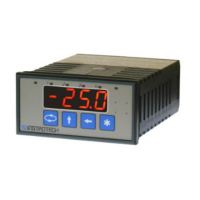
When this option is ordered, a new sub-menu appears in the ‘Input’ menu. See the diagram on the right. This option is used to
simulate an input value. No physical analog input is required. The display value is edited on the display with the front keys. If the
analog output option is also ordered, the analog output will follow the display. e.g. If a value of 50% is entered on the display, the
output will give a value of 50% (12 mA for 4-20 mA output).
CONFIGURATION
In the main input menu, select the last option "User". Select the decimal place required. Press the menu button to proceed to the
output menu. Select the output type required : 0 - 20 mA, 4 - 20 mA, 0 - 10 V. Note that the PCB link must be set to the same output.
Enter the display value for zero output. Enter the display value for full scale output. Press the menu button to save and exit.
Manual Set Point Station OptionOption 3024


 To Next Page