This option an 8 - 30 VDC non-isolated galvanic power supply. See page 7 for connection details.
Galvanic non Isolation (8 - 30V Supply) OptionOption 3028
Keypad Lock OptionOption 3025
The keypad lock option is used to prevent un-authorised access to the programming menu. When this option is ordered, a new sub-
menu called “CODE” appears at the end of the programming sequence. See programming page 8. Three levels of keypad lockout are
available: Level 0 - Full access to programming menu. Level 1 - User only has access to alarm set point values. Level 2 - Total
programming menu lockout.
If this option is ordered, the factory default is “Lev 0”. If the keypad has been locked with either level 1 or 2, then the word “PASS” will
appear on the display if the user attempts to enter programming mode. Pressing the menu key will return the instrument to normal
display mode. However, if the user wishes to enter the programming menu, then when the word “PASS” appears, press in
succession, 1 second apart, all four keys from right to left.
Page 19
APPLICATION
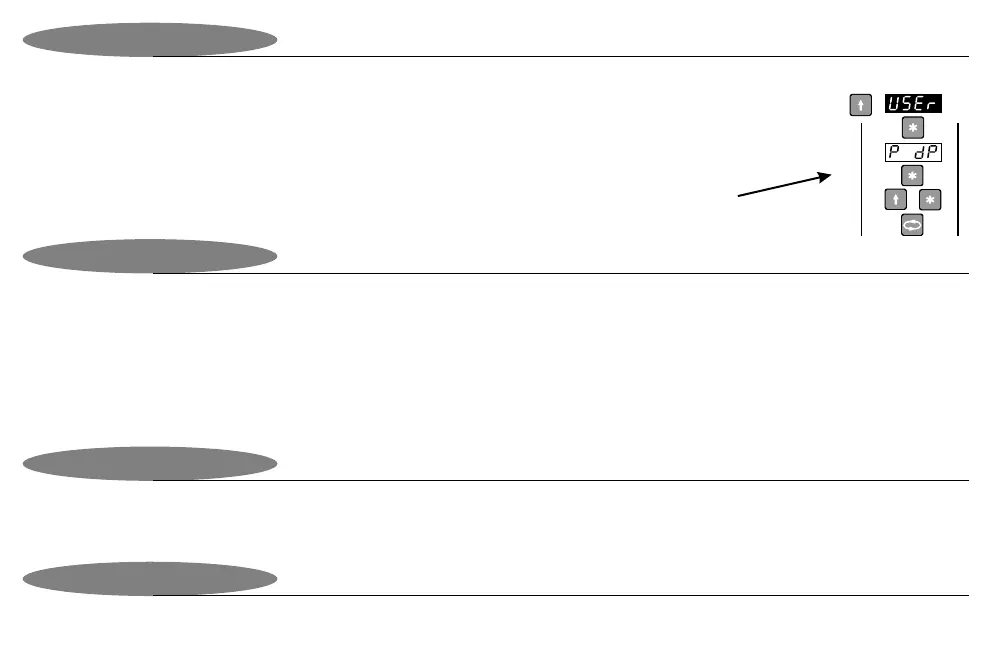
The display will continually show the present value. To change the value, press the enter key. The first digit on the
display will flash. Use the left and up keys to change to a new value. Press enter to accept or leave for 10 seconds
to exit without saving. The new value will now be displayed continuously.
Manual Set Point Station Option (Continued)Option 3024
Input type for
manual setpoint
Station
The option is at no-extra charge and allows the user to freeze the display via an external potential-free contact. Closing the switch will
freeze the display. This option is NOT available for 5001-T & 8001-T. The connections to the instrument for the external potential free
contact vary depending on input type. See page 6 for wiring connections.
Display Hold OptionOption 3026


 To Next Page