Step III: Entering Calibration Counts
(This procedure will calculate new Calibration constants from the counts taken
on the ValiDator. It is extremely important to accurately input this data.)
1. From the Calibration pull down menu, select CaliBrate and enter the
Password at the prompt. Contact InstroTek for a misplaced password.
2. Enter the Calibration Standard Count that you established while collecting
Verification data.
3. Enter the Calibration date. This is the date you collected the data on the
ValiDator for calibration.
4. Enter the Gauge count for the appropriate depth in the first column. This
is the Density Count (DC) from the ValiDator Evaluation form.
5. Enter the Moisture count taken at Backscatter. This is the (MC) from the
evaluation form.
6. After the Gauge count data is entered, click on the 3 or 5 block calibrate
button depending on the number of blocks used in the previous
calibration. Generally, CPN, InstroTek and Troxler gauges use a three (3)
block calibration, while Humboldt gauges are five (5) block calibrated.
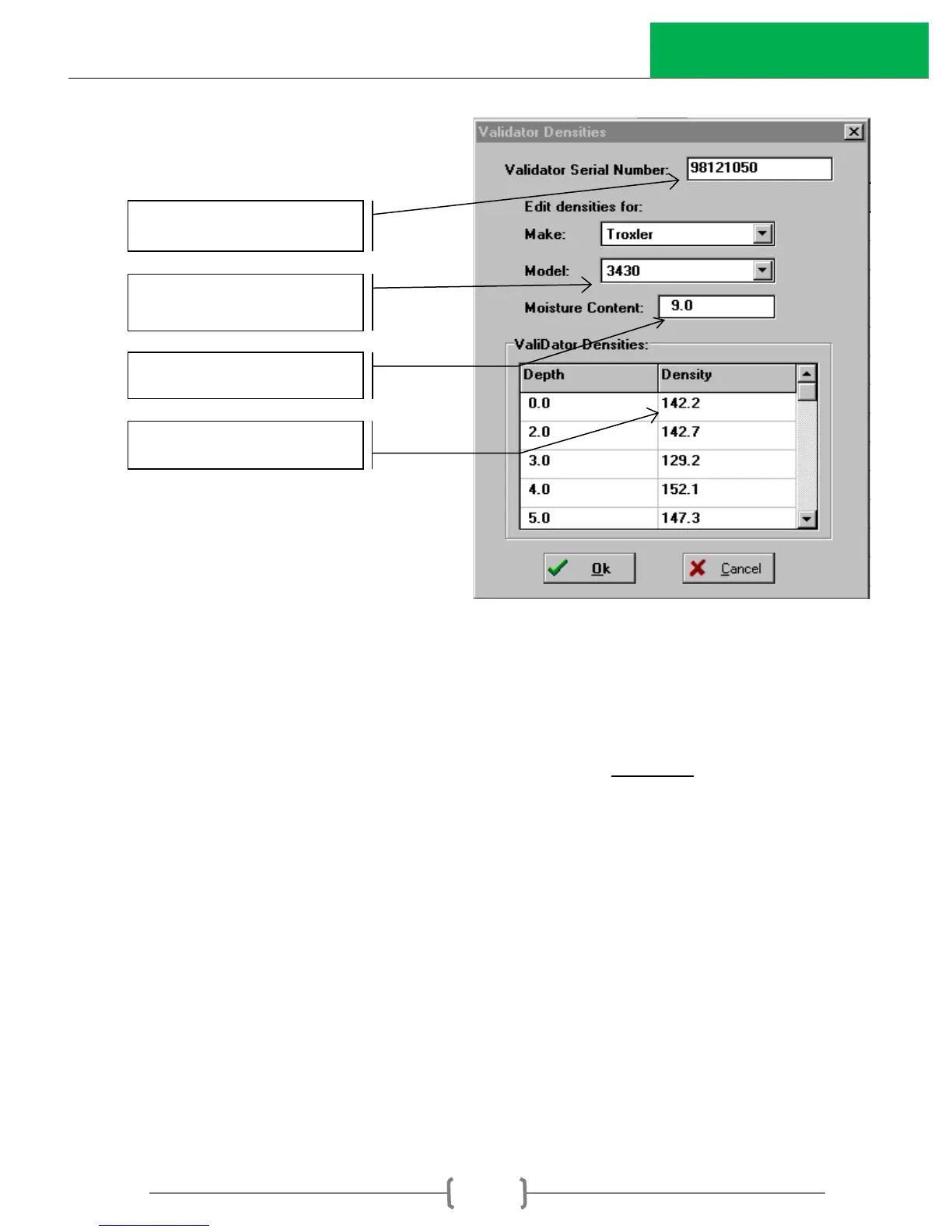
Enter the ValiDator serial number
from the ValiDator Density Sheet
Select the appropriate Make and
Model for the gauge under test.
Moisture Content from laminated
sheets supplied with the ValiDator
Density Assigned to ValiDator
Calibration supplied with ValiDator



 To Next Page