Need help?
Do you have a question about the Integra DTR-30.2 and is the answer not in the manual?
Covers warnings and cautions to prevent fire, electric shock, and ensure safe operation.
Specific precautions and FCC information for models sold in the USA.
Instructions on how to insert batteries into the remote control.
Guidance on the correct direction and distance for remote control use.
Detailed configuration and adjustment options for receiver settings.
Procedures for connecting and controlling iPods and other devices.
Troubleshooting guide for common issues and problems.
Guide on connecting speakers to the AV receiver and system configuration.
Steps for powering the receiver on/off and fundamental operational controls.
Instructions on tuning, presets, and listening to AM/FM radio stations.
How to record audio and video from different sources using the receiver.
Explanation and selection of various audio processing modes for enhanced sound.
Details on the receiver's power output and amplifier technology.
Information on audio/video processing standards like THX and Dolby.
Overview of input/output terminals including HDMI, digital, and analog.
Covers additional features like Audyssey, presets, and remote compatibility.
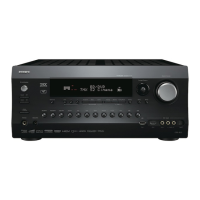
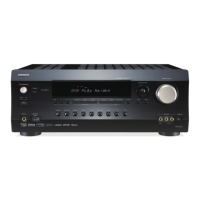
Diagram and description of controls and indicators on the front of the receiver.
Diagram and description of all rear panel input and output terminals.
How to use the remote to operate the AV receiver's main functions.
Using the remote to select radio stations and tuning modes.
Guidance on speaker placement for optimal surround sound experience.
Table showing speaker channel assignments based on system configuration.
How to use provided labels to correctly connect speaker wires.
Important safety and technical guidelines for connecting speakers.
Instructions for preparing and connecting speaker wires to terminals.
Steps for connecting banana plugs to speaker terminals.
How to connect a powered subwoofer to the receiver's output.
Instructions for connecting front speakers using bi-amping for improved audio.
Diagrams showing typical AV connection setups for video and audio.
Explanation of different cable types and their corresponding jacks.
How RI components automatically power on the receiver and vice versa.
How RI automatically switches input sources during playback.
Using the receiver's remote to control other RI-capable components.
Overview of composite, component, and HDMI video connection options.
How the receiver prioritizes incoming video signals.
Overview of analog, optical, coaxial, and HDMI audio connection types.
Procedure for powering the AV receiver on from the front panel or remote.
Procedure for powering the AV receiver into standby mode.
How to choose the language for setup menus displayed on screen.
Steps to select input sources and play audio/video from connected devices.
How to view details about the current input source and signal format.
Adjusting the brightness level of the AV receiver's front panel display.
Explains common error messages during Audyssey setup and how to resolve them.
Tips for ensuring the subwoofer is detected correctly during setup.
Methods for tuning into AM/FM stations using auto or manual modes.
Advice for improving reception on weak stereo FM signals.
Directly tuning to a specific radio station frequency.
Storing favorite radio stations as presets for quick access.
Essential details about SIRIUS subscription, tuner, and antenna requirements.
Guidance on optimal antenna placement for receiving SIRIUS signals.
Finding channels by browsing through all available stations.
Searching for channels based on predefined categories.
Directly accessing channels by entering their number.
Storing favorite SIRIUS channels as presets for easy selection.
How to choose a stored preset channel.
Removing stored preset channels.
Explanation of the Radio Data System and its information types.
How to view text information broadcast by RDS-enabled radio stations.
How to connect external devices like VCRs or CD players for recording.
Recording audio and video from different sources simultaneously.
Steps for selecting sources and starting the recording process.
How to choose desired audio processing modes for movies, music, or games.
Identifying buttons on the remote and receiver for mode selection.
Key terms and concepts related to audio processing modes.
List of audio formats compatible with different listening modes.
Visual representation of speaker activation for various configurations.
Settings for Dolby Pro Logic IIx music playback, including Panorama.
Adjusting gain for front high speakers in Dolby Pro Logic IIz modes.
How Dolby EX encoded signals are handled, dependent on speaker setup.
Adjusting center channel attenuation for DTS Neo:6 music.
Details on DTS-HD High Resolution Audio, Master Audio, and Express modes.
Using Audyssey DSX to enhance surround impression with additional speakers.
Optimizing audio for movies, music, and games using THX standards.
Expanding 5.1-channel sources to 7.1 for enhanced surround playback.
Expanding 5.1-channel sources for 6.1/7.1 playback, especially for Dolby Digital EX.
Modes for classical, operatic, acoustic, and jazz music playback.
Modes for rock/pop music and TV shows, enhancing acoustics and clarity.
Modes optimized for role-playing, action, rock, and sports game audio.
Modes for background music and uniform mono sound across speakers.
How the setup menus appear on the TV and their organization.
General steps for navigating and making changes within the setup menus.
Configuring input sources and output resolutions for HDMI and other connections.
Setting up speaker configuration, distance, levels, and impedance.
Adjusting sound parameters like bass, treble, and listening modes.
Configuring settings related to specific input sources and audio technologies.
Assigning default listening modes to input sources for automatic selection.
Accessing various system settings like volume display and muting level.
Settings related to the receiver's hardware, including remote ID and tuner.
Configuring remote control settings, including mode and ID.
Protecting setup menus by locking them with a password.
Specifying output resolution for HDMI OUT and upconversion settings.
Assigning HDMI inputs to specific input selectors for proper source recognition.
Checking or manually setting speaker parameters after Audyssey calibration.
Setting speaker impedance (4 or 6 ohms) for optimal performance.
Setting speaker type for front speakers, including bi-amping support.
Assigning speakers to terminals for front high, wide, surround back, and Zone 2.
Specifying speaker presence, crossover frequencies, and LFE filter settings.
Boosting bass output by routing it to the subwoofer.
Setting speaker distances for accurate sound arrival time.
Adjusting individual speaker volume levels using test tones.
Manually adjusting speaker tone with a 5-band equalizer.
Adjusting spacing for surround back speakers for THX modes.
Enabling THX Boundary Gain Compensation with certified subwoofers.
Adjusting volume levels for optimal audio expression at low volumes.
Controlling Audyssey features when using THX listening modes.
Selecting main, sub, or both channels for multiplex audio sources.
Adjusting stereo image width and sound field depth for music.
Adjusting gain for front high speakers in Dolby Pro Logic IIz modes.
How Dolby EX encoded signals are handled, dependent on speaker setup.
Adjusting center channel attenuation for DTS Neo:6 music.
Adjusting the soundstage width when using Audyssey DSX.
Optimizing sound for Theater-Dimensional mode based on speaker angle.
Setting the Low-Frequency Effects channel level for specific audio sources.
Ensuring Audyssey 2EQ and Dynamic EQ are enabled after setup.
Maintaining balanced sound quality at low listening volumes.
Adjusting perceived reference level for different audio content types.
Reducing video signal delay for gaming, impacting picture quality.
Setting the aspect ratio for video display (e.g., 4:3, Full, Zoom).
Optimizing picture processing for film sources (Video, Auto, 3:2, 2:2).
Adjusting picture sharpness for clearer image detail.
Reducing visible noise in the picture.
Adjusting the overall lightness and darkness of the picture.
Adjusting color balance (red/green) and color intensity.
Displaying volume levels in absolute or relative (THX) formats.
Setting a cap on the maximum volume output.
Specifying the default volume level when the receiver is turned on.
Adjusting headphone volume relative to the main volume.
Enabling or disabling onscreen display of operational details.
Specifying the TV system (Auto, NTSC, PAL) for proper menu display.
Choosing the language for onscreen setup menus.
Setting a unique remote ID to avoid interference with other components.
Configuring Zone 2 settings for multi-room audio playback.
Selecting FM/AM tuning steps based on regional standards.
Configuration for SIRIUS Satellite Radio reception.
Controlling audio output from HDMI sources to the TV speakers.
Automatically adjusting audio delay for synchronized picture and sound.
Enabling remote interactive control over HDMI-connected components.
Allowing audio from TV to receiver via HDMI for ARC-enabled TVs.
Linking power functions of HDMI-connected components for synchronized operation.
Adjusting bass and treble levels for the front speakers.
Fine-tuning individual speaker volume levels.
Accessing and managing Audyssey Dynamic EQ and Volume settings.
Reducing dynamic range for quiet listening, especially at night.
Two methods for connecting speakers for Zone 2 audio playback.
Setup for 5.1 main room and 2-channel stereo Zone 2 playback.
Setup for 7.1 main room and 2-channel stereo Zone 2 playback via external amp.
Setting a limit on the maximum volume for Zone 2 playback.
Specifying the default volume level for Zone 2 when powered on.
Steps to turn Zone 2 on, select sources, and adjust volume.
Connecting trigger outputs to activate external components.
Configuring trigger delay and source selection for automatic component activation.
Extending remote control to Zone 2 using IR receiver and connecting block.
Using IR receiver for components installed in cabinets without line-of-sight.
Using IR emitter to control other components via receiver's IR OUT jack.
Connecting the Universal Port dock for iPod playback and control.
Connecting the RI Dock for iPod music, slideshows, and video playback.
Initial setup and fundamental operations for the UP-A1 Dock.
Automatic receiver power and source switching when iPod playback starts.
Controlling iPod functions using the AV receiver's remote controller.
Using iPod's alarm clock to automatically turn on the receiver and iPod.
How the UP-A1 Dock charges the iPod while connected.
Understanding messages displayed when connecting the iPod dock.
Controlling iPod with the receiver remote when using the UP-A1 Dock.
Entering remote control codes for iPod control without RI connection.
Using RI connection for iPod control with specific remote codes.
Using pre-set remote modes for controlling common AV components.
Finding appropriate remote control codes via the setup menu.
Using HDMI control (RIHD) to operate compatible TVs.
Using HDMI control (RIHD) to operate compatible players/recorders.
Troubleshooting steps for when the AV receiver won't turn on.
Diagnosing and resolving issues indicated by a flashing red standby light.
Addressing issues with no sound or very quiet audio output.
Resolving situations where only front speakers are active.
Understanding and resolving issues with speaker volume setting limits.
Identifying and eliminating sources of noise or interference in audio signals.
Troubleshooting problems with the Late Night function not working.
Explaining behavior with DTS signals and potential playback issues.
Troubleshooting when audio from HDMI IN cannot be heard.
Steps to resolve issues where no video is displayed on the screen.
Troubleshooting steps if the remote controller is unresponsive.
Resolving problems controlling external components with the receiver.
Troubleshooting issues preventing successful recording.
Diagnosing why there is no sound output in Zone 2.
Resolving problems where Zone 2 speakers are not producing sound.
Understanding how headphone connection affects listening modes.
Troubleshooting automatic speaker distance setting problems.
Changing audio language for multiplex sources.
Troubleshooting problems with RI connection and functions.
Addressing "Ambient noise is too high" message during Audyssey setup.
Making settings for composite video input directly on the unit.
Detailed technical specifications for the amplifier section.
Details on power supply, dimensions, weight, and general features.
Technical data for HDMI inputs, outputs, and supported formats.
Specifications for component, composite, and RGB video connections.
Specifications for digital and analog audio connections.
Technical details for FM, AM, and SIRIUS tuner functions.
Overview of HDMI capabilities like audio return, 3D, and color depth.
List of audio formats compatible with the HDMI interface.
Explanation of HDCP for digital video signal protection.
List of TVs, players, and recorders compatible with RIHD control.
Linked operations possible when connecting RIHD-compatible devices.
 General
| Channels | 7.2 |
|---|---|
| HDMI Outputs | 1 |
| HDMI Inputs | 6 |
| Audio Formats Supported | Dolby TrueHD, DTS-HD Master Audio, Dolby Digital Plus, DTS-HD High Resolution Audio |
| Network Connectivity | Ethernet |
| Streaming Services | Pandora |
| THD (Total Harmonic Distortion) | 0.08% |
| Frequency Response | 10Hz-100kHz |
| Input Sensitivity/Impedance | 200mV/47k ohms |
| Video Inputs/Outputs | Component: 2 inputs/1 output |
| Audio Inputs/Outputs | Digital: 2 optical |
| HDMI Version | 1.4a |
| USB | Yes |
| Windows Compatible | Yes |

 To Next Page