Safety Information and Introduction
En-10
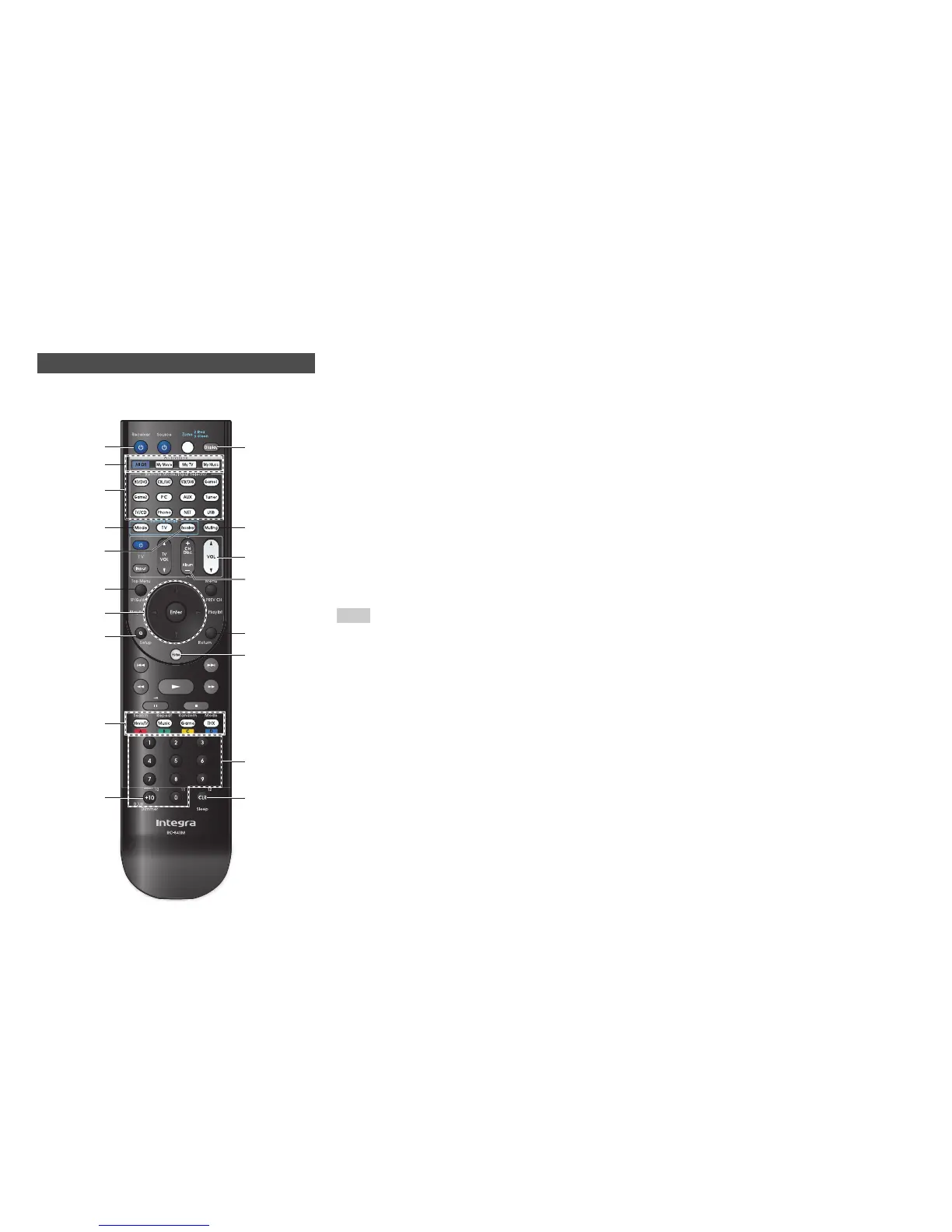
Remote Controller
To control the AV receiver, press Receiver to select
Receiver mode.
For detailed information, see the pages in
parentheses.
a 8Receiver button (23)
b Activities buttons (53, 94)
c Remote Mode/Input Selector buttons (31)
d SP (speaker layout) button (52)
e q/w/e/r and Enter buttons
f Q Setup button (55)
g Listening Mode buttons (43)
h Dimmer button (51)
i Display button (51)
j Muting button (52)
k VOL q/w button (31)
l Return button
m Home button (54)
n Sleep button (51)
Tip
• You can also use the remote controller to control Integra/
Onkyo Blu-ray Disc/DVD player, CD player, and other
components.
See “Entering Remote Control Codes” for more details
(➔ page 86).
■ Controlling the tuner
To control the AV receiver’s tuner, press Tuner (or
Receiver).
You can select AM or FM by pressing Tuner
repeatedly.
a q/w buttons (40)
b D.TUN button (40)
c Display button
d CH +/– button (41)
e Number buttons (40)
*1
When you want to change the remote controller mode
(target component) without changing the current input
source, press Mode and within about 8 seconds, press
Remote Mode. Then, using the same AV receiver’s
remote controller, you can control the component
corresponding to the button you pressed.
*2
These buttons can also be used when a Remote Mode
other than Receiver mode is selected.
Controlling the AV Receiver
n
e
h
b
d
f
g
e
a
j
k
d
l
m
c
b
a
c
i
*1
*2
*2
*2
*2
Receiver



 To Next Page