Advanced Operations
En-82
Multi Zone
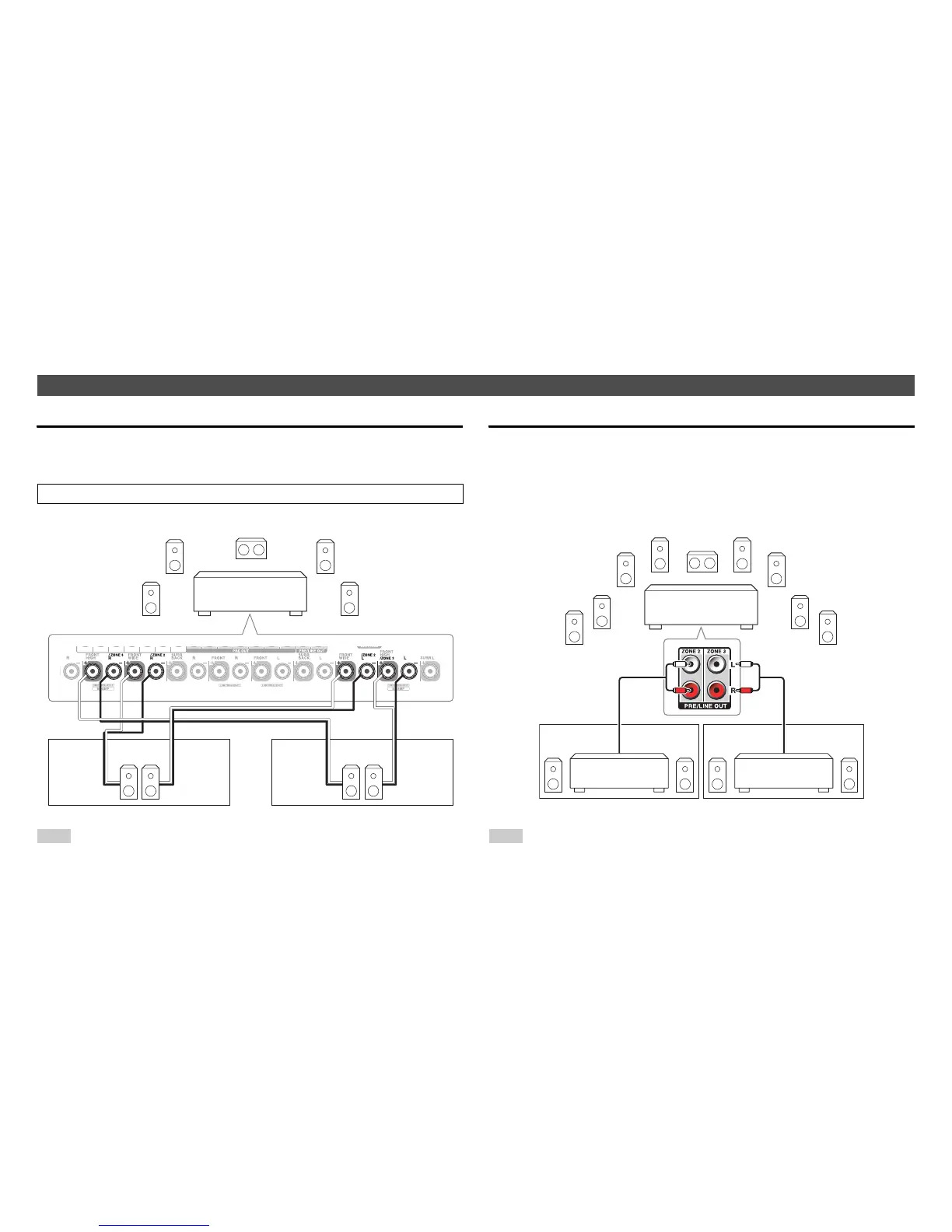
In addition to the main listening room, you can also enjoy playback in the other room, or as we call Multi Zone. And, you can select a different source for each room.
Connecting Your Zone Speakers Directly to the AV receiver
This setup allows you to select different sources for Main room and Zone 2/3. This
is called Powered Zone, as the Zone 2/3 speakers are powered by the AV
receiver.
Note
• With this setup, the volume of Zone 2/3 is controlled by the AV receiver.
• When Powered Zone 2 is used, playback in the main room is reduced to 7.1 channels.
• When Powered Zone 3 is used, playback in the main room is reduced to 5.1 channels.
Connecting the Zone Speakers to an Additional Amplifier
This setup allows 9.1-channel playback in your main listening room and 2-channel
stereo playback in Zone 2/3.
Note
• With the default settings, the Zone 2/3 volume must be set on the Zone 2/3 amplifier. If your
Zone 2/3 amplifier has no volume control, change the setting so that you can set the
Zone 2/3 volume on the AV receiver. See “Multi Zone” (➔ page 77).
Making Multi Zone Connections
To use this setup, you must activate the Powered Zone 2/3 setting (➔ page 63).
LR LR LR
AV receiver
Zone 2
Main room
Zone 3
Main room
Zone 2
AV receiver
Receiver/
integrated amp
Receiver/
integrated amp
Zone 3



 To Next Page