Advanced Operations
En-72
Operating procedure (➔ page 59)
a Toggles between lower and upper case
characters.
*1
b Moves the cursor left or right in the Name input
area.
c Moves the cursor backward and deletes one
character.
*2
d Enters a space character.
e Confirms your entry.
Tip
• To name a radio preset, use Tuner to select AM or FM, and
then select the preset (➔ page 40).
• To restore a name to its default, erase all characters with
CLR, select “OK” and then press Enter.
*1
This can also be performed by using +10 on the remote
controller.
*2
Press CLR on the remote controller to delete all the
characters you have input.
Note
• This setting cannot be used for the “NET”, “USB” and
“BLUETOOTH” input selectors.
Picture Adjust
Using Picture Adjust, you can adjust the picture
quality and reduce any noise appearing on the
screen.
Press Enter to view the TV picture while setting when
the video source is output to HDMI OUT. To return to
the previous screen, press Return.
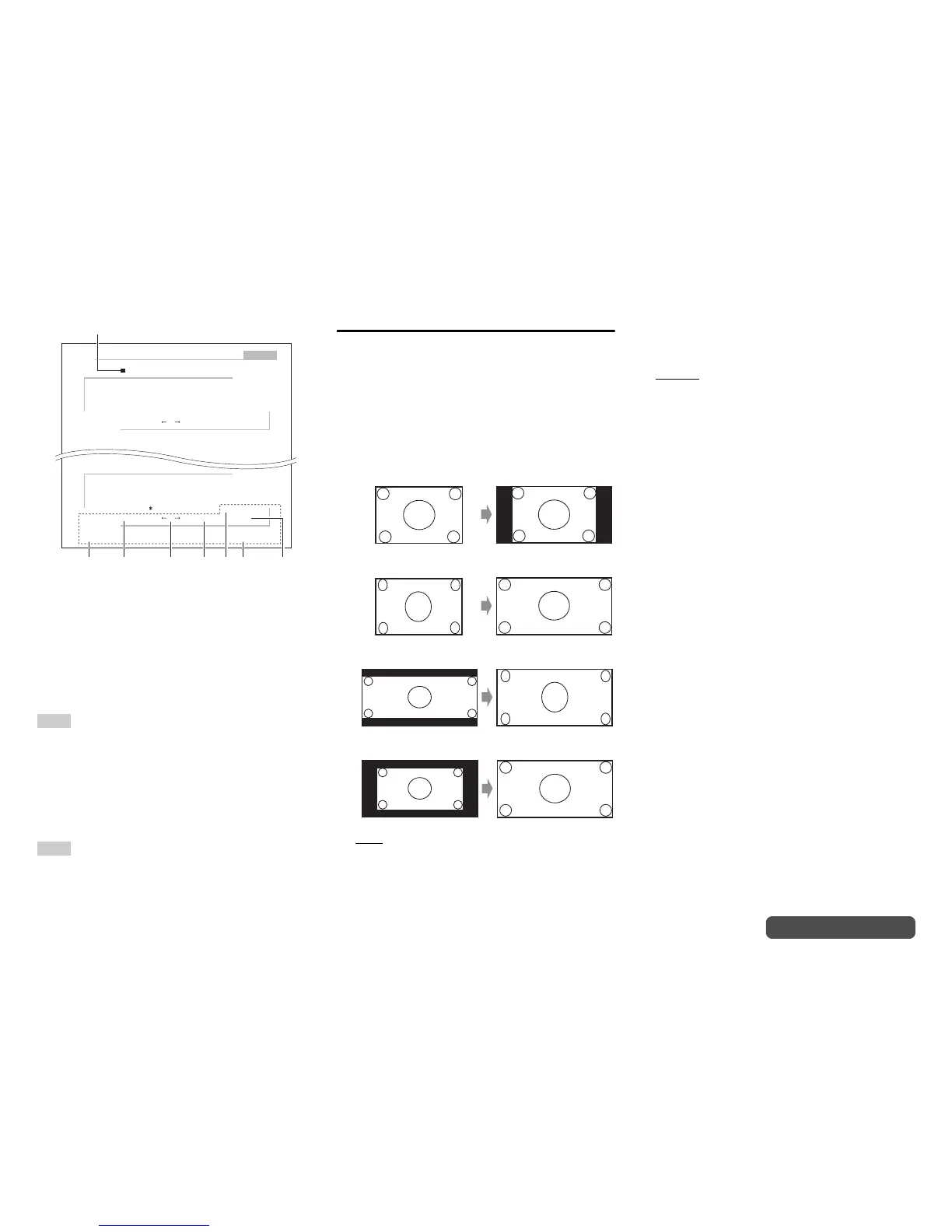
■ Wide Mode
*1*6
This setting determines the aspect ratio.
` 4:3:
` Full:
` Zoom:
` Wide Zoom:
` Auto
:
According to the input signals and monitor
output setting, the AV receiver automatically
selects the aspect ratio. See “Monitor Out” for
details on the monitor output setting
(➔ page 60).
■ Picture Mode
*1
` Custom:
All settings can be performed manually.
` ISF Day:
Select when the room is bright.
` ISF Night:
Select when the room is dark.
` Cinema:
Select when the picture source is a movie or
alike.
` Game:
Select when the video source is a game
console.
` Standard:
Does not adjust picture quality (changes
resolution).
` Bypass:
Does not adjust picture quality (does not change
resolution).
With “Picture Mode”, you can change the following
settings to be suitable for the movie or game screen
by one operation; “Game Mode”, “Film Mode”, “Edge
Enhancement”, “Noise Reduction”, “Resolution”,
“Brightness”, “Contrast”, “Hue”, “Saturation”,
“Color Temperature”, “Gamma”, “Red Brightness”,
“Red Contrast”, “Green Brightness”, “Green
Contrast”, “Blue Brightness” or “Blue Contrast”.
The receiver has been designed to incorporate setup
and calibration standards established by the Imaging
Science Foundation (ISF). The ISF has developed
carefully crafted, industry-recognized standards for
optimal video performance and has implemented a
training program for technicians and installers to use
these standards to obtain optimal picture quality from
the receiver. Accordingly, Onkyo recommends that
setup and calibration be performed by an ISF
Certified installation technician.
BD/DVD
4 - 4. Name Edit
Name
+10 CLR
abcde fgh i j k lm
nopqr s t uvwxyz
1234567890–^\
Space
Back Space
Shift OK
,./;:@[]
Shift All Erase
ABCDEFGH I JKLM
NOPQRS TUVWX YZ
+?
`{}<>
!˝#$%&’
)(_=|˜
Shift All Erase
+10 CLR
Space
Back Space
Shift OK
aebdc
Name input area
*1 *2



 To Next Page