145
Multi Zone—Continued
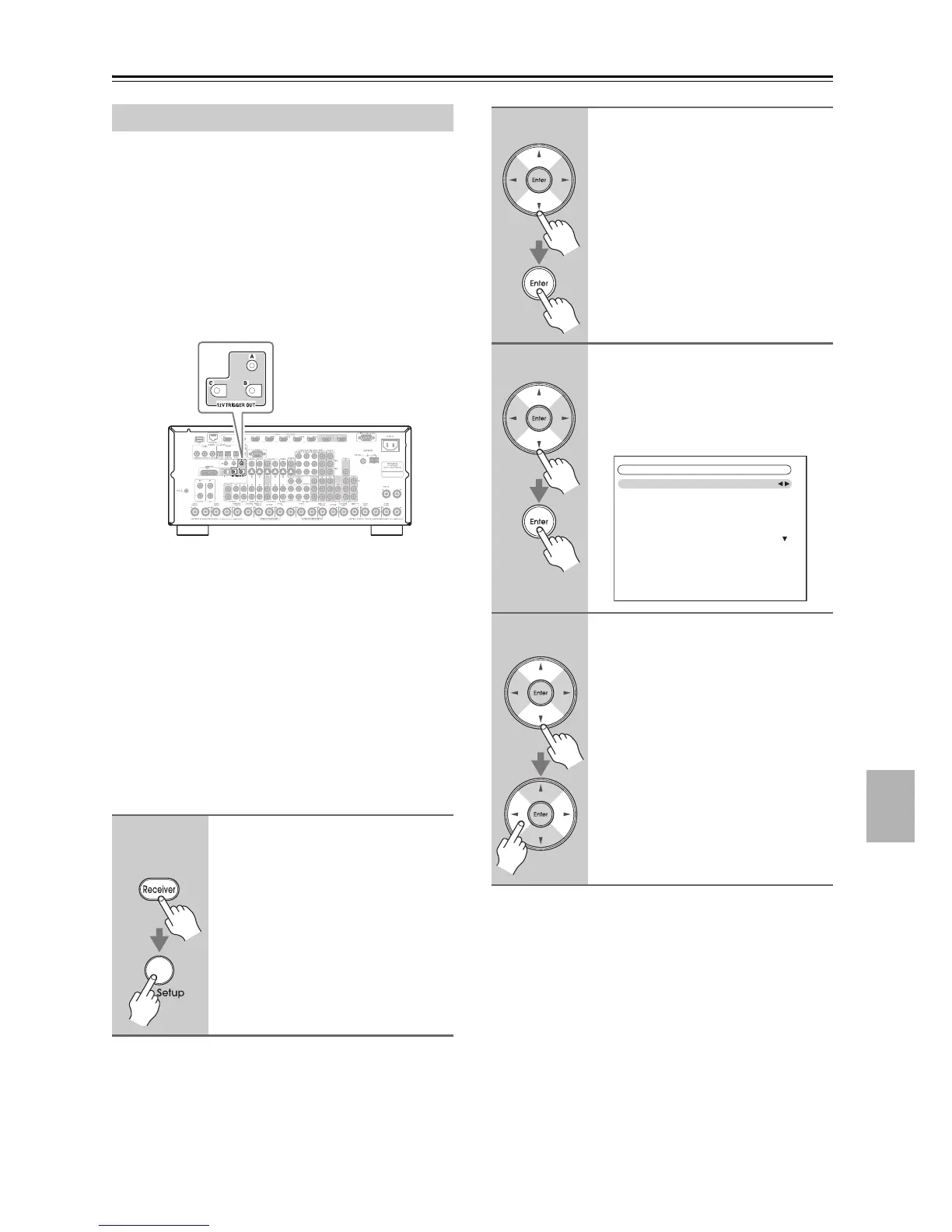
The 12V triggers A, B, and C can be used to turn on 12V
trigger-capable components automatically when they are
selected as the input source. The triggers can be set so
that they activate when a connected component is
selected as the input source for the main room, Zone 2,
Zone 3, Zone 4, or any combination of rooms.
When triggered, the output from a 12V TRIGGER OUT
goes high (+12 volts and 150 milliamperes max. at
TRIGGER OUT A; +12 volts and 25 milliamperes max.
at TRIGGER OUT B and C).
Hookup
• Use a miniplug cable to connect the AV receiver’s 12V
TRIGGER OUT A, B, or C jack to the 12 V trigger
input on a connected component.
When several components are turned on simultaneously
by using triggers A, B, and C, depending on the type of
components, a large amount of current may be drawn
momentarily. To prevent this, you can delay trigger sig-
nals A, B, and C individually. Another application for
trigger delay is eliminating the “thump” noise that’s
sometimes heard when a source component is turned on.
Delaying the trigger signal for your power amplifier so
that it’s the last component to be turned on will accom-
plish this.
Using the 12V Triggers
1
Remote
controller
Press the [Receiver] Remote
Mode button, followed by the
[Setup] button.
The main menu appears onscreen.
If the main menu doesn’t appear, make
sure the appropriate external input is
selected on your TV.
2
Use the Up and Down [q]/[w]
buttons to select
“6. Miscellaneous,” and then
press [Enter].
The “Miscellaneous” menu appears.
3
Use the Up and Down [
q
]/[
w
]
buttons to select “12V Trigger A,
B, or C,” and then press [Enter].
The “12V Trigger A/B/C Setup” screen
appears.
4
Use the Up and Down [q]/[w]
buttons to select “Delay,” and
use the Left and Right [e]/[r]
buttons to select:
0 sec (Trigger A: default),
1 sec (Trigger B: default),
2 sec (Trigger C: default),
or 3 sec.
When 0 sec is selected, the trigger sig-
nal is output as soon as the input source
is changed.
6–3. 12V Trigger A Setup
Delay
DVD/BD
VCR/DVR
CBL/SAT
GAME
AUX 1
0sec
Main
Main
Main
Main
Main



 To Next Page