Intel
®
RAID Software User’s Guide 119
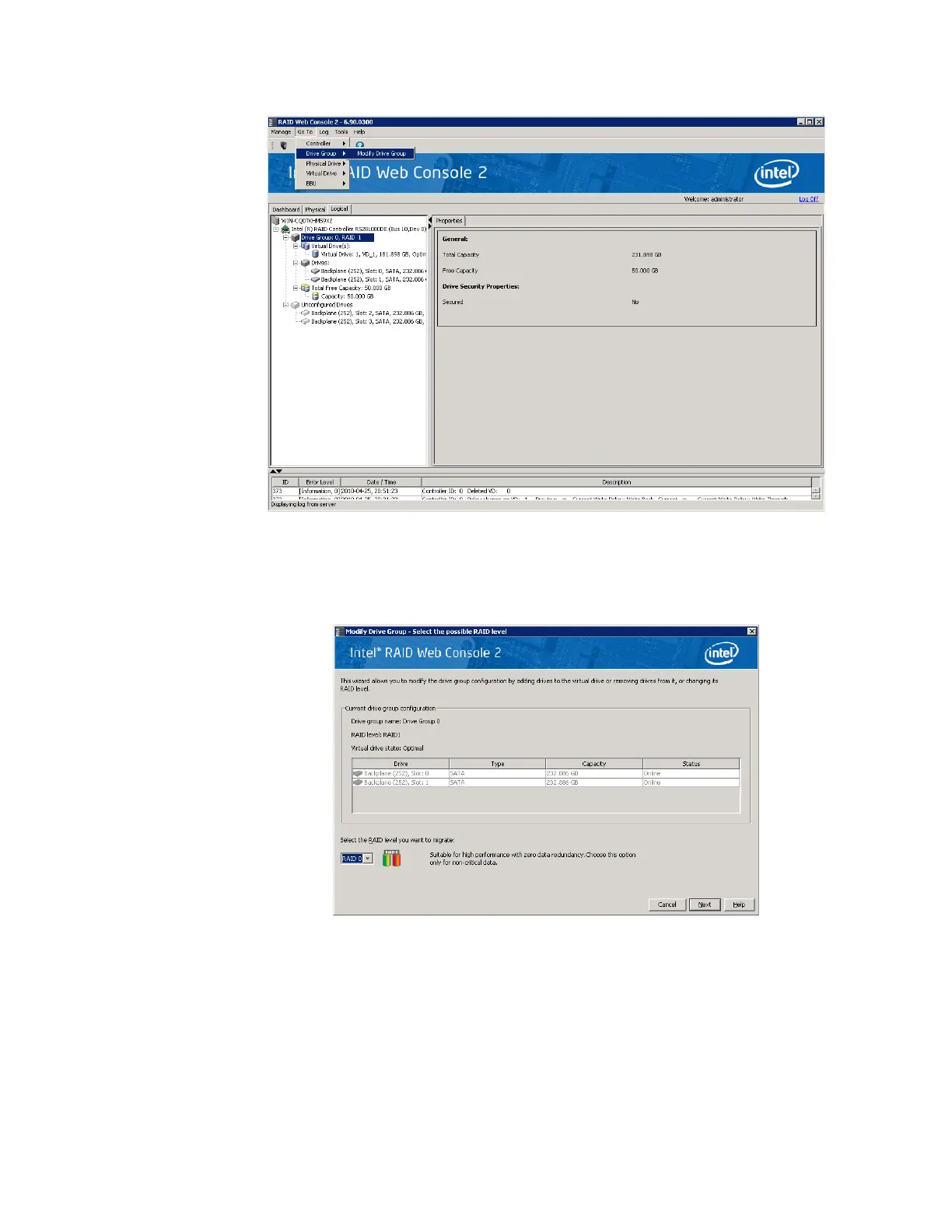
Figure 68. Starting Modify Drive Group
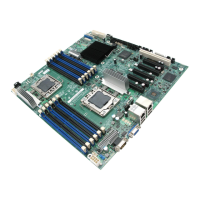
The Modify Drive Group window is displayed, as shown in Figure 69.
Figure 69. Select RAID level to migrate
2. Click Add Drive.
Note: Depending on current RAID level, the targeted migrated RAID level and the
available Unconfigured Good drive numbers, pop-up window may appear to allow
selection among Add drives, Remove drives, and Migrate RAID level.
The following screen appears:



 To Next Page