128 Intel
®
RAID Software User’s Guide
Monitoring System Events and Devices
The Intel
®
RAID Web Console 2 enables you to monitor the status of disk drives, virtual disks,
enclosures, and other devices. You can monitor the following:
• Monitoring System Events
• Monitoring Controllers
• Monitoring Disk Drives and Other Physical Devices
• Monitoring Virtual Disks
• Monitoring Enclosures
• Another method to use the BBU operations is to right-click the BBU icon to open the
operations menu and select Start Learn Cycle.
• Monitoring Rebuilds and Other Processes
Monitoring System Events
Intel
®
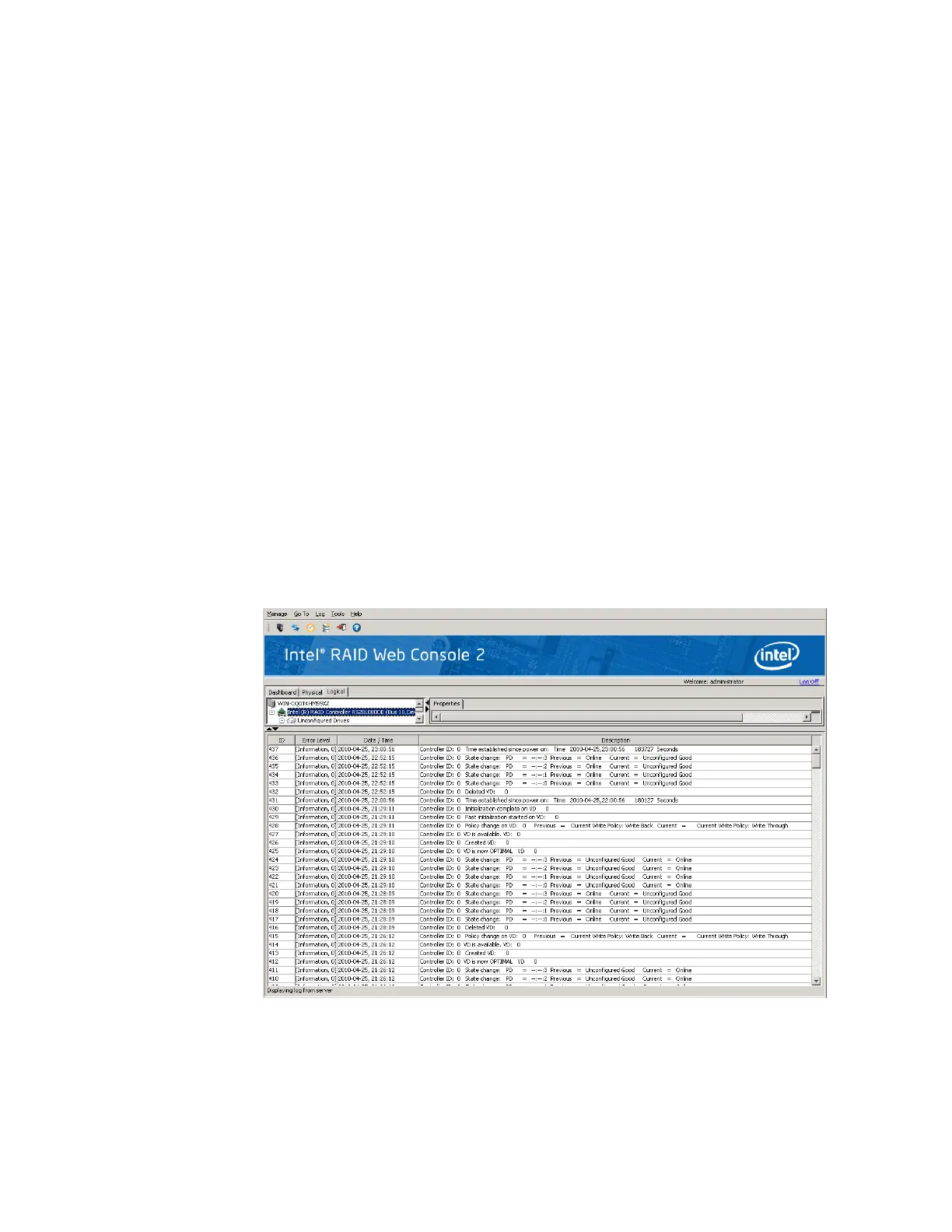
RAID Web Console 2 monitors the activity and performance of all controllers in the
system and the devices attached to them. When an “event” occurs—such as the completion of
a consistency check or the removal of a physical drive—an event message displays in the log
at the bottom of the Intel
®
RAID Web Console 2 screen, as shown in Figure 79. These event
messages also display in the Microsoft Windows* application log (the Event Viewer).
Figure 79. Event Information Window



 To Next Page