126 Intel
®
RAID Software User’s Guide
Clearing a Configuration from a Controller
If you want to manually create a new storage configuration on a controller, or load a
configuration file on a controller, you must first clear the existing configuration.
Warning: Before you clear a configuration, make sure to save any data you want to keep! Clearing a
configuration deletes all data from the disks in the existing configuration.
To clear a configuration from a controller, follow these steps:
1. Select a controller icon in the left panel of the Intel
®
RAID Web Console 2 window.
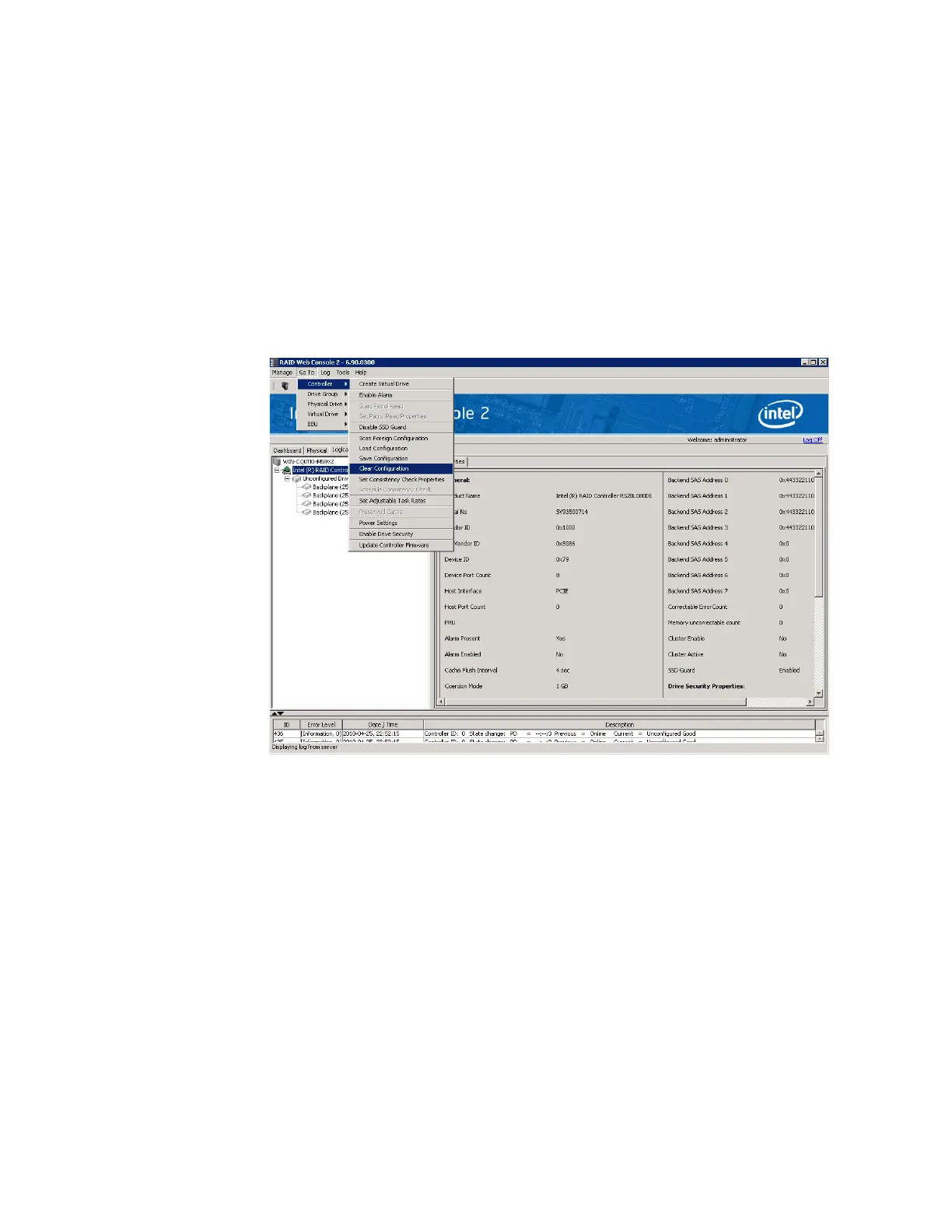
2. Select Go To -> Controller -> Clear Configuration.
Figure 77. Clear Configuration
A Warning message displays.
3. Click Yes to clear the configuration or No to cancel the operation.



 To Next Page